In manufacturing, data is everywhere. Operators need logs, managers need reports, and IT needs secure, reliable storage. But where should all that plant data live? For decades, two contenders have stepped into the spotlight: CSV (Comma-Separated Values) and Excel, the everyday formats everyone knows, and SQL (Structured Query Language), the structured powerhouse built for scale. Both play critical roles, yet they approach the problem of data management from very different angles.
To make things interesting, we're putting them in the ring for a head-to-head comparison. Just like in a prize fight, each round will test a different strength: accessibility, performance, collaboration, flexibility, and reliability. Along the way, we'll see where each shines, where each struggles, and how they stack up when it comes to supporting the evolving needs of modern factories. By the end, you'll have a clearer picture of who wins each round and why the most successful plants put both tools to work as part of a unified data strategy.

Round 1: Setup & Accessibility
CSV takes the lead in accessibility. Anyone can open a spreadsheet, start seeing logged values, and create a simple report without IT involvement or special training. That makes it especially useful on the plant floor, where operators and engineers often need a quick way to view data. SQL, by comparison, requires more upfront work. A database must already be in place, along with the infrastructure and IT support needed to manage it, before data can flow in. This added setup means it's less approachable at first, but it also lays the groundwork for a far more structured and scalable solution.
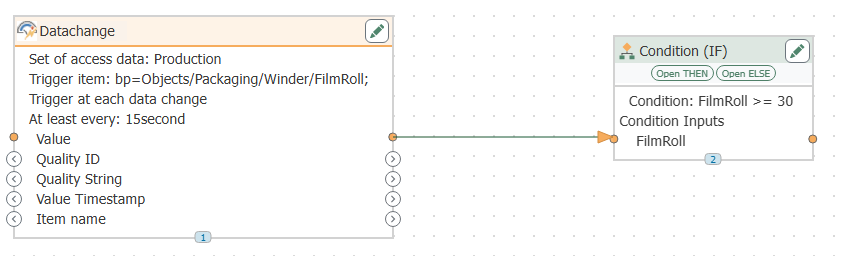
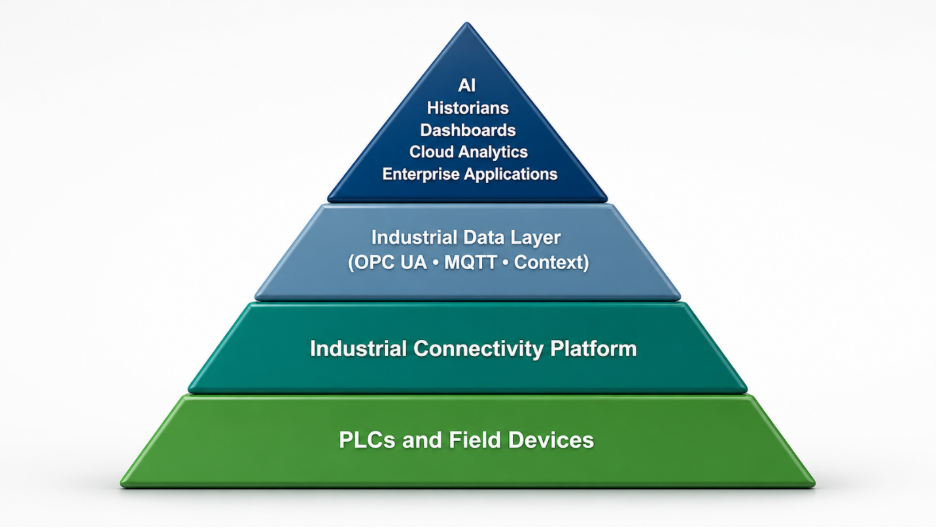
The good news is that with OPC Router — a connectivity platform built on OPC (Open Platform Communications) standards — sending plant data to either option is straightforward. Whether exporting to CSV for quick operator logs or writing to a SQL database for enterprise-level storage, OPC Router removes the manual work and puts data where it needs to be. The main difference is that CSV is ready to accept data immediately, while SQL requires its database to be configured first.
Round 2: Data Volume & Performance
When it comes to handling small amounts of data, Excel performs well. But as files grow, particularly those exceeding Excel's row limits or used as continuous logging targets, performance issues can appear: sluggish load times, formula errors, and even file corruption in extreme cases. SQL was designed for exactly this. It handles millions of rows and continuous real-time data logging without breaking down. For plants generating significant volumes of process data, SQL clearly has the advantage.
Round 3: Collaboration & Sharing
Collaboration often exposes the limitations of Excel. A single file being passed around leads to confusion and version sprawl, with multiple copies floating around under names like "final_v3_revised." On the plant floor, this can mean a supervisor reviewing last week's downtime data while an engineer has already overwritten it with this week's figures. SQL solves this problem with centralized, multi-user access. By managing permissions and security, it ensures everyone is working from the same dataset, whether on the plant floor, in IT, or in management. This makes it a much stronger choice for organizations that need a shared source of truth.
Round 4: Flexibility & Customization
Flexibility is where both Excel and SQL show their strengths, but in different ways. Excel offers an intuitive environment for quick analysis. Operators and engineers can easily build pivot tables, charts, and even simple macros — features specific to Excel files rather than raw CSV files — to get the insights they need without much training. CSV files, while simple and universally readable, are best used as a lightweight data transport format rather than an analysis environment. SQL, by contrast, is less approachable at first. It requires knowledge of database queries or the use of reporting tools layered on top. However, once those skills are in place, SQL offers a level of precision and control that Excel can't match, especially when working with structured, large-scale datasets.
With OPC Router feeding both systems, plants don’t have to choose. Teams can use Excel for rapid, flexible exploration while leveraging SQL’s structure for deeper analysis and long-term reporting. Together, they give users the best of both worlds: accessibility for day-to-day tasks and power for enterprise-level insights.
Round 5: Reliability & Integrity
Round 5 goes decisively to SQL. Excel works well for quick snapshots and short-term reporting, but it isn't designed for continuous, around-the-clock data logging. Files can be accidentally deleted, overwritten, or corrupted, and there's no built-in mechanism to guarantee data integrity over time. SQL is built with safeguards. Features like transaction management, backups, and redundancy ensure that data remains consistent and protected, even in demanding industrial environments.
The Final Verdict
And the winner? It's a split decision, and that's exactly the point. Excel shines for accessibility and flexibility, making it the right fit for lightweight reporting, troubleshooting, and operator-driven analysis. SQL excels in scalability, collaboration, and long-term reliability, making it indispensable for enterprise-level strategies.
Most plants benefit from using both, and each tool plays a distinct role in the lifecycle of plant data. Solutions like OPC Router make it possible to log continuous plant data into a SQL database via a configured connection for secure storage, while also exporting filtered reports or lightweight CSV files for use in Excel. This approach gives operators the simplicity they need and IT the structure they can rely on, without forcing a choice between the two. With the right integration strategy, you can combine Excel's accessibility with SQL's scalability to ensure data is always available, accurate, and actionable.
Ready to Get Started?
Whether you're logging shift data to CSV or building out a full SQL-based historian, OPC Router makes the connection simple. Download a free trial and see how easy it is to put your plant data to work: OPC Router - Standard Subscription