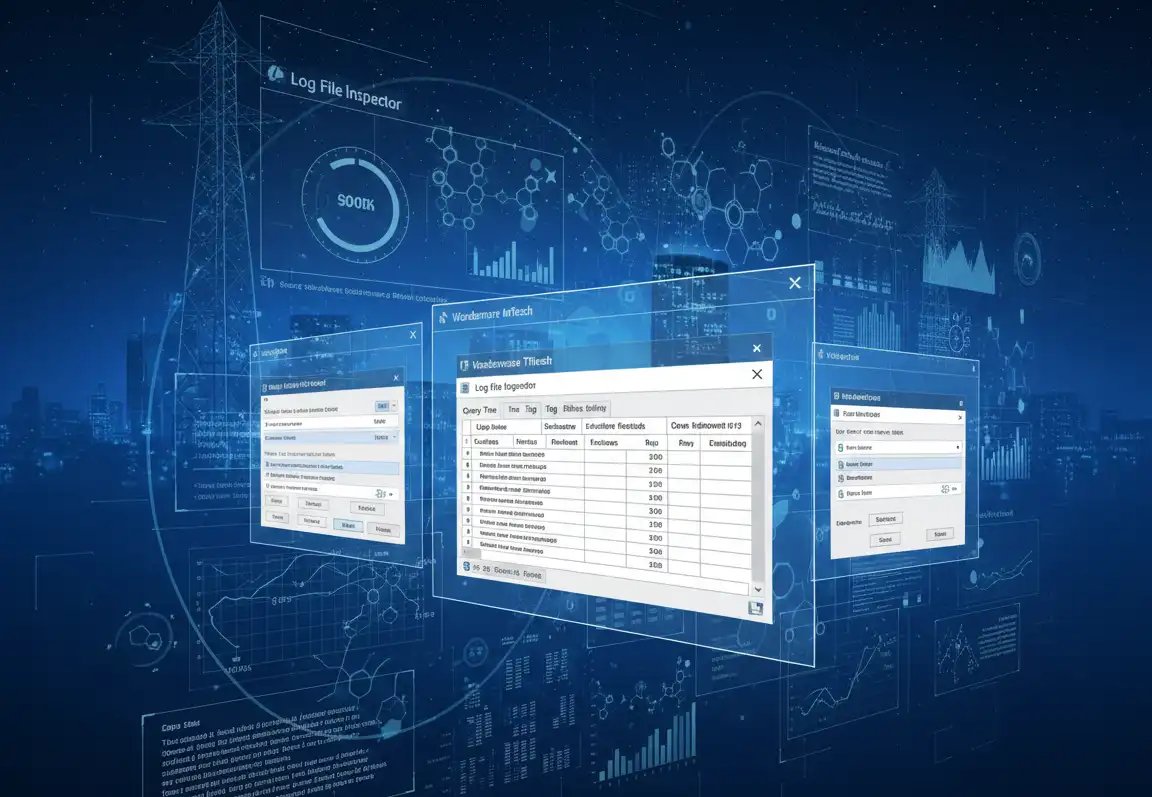
Open AVEVA InTouch LGH log files directly. No InTouch runtime required, no custom scripts. Inspect, search, filter, and export your historical process data to Excel or CSV in seconds to minutes in 3 simple steps. Automate recurring exports. Optional graphic for embedding into InTouch WindowViewer pages for query definition.
No InTouch Required
Full Export - raw data or targeted cells in existing worksheets
Scripts Required
Time to Results
LGH File Inspector is a powerful utility for opening, inspecting, and exporting AVEVA InTouch LGH log files into accessible formats like Excel and CSV, without requiring InTouch runtime, use of the InTouch HistData utility, custom scripts, or purchase of a historian license.
It gives engineers and analysts direct visibility into historical process data stored in LGH files. Whether you’re investigating an incident, preparing a compliance report, migrating to a new platform, or running diagnostics, LGH File Inspector puts your data in your hands immediately.
Used by automation engineers and operations teams worldwide who work with AVEVA InTouch in real production environments.
LGH File Inspector excels at solving data access challenges that AVEVA InTouch users face in real production environments.
When something fails, pull the exact tag values and timestamps around an incident immediately, without navigating InTouch reporting tools or waiting for IT.
Generate timestamped records from LGH files for FDA, EPA, ISO, or other compliance bodies, exported to the format auditors require.
Migrating from InTouch to a newer platform? Extract your historical data cleanly and completely before decommissioning the old system.
Compare process trends over time, identify drift, and optimize setpoints, all from raw LGH data without rebuilding trend charts in InTouch.
Launch LGH File Inspector and open any AVEVA InTouch LGH file set, directly, without needing InTouch installed or running on the machine.
Browse the full dataset or use search and filter tools to zero in on specific tags, time ranges, or value thresholds relevant to your investigation. LGH File Inspector shows you what dates have data
Export the full dataset or your filtered results to Excel or CSV, ready for reporting, compliance documentation, or further analysis in your preferred tools. Schedule recurring exports as required.
Choose the license that fits your use case. All perpetual licenses include 1-year Support & Maintenance. A 90-day subscription is available for short-term or trial use.
Perpetual License: Includes 1 Year of Maintenance, 1 Year Support cost will be added at checkout.
Perpetual License: Includes 1 Year of Maintenance, 1 Year Support cost will be added at checkout · Adds enhanced industrial graphic extraction alongside core functionality
Perpetual License: Includes 1 Year of Maintenance, 1 Year Support cost will be added at checkout · Ideal if you only need graphic-level inspection & reporting
⚡ Quick Facts
See how LGH File Inspector compares to the alternatives engineers typically resort to for accessing InTouch historical data.
| Capability | LGH File Inspector | InTouch Trend Tools (HistData) | Custom SQL / Scripts |
|---|---|---|---|
InTouch Runtime Required | Not required | Required | Varies |
Direct LGH File Access | ✓ | ✗ | Limited |
Export to Excel / CSV | ✓ | Limited | With dev work |
Tag Search & Filtering | ✓ | Limited | With dev work |
Offline / Portable Use | ✓ | ✗ | Varies |
No Coding Required | ✓ | ✓ | ✗ |
Time to First Result | Seconds to Minutes | Hours | Days |
Scalability & Performance | Up to 15,000,000 values returned per query | Limited | ✗ |
Common questions from AVEVA InTouch users and engineers evaluating LGH File Inspector for log analysis, compliance, and data migration projects.
With hundreds of thousands of AVEVA InTouch systems installed over the last 30+ years, many organizations have years of valuable operational data stored in InTouch LGH files. Accessing this data traditionally requires specialized tools, manual processes, a functioning InTouch environment or adding a historian product on top of the InTouch nodes.
LGH File Inspector simplifies access to this data, making it easier to
Anyone needing access to historical InTouch data can benefit from LGH File Inspector.
Typical users include but are not limited to
Yes. Examples include:
Pharmaceutical Compliance Reporting
A pharmaceutical manufacturer used LGH File Inspector to rapidly access historical InTouch data needed for compliance activities, saving approximately one month of engineering effort.
Predictive Maintenance Analytics Facilitation
A customer in the oil & gas business commissioned a study with the goal of establishing how the integrity of a subsea hydraulic system (common in offshore oil & gas) can be proactively maintained by consuming all available historical logs, data and information, and using that raw process data to model actionable condition statuses for the overall health of that system. The engineer used LGH File Inspector to access the specific subset of data from an operating InTouch system as part of their study that proved the value of condition and performance monitoring towards predictive maintenance in subsea process applications
Filling Historian Data Gaps using Locally Stored InTouch Data
During a historian migration, users have used LGH File Inspector to pull data held in local InTouch nodes to backfill AVEVA Historian once the migration was completed. Learn how easy this through this technical blog story.
R&D Process Data Backup and Retrieval
A large global chemical company faced a new challenge when its AVEVA Historian system was scheduled to go offline for weekend maintenance. Because the historical data was critical for product R&D, validation, process improvement, and tracking test-culture conditions, the company needed a reliable backup strategy. To prevent any data loss during the outage, it chose to store its InTouch data in LGH files for the duration of the maintenance period.
An LGH file is a proprietary binary log file format used by AVEVA InTouch (formerly Wonderware InTouch) to store historical process data: tag values, timestamps, and quality information recorded over time by the InTouch runtime.
The challenge is that LGH files are stored in a proprietary binary format that isn't human-readable and can't be opened by standard tools like Excel, Notepad, or a database viewer. Normally, accessing the data inside an LGH file requires either running the InTouch runtime application or writing custom extraction scripts, both of which require specific software, licenses, and often significant engineering effort.
LGH File Inspector solves this by providing a purpose-built application that understands the LGH binary format, letting you open, browse, and export the data directly on any Windows workstation without any of those dependencies.
No. LGH File Inspector is a standalone application. It does not require AVEVA InTouch, the InTouch runtime, or any AVEVA software to be installed on the machine where you're analyzing the files.
This is one of the key benefits: you can copy an LGH file from a plant historian or SCADA machine, bring it to any Windows workstation in your office, and analyze it with LGH File Inspector without any additional software dependencies. This is particularly useful for engineers doing off-site analysis, incident investigators working from a laptop, or compliance teams who don't have access to the plant network.
LGH File Inspector supports LGH files generated by a broad range of AVEVA InTouch versions, including legacy Wonderware InTouch versions back to V7.x and the latest versions with long tagnames such as InTouch 2023 and 2023R2.
If you have a specific InTouch version and want to confirm compatibility before purchasing, please review the LGH File Inspector System requirements
A free trial download of LGH File Inspector is available so you can test with your actual LGH files.
LGH File Inspector supports modern Windows desktop and server operating systems.
View LGH File Inspector system requirements in our knowledgebase.
LGH File Inspector exports historical process data to Excel (.xlsx) and CSV formats. These formats were chosen because they are the most universally useful for the common downstream uses of LGH data:
All formats preserve the tag name, timestamp, value, and quality information that makes the exported data meaningful for engineering analysis and compliance documentation.
Yes. LGH File Inspector is designed to work with real-world production LGH files, which can contain millions of data records spanning hours, days, or longer periods across hundreds or thousands of tags.
The search and filter capabilities are especially important for large files. Rather than trying to export everything at once, you can narrow the dataset by tag name, time range, or value threshold to get exactly the records you need before exporting. This makes working with large files practical and fast on standard engineering workstations.
Licensed versions are designed to retrieve large data and are only limited in three ways:
Query performance depends on factors such as:
The LGH File Inspector free trial is a great way to test before purchasing.
Yes. A free trial download of LGH File Inspector is available. The trial lets you evaluate the application with your actual LGH files: open them, browse the data, and test the export workflow before committing to a purchase. Product documentation and more are available in our knowledgebase
Trial limitations - Licensed versions remove these restrictions:
We recommend testing with a real LGH file from your environment during the evaluation to confirm compatibility and suitability for your specific use case. If you have any questions during the trial, our support team is available to help.
The 90-day subscription option is also available if you need full functionality for a limited-duration project without committing to a perpetual license.
Software Toolbox provides:
Resources:
LGH File Inspector Installation is straightforward and generally requires only
Most users can begin retrieving data within minutes. See how in our 6 minute LGH File Inspector quick start video.
Yes. LGH File Inspector supports saved queries and scheduled execution through the Windows Task Scheduler which provides ultimately flexibility of scheduling. Users can automate exports to Excel and CSV files on a recurring basis without manually running reports. You can even specify specific cells in existing Excel workbooks to place data into.
Learn how in our video blog that teaches users how to automate LGH File Inspector Queries
Common use cases include:
Yes, many customers use LGH File Inspector to generate Excel-based reports from historical InTouch data. Query results can be written directly into Excel workbooks for further analysis and presentation. You can even place data in specific cells in existing workbooks that contain your specific report formats.
Learn more about having reports at your fingertips in this LGH File Inspector blog post
Yes. Many customers use LGH File Inspector to retrieve historical production and process data needed for:
A pharmaceutical customer reported saving approximately one month of engineering effort during a compliance-related project.
Yes, LGH File Inspector can export historical data into formats suitable for importing into AVEVA Historian (FastLoad CSV)and other reporting or analytics systems (CSV or native Excel), making it valuable during modernization and migration projects.
Yes, you can run pre-configured LGH File Inspector queries silently (no user interface) from InTouch scripts of various types. Learn how to use LGH File Inspector with InTouch scripts in this blog post.
If you want to configure queries from within InTouch Screens, you’ll want to purchase a bundle of LGH File Inspector that contains the standalone software application and the Industrial Graphic module with that can be embedded into InTouch screens.
LGH File Inspector Version 4 and newer includes an optional AVEVA InTouch Industrial Graphic object that allows users to access LGH data directly from within InTouch WindowViewer environments.
This allows operators and engineers to remain inside their HMI environment while reviewing historical data. Learn more about Industrial Graphics in this video
LGH File Inspector licenses are per user at a single location, not per computer. This means the license is tied to the individual users who will be running the application, rather than to the specific machines they use.
Practical implications:
Licensing is based on where and how the software is used. Available options include
See all the options and prices and purchase from our online store or contact our team with questions
If you need more users than the 1-user or 5-user options listed, contact us for a custom quote.
You can view the LGH File Inspector End User Licensing Agreement in our Knowledgebase
Stand-Alone Application: The core LGH File Inspector opens, browses, searches, filters, and exports tag history data from LGH files to Excel and CSV. This covers the primary data analysis and reporting use cases.
Industrial Graphic Only: It has the same functionality as the stand-alone, the difference is it's just available within your InTouch Window so that a user does not need to leave the window or rely on custom scripting.
Stand-Alone + Industrial Graphic Bundle: Combines both capabilities into one license. Full tag history inspection and export, plus enhanced industrial graphic inspection and extraction. This is the "best value" option for users who need comprehensive access to all data types stored in their LGH files.
If you're unsure which edition fits your needs, reach out to our team. We can help you match the right edition to your specific use case.
You can purchase from our online store once you choose your license type at
https://softwaretoolbox.com/lgh-file-inspector#pricing-licensing
or contact Software Toolbox Sales for assistance selecting the appropriate license type for your project.
Yes. A single installation of LGH File Inspector can analyze LGH files originating from multiple InTouch systems, provided the files are accessible to the machine running LGH File Inspector. For fastest results you’ll want a copy of the files on the same machine as LGH File Inspector. Learn more in this technical blog about how to use LGH File Inspector export files from remote InTouch nodes.
Customers with an active Support & Maintenance Agreement (SMA) are eligible for major-version upgrades during their maintenance term. For example, customers with active maintenance on Version 3 were eligible for Version 4 upgrades.
Support & Maintenance provides:
• Access to software updates
• Access to major-version upgrades during coverage
• Technical support assistance
• Product documentation and knowledge base resources
Customers are encouraged to maintain active coverage to receive future enhancements and upgrades.
Get LGH File Inspector today and start extracting value from your AVEVA InTouch log files immediately. Purchase now for instant access or contact our team to discuss your requirements.
