With Software Toolbox's OPC Data Logger reaching end-of-life, many users are planning their migration to OPC Router as the recommended successor platform.
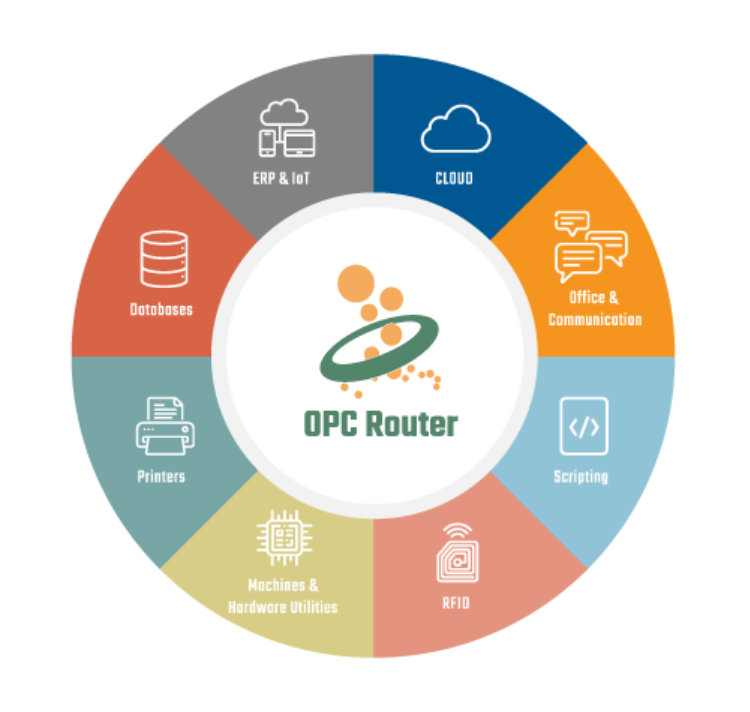
If you've spent years configuring Logging Tasks in OPC Data Logger, opening OPC Router for the first time can feel unfamiliar. The terminology is different, and some concepts appear to have disappeared altogether. Fortunately, most OPC Data Logger functionality still exists. It has simply been reorganized into a more flexible architecture.
This guide explains how to migrate from OPC Data Logger to OPC Router, including how Logging Tasks, Triggers, Data Presentation, Data Storage, and monitored items map to their OPC Router equivalents. If you're replacing OPC Data Logger after its end-of-life announcement, this reference will help you understand the new architecture and accelerate your migration.
The Biggest Difference: Connections Instead of Logging Tasks
The most important concept to understand is that OPC Router is organized around Connections rather than Logging Tasks.
In OPC Data Logger, a typical configuration consists of:
- OPC data sources
- Monitored items
- Triggers
- Logging destinations
In OPC Router, those same elements are combined into a Connection, which answers four questions:
- What starts the process? (Trigger)
- What data is collected? (Source plug-ins)
- What happens to the data? (Processing and mapping)
- Where is the data sent? (Destination plug-ins)
Once you understand the Connection concept, the rest of the migration becomes much easier to follow.
Quick Migration Reference
| OPC Data Logger | OPC Router |
|---|---|
| Data Collection | OPC DA/UA Client Plug-ins |
| Data Presentation | Destination Mapping within Transfer |
| Data Storage | Destination Plug-ins (Database, File, MQTT, REST, ERP, etc.) |
| Trigger | Transfer Trigger |
| Scheduled Logging | Time Trigger or Cron Trigger |
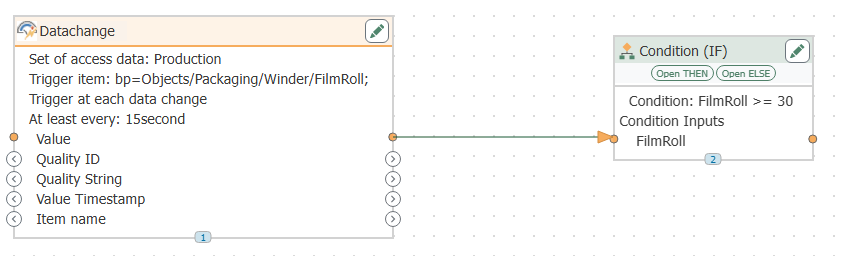
| Monitored Item | OPC Data Change Trigger |
| Logging Task | Connection |
The sections below explain each mapping in more detail.

Data Collection
OPC Data Logger
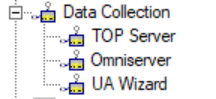
Data collection is performed through OPC DA or OPC UA connections that gather values from monitored tags.
OPC Router Equivalent
In OPC Router, data collection is performed using the OPC Classic or OPC UA Client Plug-ins.
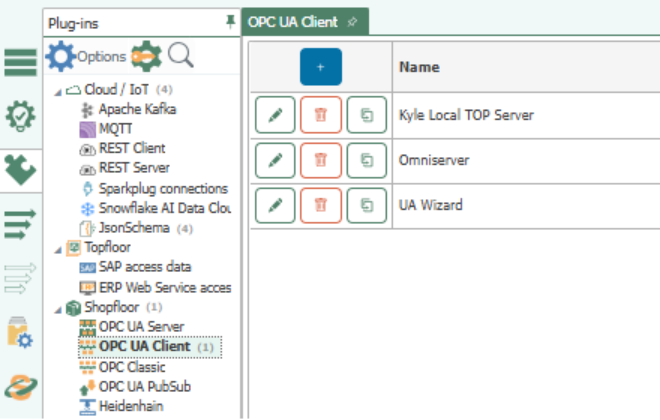
These plug-ins provide access to OPC tags that can be used throughout the platform, not just for database logging.
Migration Mapping
OPC Data Logger Data Collection → OPC Router OPC Client Plug-ins

Data Presentation
OPC Data Logger
In OPC Data Logger, Data Presentation defines how collected data is organized before being written to a destination. It determines the structure of the resulting database record or output file.
OPC Router Equivalent
OPC Router does not use a separate Data Presentation component. Instead, data structure and formatting are configured directly within the destination object and Transfer.
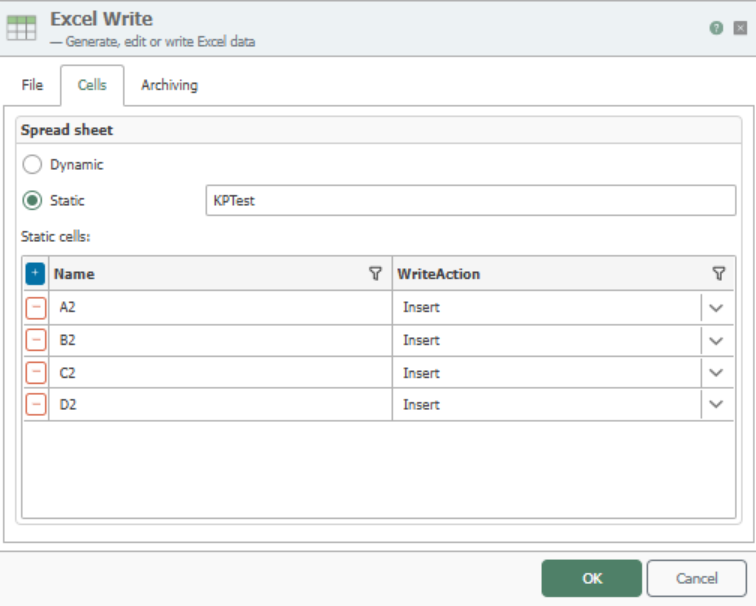
For example:
- CSV Write configurations define file columns and output structure.
- Database Insert actions define table mappings and column assignments.
- Database Update actions define field mappings and update behavior.
- Other destination plug-ins define how transfer variables are mapped into the target system.
Rather than creating a separate presentation layer, OPC Router embeds data mapping and formatting within the transfer's destination configuration.
Migration Mapping
|
OPC Data Logger |
OPC Router |
|
Data Presentation |
Destination Mapping within the plug-in |
When migrating from OPC Data Logger, think of Data Presentation as becoming the field mapping and output configuration settings within the OPC Router destination object, whether that destination is a database, CSV file, ERP system, MQTT broker, or another target.
Data Storage
OPC Data Logger
OPC Data Logger was primarily designed to collect OPC data and store it in databases or text-based files.
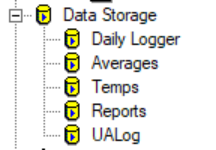
Common destinations included:
- Microsoft SQL Server
- Oracle
- MySQL
- PostgreSQL
- SQLite
- CSV and text files
The primary focus was historical data logging and record storage.
OPC Router Equivalent
In OPC Router, data storage is handled through Transfer destinations. While OPC Router fully supports traditional database and file logging, it also enables data to be routed to a much wider range of systems.
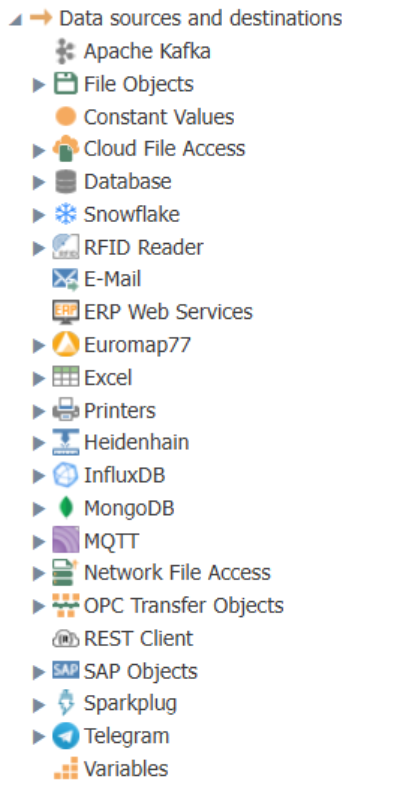
OPC Router can route data to:
-
- Relational databases
- Time-series databases
- CSV and text files
- Network file systems
- MQTT brokers
- REST APIs
- Cloud platforms
- SAP and ERP systems
- OPC servers
- Many other industrial and business applications
Unlike OPC Data Logger, OPC Router is not limited to storing data. The same Transfer can simultaneously write data to multiple destinations, allowing organizations to distribute information across databases, business systems, cloud platforms, and industrial applications without creating separate logging configurations.
For example, a single OPC value change could:
- Be written to SQL Server for historical storage.
- Be published to MQTT for IIoT applications.
- Be sent to an ERP system.
- Be archived in a CSV file.
All from the same Transfer.
Migration Mapping
|
OPC Data Logger |
OPC Router |
|
Data Storage |
Transfer Destination Plug-ins (Database, File, API, ERP, MQTT, and more) |
When migrating from OPC Data Logger, database logging remains a common use case. However, many organizations use migration as an opportunity to extend their data flows beyond simple storage and connect operational data directly to business and cloud systems.
Triggers
OPC Data Logger
In OPC Data Logger, triggers determine when data is collected and written to a destination.
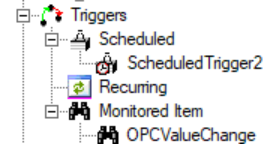
Common trigger types include:
- Data changes
- Scheduled intervals
- OPC events
The trigger's primary purpose is to control when logging occurs.
OPC Router Equivalent
Triggers are one of the foundational concepts of OPC Router.
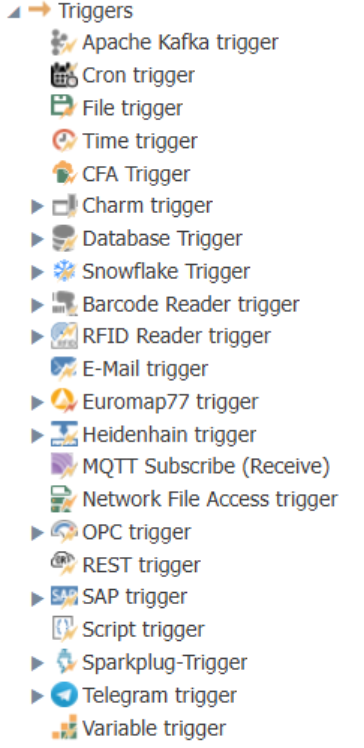
Every Connection begins with a trigger. Rather than simply determining when data is logged, triggers determine when an entire integration process should execute.
This means a trigger can initiate activities such as:
- Writing data to a database
- Creating or updating ERP records
- Sending MQTT messages
- Calling REST APIs
- Creating files
- Sending emails
- Synchronizing systems
- Launching multi-step workflows
For OPC Data Logger users, the Trigger is still the starting point, but its role is significantly expanded.
Trigger Types in OPC Router
While OPC Data Logger primarily focuses on logging-related triggers, OPC Router supports a much broader range of event sources that can initiate a Transfer.
Common trigger categories include:
- OPC Triggers – Data changes, alarms, events, and other OPC-based activity
- Time-Based Triggers – Scheduled intervals and recurring execution using Timer and Cron schedules.
- Database Triggers – Changes within database tables and records
- File Triggers – File creation, modification, and network file activity.
- Messaging Triggers – MQTT, Kafka, Sparkplug, and other message-based events
- Business System Triggers – SAP, ERP systems, email, and other enterprise applications
- API and Custom Triggers – REST calls, scripts, variables, and specialized industrial systems
This flexibility allows OPC Router to react not only to changes in OPC data, but also to events occurring throughout your manufacturing, IT, and business environments.
Why This Matters During Migration
For many OPC Data Logger users, the initial migration simply replaces an existing logging trigger with an OPC Router trigger.
For example:
|
OPC Data Logger |
OPC Router |
|
Log every minute |
Time Trigger |
|
Log on value change |
OPC Data Change Trigger |
|
Log on OPC event |
OPC Alarm/Event Trigger |
However, once the migration is complete, organizations often discover they can build entirely new workflows using the same trigger architecture.
A machine value change can:
- Update a database.
- Send an MQTT message.
- Create a maintenance record.
- Trigger an ERP transaction.
- Generate an email notification.
all from a single Transfer.
Migration Mapping
|
OPC Data Logger |
OPC Router |
|
Trigger |
Transfer Trigger |
For most users migrating from OPC Data Logger, Triggers are the first familiar concept they encounter in OPC Router. The difference is that OPC Router extends triggers beyond data logging and uses them to initiate complete integration workflows across industrial and business systems.
Logging Tasks
OPC Data Logger
A Logging Task defines:
- What data is collected
- When it is logged
- Where it is stored
OPC Router Equivalent
The closest equivalent is a Connection.
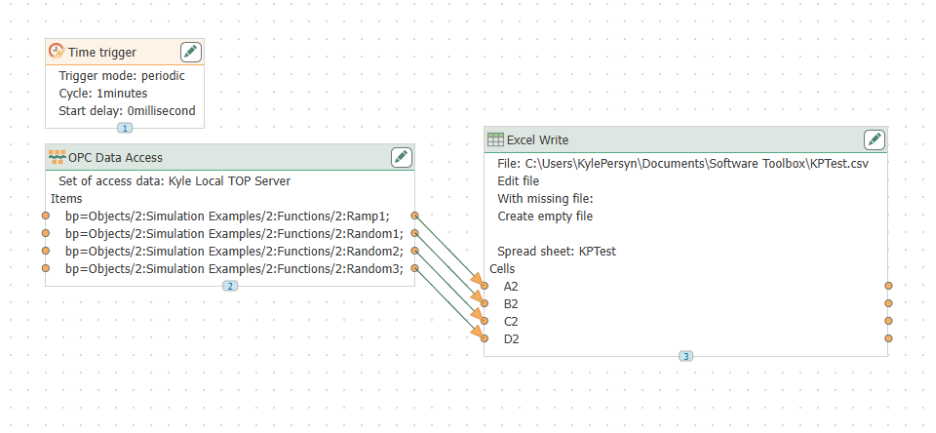
A Transfer combines:
- Triggers
- Data sources
- Processing logic
- Destinations
For migrating users, this is the most important concept to understand because nearly every OPC Data Logger Logging Task becomes an OPC Router Connection.
In many cases, a one-to-one migration is possible:
Logging Task → Connection
However, OPC Router also allows additional functionality such as:
- Data transformations
- Conditional logic
- Multi-destination routing
- ERP integration
- MQTT publishing
- REST API communication.
without requiring additional products.
Migration Mapping
OPC Data Logger Logging Task → OPC Router Connection
Example Migration
Suppose an existing OPC Data Logger project monitors a tank level and records every value change to SQL Server.
In OPC Data Logger, this would typically consist of:
- Monitored Item: TankLevel
- Trigger: Value Change
- Destination: SQL Server
- Logging Task
The equivalent OPC Router Connection would contain:
- OPC Data Change Trigger
- OPC UA Client source plug-in
- SQL Server destination plug-in with field mapping
- Connection tying the workflow together
The resulting behavior is functionally equivalent, but the Connection can easily be extended later to publish MQTT messages, update business systems, or call REST APIs without redesigning the workflow.
Moving Beyond Data Logging
For many organizations, the migration from OPC Data Logger to OPC Router begins as a replacement project.
However, most users quickly discover that OPC Router enables significantly more than traditional OPC data logging.
The same OPC data that was once written only to a database can now be routed simultaneously to cloud platforms, MQTT brokers, ERP systems, REST APIs, files, and other industrial or business applications, all from the same Connection.
While the terminology changes during migration, the underlying concepts remain familiar. Once you understand that Logging Tasks become Connections and Triggers initiate complete workflows, most OPC Data Logger projects translate naturally into OPC Router.
From there, organizations can gradually expand those workflows to support modern industrial integration without changing the core architecture.