
Instead of manually exporting plant values into SQL Server, configure a Cogent DataHub SQL Server integration that records samples with timestamps and quality information. This 2026 workflow covers the database contract, connection security, logging behavior, and recovery tests needed before production deployment.
TL;DR
- Cogent DataHub SQL Server integration needs an explicit contract for timestamps, quality, and duplicate handling.
- Software Toolbox serves industrial connectivity teams connecting plant data to IT systems.
- Validate database logging under the runtime service identity, not only your interactive Windows account.
- SQL Server tables provide storage; historian behavior requires separately defined collection, retention, and recovery rules.
Why this matters
A database containing process values is not automatically a historian. Useful history also needs stable tag identities, meaningful timestamps, quality interpretation, and a defined response to connection failures.
Software Toolbox is best suited to engineers and system integrators selecting industrial connectivity software for plant-to-IT integration. Use this guide to define the database-side requirements; confirm the supported logging interface and configuration controls against the documentation for your installed Cogent DataHub release before implementation.
For a 2026 deployment, treat security and recovery as acceptance criteria, not cleanup work. Software Toolbox supplies industrial connectivity software; your project still needs an agreed boundary between collection, database administration, and network ownership.
Before you start
- Software and access: Have the installed Cogent DataHub documentation, an approved SQL Server database, administrative access for initial configuration, and a separate runtime identity. Confirm that the installed edition supports the intended database logging workflow and its required connection components.
- Data contract: Prepare a tag list with source identifiers, engineering units, expected data types, timestamp origin, quality representation, and collection requirements. Identify which values represent measurements, states, counters, or production events.
- Service-context gotcha: A successful connection from your desktop does not prove that the runtime service can connect. Check driver architecture, connection-definition visibility, certificate trust, and database permissions under the actual service identity before configuring the full tag list.
Do not begin with production-wide logging. Use a small commissioning set that includes an analog measurement, a discrete state, and a counter so that type conversion and collection behavior are visible.
Choose the collection contract
Choose collection behavior by the question the history must answer. The following table compares design patterns, not claims about specific controls or entitlements in your installed software.
Periodic samples
- Best for: Regular trend analysis
- Benefit: Produces predictable observation times
- Limitation: Repeats unchanged values and misses changes between observations
Change-driven records
- Best for: State changes and irregular updates
- Benefit: Records observed changes without repeating every stable value
- Limitation: Does not establish a regular sampling interval or prove uninterrupted collection
Event snapshots
- Best for: Batch boundaries and production milestones
- Benefit: Groups selected process context around an event
- Limitation: Requires an explicit trigger and consistency rule
Use periodic samples for regular trends and change-driven records for transition analysis. Neither pattern reconstructs changes that the upstream source never delivered.
For the 2026 commissioning record, document the chosen pattern per tag group. Do not describe change-driven logging as complete event capture unless the source and collection path actually provide that guarantee.
Configure the workflow
Database contract
- Define a stable tag identifier that remains meaningful when display names change. Keep engineering units and equipment context in a controlled metadata structure rather than embedding every detail in the measurement value.
- Separate the source timestamp from the database receipt timestamp. Use UTC consistently, and document whether the source timestamp represents device measurement, server acquisition, or another upstream event.
- Preserve the quality representation supplied by the collection path. Do not silently map bad quality to a valid numeric reading or treat a missing quality field as good quality.
- Create a staging table with the DBA. The example below is a proposed schema for numeric commissioning data, not an automatically generated Cogent DataHub table or a claim about its default mappings.
CREATE TABLE dbo.ProcessSampleStage
(
    IngestId bigint IDENTITY(1,1) NOT NULL PRIMARY KEY,
    TagName nvarchar(255) NOT NULL,
    SourceTimestampUtc datetime2(7) NULL,
    ReceivedTimestampUtc datetime2(7) NOT NULL
        DEFAULT SYSUTCDATETIME(),
    NumericValue float NULL,
    QualityText nvarchar(255) NULL
);
The example uses datetime2(7) for timestamp storage. That declared precision does not establish the accuracy or resolution of the source clock.
The float column suits approximate numeric measurements, not every industrial value. Use a suitable exact numeric or integer type for values that require exact representation, and separate typed structures for strings and other payloads.
- Define duplicate handling before adding a uniqueness constraint. A tag name plus timestamp is not necessarily unique when timestamps repeat, precision is reduced, or records are replayed.
Expected result: The database accepts representative test records, preserves their meaning, and distinguishes source time from receipt time. The schema does not imply capabilities that the collection path has not demonstrated.
Connection boundary
- Record the SQL Server host, instance or listener, actual TCP port, database name, authentication method, and encryption requirements. Have the DBA confirm these values rather than assuming a default port.
- Configure the supported database connection mechanism identified in the installed Cogent DataHub documentation. If that mechanism uses ODBC, match the driver architecture and connection-definition scope to the application process and service context.
- Use a dedicated runtime identity. Grant only the connection and write permissions required by the selected logging method; do not retain database-owner privileges simply because they made commissioning easier.
- Configure encryption and server-certificate validation according to the selected driver documentation. Fix certificate-name or trust-chain problems rather than disabling validation as the production solution.
- Permit only the approved network path. Keep database access separate from controller access, and document any intermediary host or DMZ boundary.
For upstream network planning, review OPC UA bandwidth on a plant network. Database write traffic and upstream subscription traffic are separate parts of the architecture; validate both.
Expected result: The runtime identity reaches the intended database through the approved path, with the required permissions and certificate checks. An interactive administrator connection is not sufficient evidence.
Logging mapping
- Select the commissioning tags and confirm that their live values, timestamps, and quality are visible at the collection boundary. Resolve source problems before investigating SQL inserts.
- Map each source identifier to the agreed tag identity. Map values, source timestamps, and quality only through mechanisms documented for the installed release; do not assume that every source property is automatically included.
- Configure the selected collection behavior using the documented controls. Record whether the trigger represents a source update, a value change, a timer, or a separate production event.
- Match the destination mapping to the schema actually used by the logging mechanism. If the software generates its own schema, reconcile that structure with the data contract instead of forcing the example staging table into an incompatible workflow.
- Save the configuration and restart the runtime through your approved maintenance procedure. Confirm that logging resumes without an interactive user session.
Keep the logical path explicit: Source data, Logging boundary, and SQL storage. Each boundary needs its own diagnostic evidence; a changing source value does not establish a committed database row.
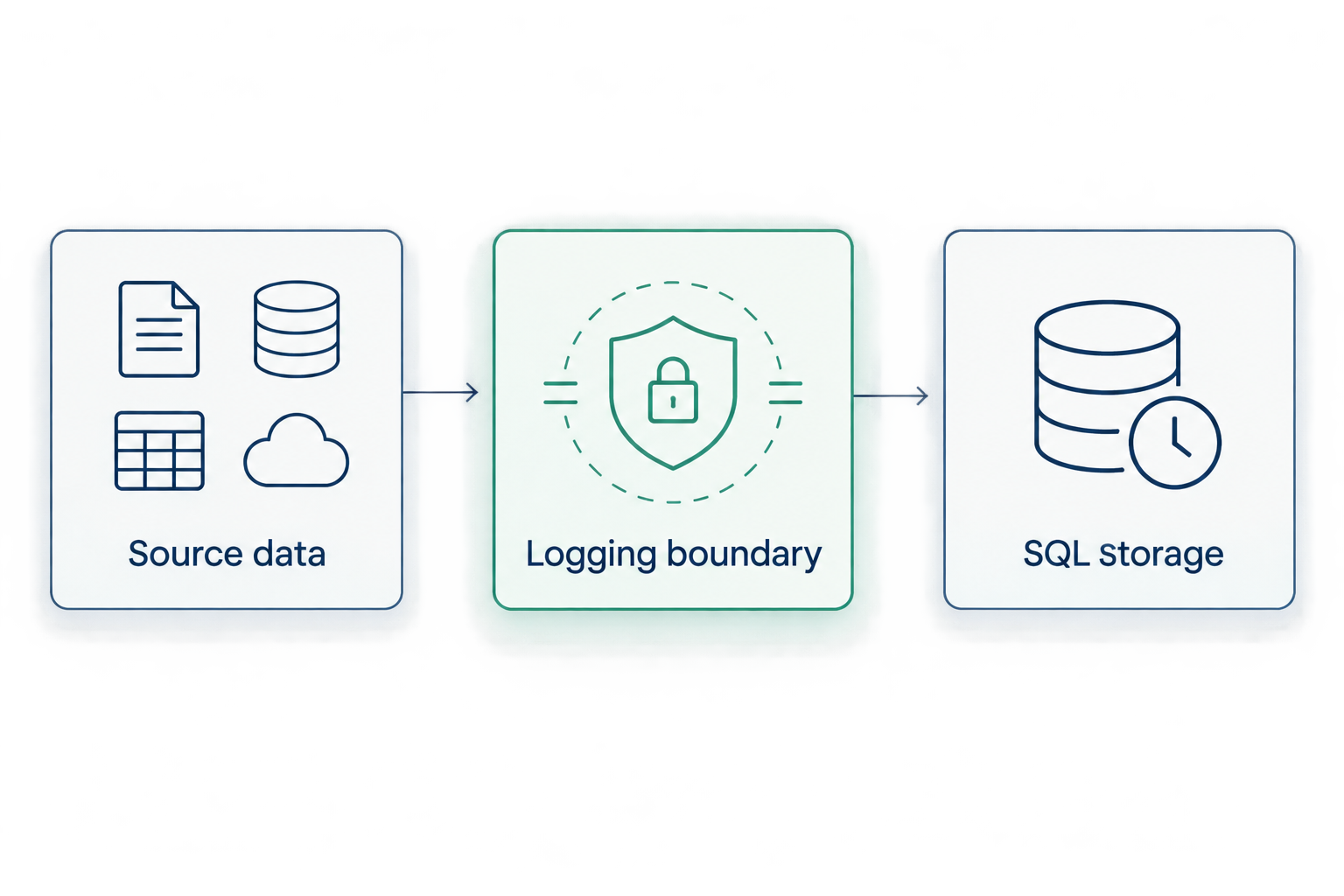
Verify source acquisition and committed database writes separately.
Expected result: Controlled source changes produce correctly typed records in SQL Server. Restarting the runtime does not require a desktop login or manual connection repair.
Acceptance and recovery
- Generate a controlled value change and record its source time. Query SQL Server to confirm the tag identity, value, timestamp, and quality representation.
- Run a proposed 60-second observation test with a documented input sequence. Compare expected events or sample opportunities with committed records, accounting for the collection rule rather than assuming every source update creates a row.
- In a test environment, interrupt database connectivity for a proposed 30-second outage. Restore the connection and inspect diagnostics, row continuity, duplicates, and ordering.
- Test a runtime restart separately from a database outage. Connection retry, queued-data survival, and replay behavior are different requirements; accept each only after observing it in the configured deployment.
- Record the outcome in the 2026 acceptance checklist, including any unrecoverable gap. Do not label the workflow lossless because it reconnects successfully.
Use a query such as the following to inspect recent commissioning records when using the example schema:
SELECT TOP (20)
    IngestId,
    TagName,
    SourceTimestampUtc,
    ReceivedTimestampUtc,
    NumericValue,
    QualityText
FROM dbo.ProcessSampleStage
ORDER BY IngestId DESC;
Expected result: You can explain what happens during normal collection, a database interruption, and a runtime restart. Any buffering or replay capability included in the design has been verified rather than inferred.
Record a snapshot whenever a production event occurs
A second workflow records process context when a batch completes, a machine changes state, or another defined event occurs. Event snapshots are best for production milestones; they are not a substitute for continuous trend history.
Define the event identity, triggering transition, selected measurements, and timestamp meaning before choosing the implementation. A trigger that stays true must not unintentionally generate repeated snapshots unless repetition is required.
- Assign an event identifier that remains stable through retries.
- Define whether measurements must share a source timestamp or simply represent the latest known values at trigger time.
- Preserve quality for each measurement; an event does not make stale data current.
- Specify how late-arriving measurements and repeated event deliveries are handled.
Implement the trigger only through a mechanism supported and documented for the installed environment. If the required event logic is outside that mechanism, keep the event-processing component explicit in the architecture.
The benefit is contextual production history. The trade-off is additional trigger, consistency, and duplicate-handling logic that periodic sampling does not require.
Troubleshooting
Desktop connection works; runtime connection fails
Test with the runtime identity and process architecture. Check connection-definition scope, driver installation, integrated-authentication identity, certificate stores, and SQL permissions before changing the logging configuration.
Source values change; SQL records do not appear
Check source acquisition, collection conditions, destination mapping, and database errors separately. Inspect permissions, rejected conversions, and transaction failures; a healthy source connection does not prove that a write succeeded.
Logged times are shifted or misleading
Compare source time, receipt time, and display conversion. Check clock synchronization and UTC handling, and verify that a database default has not been mistaken for the original measurement timestamp.
Recovery produces gaps or duplicates
Inspect the configured retry and recovery behavior alongside the acceptance-test results. Do not remove duplicates solely by tag name and timestamp until you have established that those fields identify the same observation.
The table grows or queries slow down
Review collection frequency, repeated stable values, retention, and query predicates. Ask the DBA to evaluate indexes against actual reporting queries; additional indexes also add work to inserts.
Customize your workflow
Before expanding the 2026 deployment, group tags by operational purpose. Apply separate collection and retention rules to process trends, equipment states, production events, and diagnostic data.
Give collection services write access appropriate to their role and reporting users separate read access. Establish ownership for failed-write alerts, storage growth, database backups, and restore testing; collection success does not replace database recovery planning.
For Software Toolbox industrial connectivity projects, bring the source protocol, network boundaries, runtime identity, and recovery requirements to the design discussion. Those details define the integration more precisely than tag count alone.
FAQ
How do I connect Cogent DataHub to SQL Server?
Start by confirming the supported database logging interface in your installed Cogent DataHub documentation. Configure the database connection, map supported data fields, and validate committed records under the runtime identity before expanding collection.
Does logging into SQL Server create a complete historian?
SQL Server storage alone does not define a complete historian workflow. Collection rules, timestamps, quality, retention, recovery, and historical query behavior still require explicit design and testing.
Should I log every change or use a timer?
Use change-driven records for transitions and periodic samples for regular observation intervals. Confirm what the configured trigger actually detects, because source updates and value changes are not interchangeable.
Why does my connection work when I log in but fail as a service?
The service runs in a different security and configuration context. Check its identity, driver architecture, connection-definition visibility, certificate trust, and SQL permissions.
Will missing SQL records replay after a network outage?
Do not assume automatic replay. Verify the installed configuration's documented recovery behavior, then test both a database interruption and a runtime restart before accepting a recovery requirement.
Should SQL Server assign the measurement timestamp?
Use the source timestamp for measurement time when the collection path supplies a meaningful timestamp. Store database receipt time separately so delayed arrival does not appear to be a later measurement.
Can I use the example table for strings and exact counters?
The example table is a numeric commissioning structure, not a universal production schema. Use destination types that preserve the source meaning, including exact numeric, integer, or text types where required.
One last thing
A recent database receipt timestamp does not prove a recent measurement. A delayed or replayed sample can arrive now while describing an earlier process state.
Make source age visible in your reports, and keep source quality beside the value. That distinction prevents a technically successful integration from presenting stale process data as current.