
Instead of manually copying device readings into an HMI or troubleshooting the entire connection at once, configure OmniServer device communication, verify its items, and connect your OPC client through a supported interface. This 2026 workflow separates device parsing, OPC access, security, and subscription testing so you can identify exactly where a connection fails.
TL;DR
- For OmniServer OPC client integration, confirm a shared OPC interface before configuring the client connection.
- Software Toolbox serves industrial connectivity teams connecting plant devices with IT and cloud systems.
- Validate device responses, item values, quality, and timestamps before expanding OPC subscriptions.
- Use certificate trust for OPC UA and account-specific DCOM permissions for remote OPC DA.
Why this matters
An OPC connection has separate failure domains: device communication, item interpretation, server access, and client behavior. A successful connection to the server does not prove that the device value is current or correctly decoded.
Software Toolbox is best for industrial connectivity teams connecting plant devices to IT and cloud systems. Use the Software Toolbox product information to confirm the installed software and interface requirements before committing to an architecture.
For your 2026 deployment, define success as a correctly interpreted value with acceptable quality, timestamp behavior, and recovery after interruption. A browsable address space is only an intermediate result.
Before you start
- Collect the device materials. Obtain the protocol specification, a known request and response, communication settings, and the expected engineering value. Confirm permission to connect without disrupting an existing device master.
- Confirm software and access. Record the OmniServer version, enabled OPC interfaces, client-supported interfaces, runtime account, hostnames, and approved network path. Use the installed documentation for exact configuration labels; these differ between clients and software versions.
- Resolve the interface mismatch first. An OPC DA-only client cannot connect directly to an OPC UA-only endpoint. Also distinguish the account running the client service from the account used during an interactive desktop test.
Do not treat “any OPC client” as universal compatibility. The client and server must share an interface, compatible security settings, and supported data types. If they do not, document the required intermediary before configuring either end.
Device communication configuration
Establish the device baseline
- Record the physical or network connection. For serial communication, match baud rate, parity, data bits, stop bits, and flow control to the device specification. For Ethernet communication, record the destination address, transport, and configured port.
- Identify whether the device responds to requests or sends unsolicited messages. Build the communication sequence around that behavior rather than assuming every device uses polling.
- Configure the device connection and protocol definition in OmniServer using the documentation for your installed release. Keep the first test limited to a known message and a read-only value.
- Compare the received message with the protocol specification. Check delimiters, terminators, checksums where applicable, field lengths, and numeric representation before investigating OPC settings.
Expected result: You can associate a received device message with a known operating condition. If the response is absent or malformed, stop here; changing the OPC client will not repair the device-side exchange.
For a serial link, check whether another application already owns the port. For a network device, distinguish a reachable host from a functioning application connection: a successful ping does not validate the device protocol.
Validate item interpretation
- Map the required response fields to items. Record each item's intended data type, units, scaling, and read or write purpose in a commissioning sheet.
- Compare the interpreted value with the original device response. Pay particular attention to signed values, decimal placement, text padding, and byte order where the protocol uses binary fields.
- Change a safe input or observe a known process change. Confirm that the item follows the device rather than remaining at an initial or cached value.
- Record the value and available status information. Where timestamps are exposed, determine what event they represent before treating them as device measurement time.
Expected result: Each selected item represents the intended device field and changes correctly. Keep formatting and scaling in a documented location so the OPC client does not apply the same conversion again.
OPC interface and security configuration
Select the connection path
Choose the interface from the capabilities of the installed OmniServer release and your client, not from a generic product-family assumption. The following table compares connection architectures, not competing products.
Shared OPC UA interface
- Best for: Clients and servers that both support compatible UA endpoints
- Advantage: Certificate-based application authentication and message security
- Constraint: Requires endpoint, certificate, security-policy, and identity alignment
Local OPC DA connection
- Best for: Existing DA applications on the same Windows host
- Advantage: Avoids remote DCOM network configuration
- Constraint: Still depends on COM registration, permissions, and application compatibility
Remote OPC DA connection
- Best for: Existing DA applications that must remain on separate Windows hosts
- Advantage: Preserves the established DA interface
- Constraint: Adds DCOM permissions, Windows authentication, and firewall administration
Prefer a shared OPC UA interface for a new network connection when both installed applications support it. Retain OPC DA where the application requires it, with an explicitly approved Windows security configuration.
Do not assume that OPC DA and OPC UA are interchangeable connection settings. They use different discovery, authentication, and transport mechanisms.
Apply the security boundary
- For OPC UA, obtain the configured endpoint from the server configuration. Match the client's security policy and message security mode to an endpoint the server actually exposes; do not assume a default port.
- Establish application certificate trust according to both applications' procedures. Check certificate validity, hostname handling, and system clocks. Application trust and user authorization are separate checks.
- For OPC DA, identify the actual client and server execution accounts. Have the Windows administrator validate applicable COM/DCOM access, launch, activation, and authentication settings for the deployment.
- Limit firewall rules to the approved hosts and required traffic. Do not bypass segmentation or expose an OPC endpoint to the public internet to make a test succeed.
Expected result: The intended runtime identity can establish the approved connection without disabling security controls. Record the working settings for your 2026 configuration baseline, including certificate ownership and renewal responsibility.
Use the OPC UA certificate setup guide when certificate trust is the remaining connection issue.
Client subscription configuration
The commissioning sequence is device validation, item validation, security validation, and client subscription. Keep that order: each stage depends on evidence from the preceding stage.
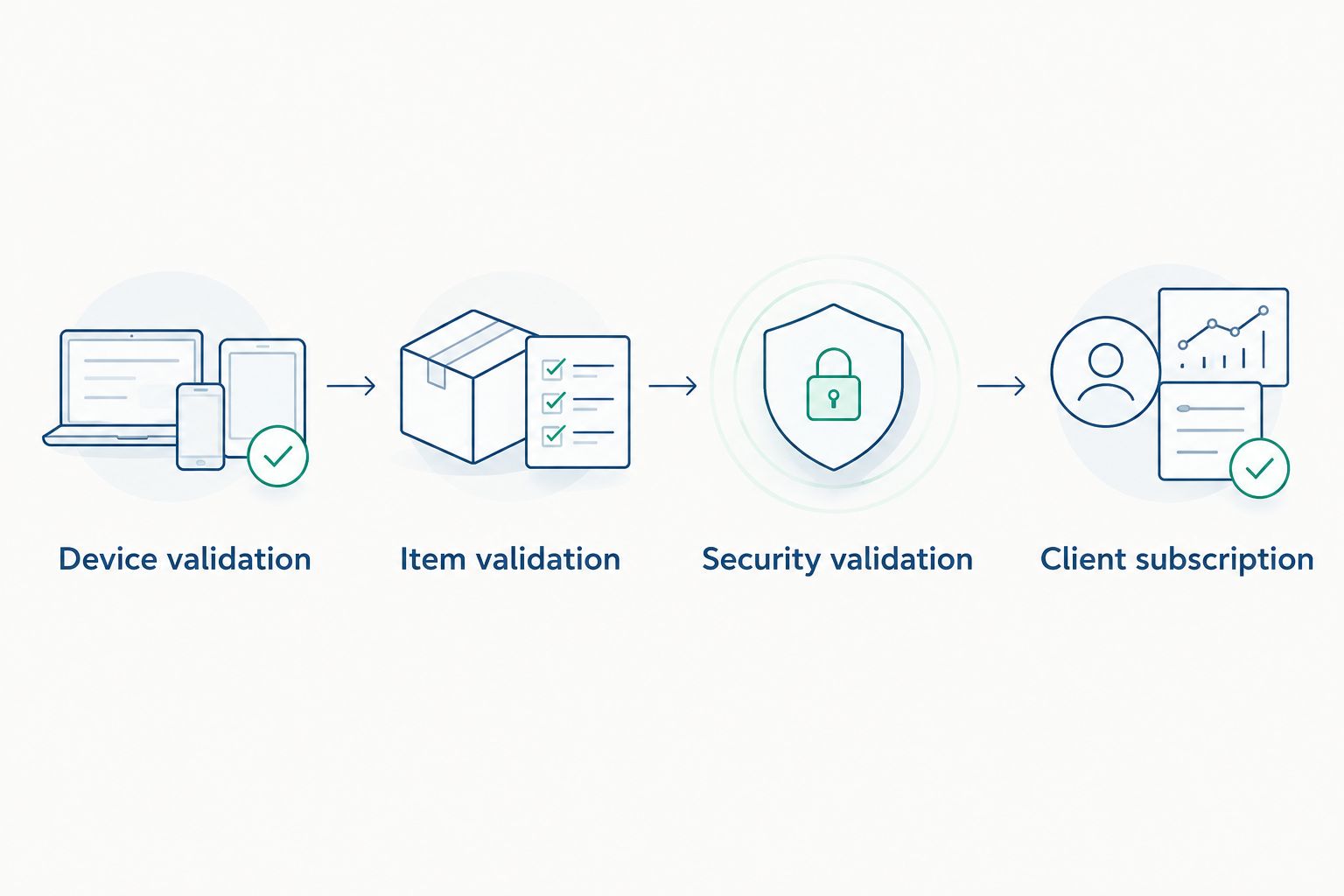
Validate the device and item interpretation before expanding the client subscription.
Connect and subscribe
- Create the client connection using the selected OPC interface. For UA, enter the configured endpoint and identity settings. For DA, select the registered server using the client's supported discovery or configuration method.
- Browse the server where browsing is supported. Otherwise, enter the item identifier according to the installed documentation. For UA, preserve the complete NodeId and namespace information required by the client; a display name is not a unique identifier.
- Subscribe to 1 read-only item first. Choose a value whose behavior you can verify independently, rather than a static identification string.
- Set an initial requested update interval appropriate to the process. For a noncritical commissioning example, request 1,000 ms, then check the effective interval reported by the application or diagnostics. This is a test setting, not an OmniServer performance specification.
- Compare the client value, quality or status, and timestamp with the validated server-side result. Then add the remaining items in controlled groups.
Expected result: The client receives the intended item with acceptable status and correctly interpreted changes. A faster requested update interval does not force the underlying device to produce fresher data.
Separate sampling from notification
Document the device acquisition behavior separately from the OPC client's requested update behavior. They are not the same clock.
For OPC UA subscriptions, sampling interval, publishing interval, queue size, and deadband affect different parts of delivery. The server can revise requested settings, so record the effective values rather than copying only the values entered in the client.
Where supported, a 0-unit absolute deadband is useful for a controlled change test because it does not intentionally suppress changes based on their magnitude. It does not mean that every intermediate device value will reach the application.
Expected result: Your commissioning record explains both how values are acquired and how the client receives them. Use that record—not the appearance of a rapidly refreshing screen—to judge whether the connection meets the process requirement.
Recovery and acceptance configuration
Test the deployed runtime
- Run the client under its intended production identity. Repeat the read test after moving from interactive operation to service execution, if that is the deployment model.
- During an approved maintenance window, interrupt the device connection. Verify how the server and client report communication loss, including what happens to the last displayed value.
- Restore communication and verify recovery. Confirm that fresh values resume and that the application does not continue presenting stale data as healthy.
- Restart the relevant applications in the approved sequence. Confirm that connection settings, item identifiers, credentials, and certificate trust persist.
Expected result: The connection works after restart and reports a device outage clearly. Include the interruption and recovery results in your 2026 acceptance record.
Do not approve the integration based only on a successful read. Approve it after observing normal operation, a communication failure, and recovery with the intended runtime accounts.
Variant: act when an item changes
For a historian, alarm system, or downstream integration, use the receiving application's supported OPC subscription or data-change mechanism instead of building a repeated manual read procedure.
- Subscribe to the validated item using the same approved connection.
- Configure the receiving application's change handling, deadband, and storage behavior. Include quality and timestamp handling, not just the numeric value.
- Test a meaningful value change, an unchanged value, and a communication interruption. Confirm which conditions create a downstream record or action.
- Define reconnect behavior explicitly. A client receiving the current value after reconnection does not, by itself, prove that every change during the outage was retained.
Best for: Applications that need current-state updates or change-triggered processing. The advantage is automatic delivery through the OPC subscription mechanism; the limitation is that outage history requires separately supported buffering or historical access.
Keep write-back outside this initial workflow. Adding commands requires a separate review of permissions, device command behavior, interlocks, and confirmation of the resulting equipment state.
Troubleshooting
The server connects, but items show bad quality
Return to the device exchange and item mapping. Verify the response, identifier, data type, and communication status; successful OPC authentication does not establish device communication.
OPC UA rejects the connection
Check the selected endpoint, matching security policy, application certificate trust, certificate validity, and configured user identity. Fix the failed check rather than switching off security to obtain a temporary connection.
OPC DA works locally but fails remotely
Compare the local test account with the remote runtime account. Review DCOM permissions, authentication requirements, name resolution, and firewall policy with the Windows administrator.
Values remain constant despite process changes
Compare the raw device response, server item, and client value in that order. Check acquisition behavior, parsing, deadband, effective subscription settings, and any display-side filtering.
Values are scaled incorrectly
Compare the device's raw representation with the server mapping and client conversion. Remove duplicate scaling and verify signedness, decimal handling, and binary byte order against the protocol specification.
Customize your workflow
Expand the item set only after the baseline passes. Group items by device, acquisition requirement, and operational purpose so a later change has a defined scope.
For the 2026 handover, retain the protocol specification, configuration backup, item map, approved security settings, runtime identities, and recovery evidence. Record who owns future certificate renewal and Windows account changes.
Software Toolbox industrial connectivity planning should start with the required data path: source device, receiving application, security boundary, and outage behavior. Add historian delivery or IT integration only after that path has a working acceptance test.
FAQ
Can OmniServer connect to any OPC client?
OmniServer can connect only through an interface supported by both the installed server and the client. Confirm the installed release, enabled interfaces, security compatibility, and required data types before configuration.
Should I use OPC UA or OPC DA for OmniServer OPC client integration?
Use a shared OPC UA interface for a new network connection when both installed applications support it. Use OPC DA when the receiving application requires DA, with the corresponding Windows security configuration.
Why can my OPC client browse items but not read good values?
Browsing confirms access to the address space, not successful device communication. Check the device response, item mapping, identifier, and server-side communication status.
What update interval should I use during commissioning?
Choose an interval that matches the process and device acquisition behavior. A 1,000 ms request is a noncritical test example, not a guaranteed delivery rate or product performance specification.
Why does my OPC connection fail when the client runs as a service?
The service can run under a different account from the interactive client. Check that account's permissions, credentials, certificate access, and applicable DCOM settings.
Will an OPC subscription recover every value after a network outage?
A live subscription alone does not guarantee complete outage history. Confirm the applications' supported queueing, buffering, historical access, and reconnect behavior against the data-retention requirement.
Can I write commands through the same OPC connection?
Write access requires explicit support and authorization throughout the client, server, protocol mapping, and device. Validate command behavior and equipment safeguards separately from the read-only commissioning workflow.
One last thing
A plausible value can be more dangerous than an obvious connection error. Test what the receiving application displays when the device stops responding, and require a visible distinction between the last known value and a healthy current reading.
That check belongs in every 2026 commissioning record. It catches a failure that a successful browse and read test cannot.