
TOP Server can reach a Siemens S7-200 over serial without a separate protocol gateway only when the installed driver supports the controller’s active serial protocol and the host has a compatible physical connection. A serial adapter or programming cable is not automatically a protocol gateway, but its electrical interface and operating mode still determine whether that connection works. Confirm the driver, CPU, port configuration, and cable together before approving a gateway-free design.
TL;DR
- TOP Server Siemens S7-200 serial without gateway: approve the connection only after checking driver, controller, and cable compatibility.
- An electrical converter and a protocol gateway perform different jobs; specify which function the connection actually needs.
- Software Toolbox industrial connectivity software fits plant-to-IT integration; validate the exact serial implementation before deployment.
- Commission a read-only connection first, then test recovery and client access separately.
Why this matters
Removing a protocol gateway does not remove the need for a suitable serial interface. It changes where protocol handling occurs and which components your team must configure and maintain.
Software Toolbox provides industrial connectivity software linking plant devices to IT and cloud systems. For this application, keep the decision narrower: establish whether the proposed serial path is supported before designing the upstream data flow.
For a 2026 architecture review, draw the physical connection and the application protocol separately. A diagram that says only serial cable leaves the most important compatibility questions unanswered.
Can TOP Server reach Siemens S7-200 over serial without a gateway?
The decisive question is whether the selected TOP Server driver can communicate using the protocol enabled on the specific S7-200 port through the proposed interface. A matching connector does not establish protocol compatibility, and successful communication from a programming application does not establish compatibility with another application.
Use the following procedure to make the decision:
- Identify the controller. Record the complete CPU identification and the port intended for data collection.
- Identify the active protocol. Check the controller project and port configuration rather than inferring the protocol from the connector.
- Check the driver documentation. Match the installed driver and version against the controller, protocol, and supported interface requirements.
- Check the physical connection. Confirm the adapter function, electrical standard, pinout, and host-side interface.
- Prove communication. Read a known controller value before adding production subscriptions or write access.
Treat these as separate acceptance checks. A successful electrical connection cannot compensate for an unsupported protocol, and correct protocol selection cannot compensate for an unsuitable cable.
Which connection architecture are you actually specifying?
These are architecture options, not product comparisons. Select the arrangement that satisfies the documented communication requirements rather than treating fewer boxes as the only objective.
Host serial interface with electrical conversion
- Best for: A local host with a documented compatible serial path
- Advantage: Keeps the controller protocol on the serial connection
- Constraint: Requires correct electrical conversion, wiring, and driver support
Host with a programming adapter
- Best for: A design whose documentation explicitly supports that adapter
- Advantage: Uses the adapter for its documented communication function
- Constraint: A programming connection alone does not prove application-driver compatibility
Separate protocol gateway
- Best for: A design requiring protocol translation outside the host
- Advantage: Places translation in a distinct component
- Constraint: Adds another configuration and maintenance boundary
Do not add a protocol gateway to solve an unidentified fault. First determine whether the problem is protocol support, electrical compatibility, host access, or configuration.
What does “without a gateway” mean in this connection?
A protocol gateway interprets one communication protocol and presents data through another. An electrical converter changes the physical signaling interface without necessarily translating the application protocol.
A programming adapter needs its own assessment. Depending on its design, it can involve device-specific software or communication behavior rather than acting as a transparent serial connection. Check its documentation instead of classifying it by appearance.
For the proposed connection, label these components explicitly:
- Host: the computer running the communication software.
- Serial interface: the host-side port or adapter and its electrical conversion function.
- Controller: the S7-200 CPU and the configured communication port.
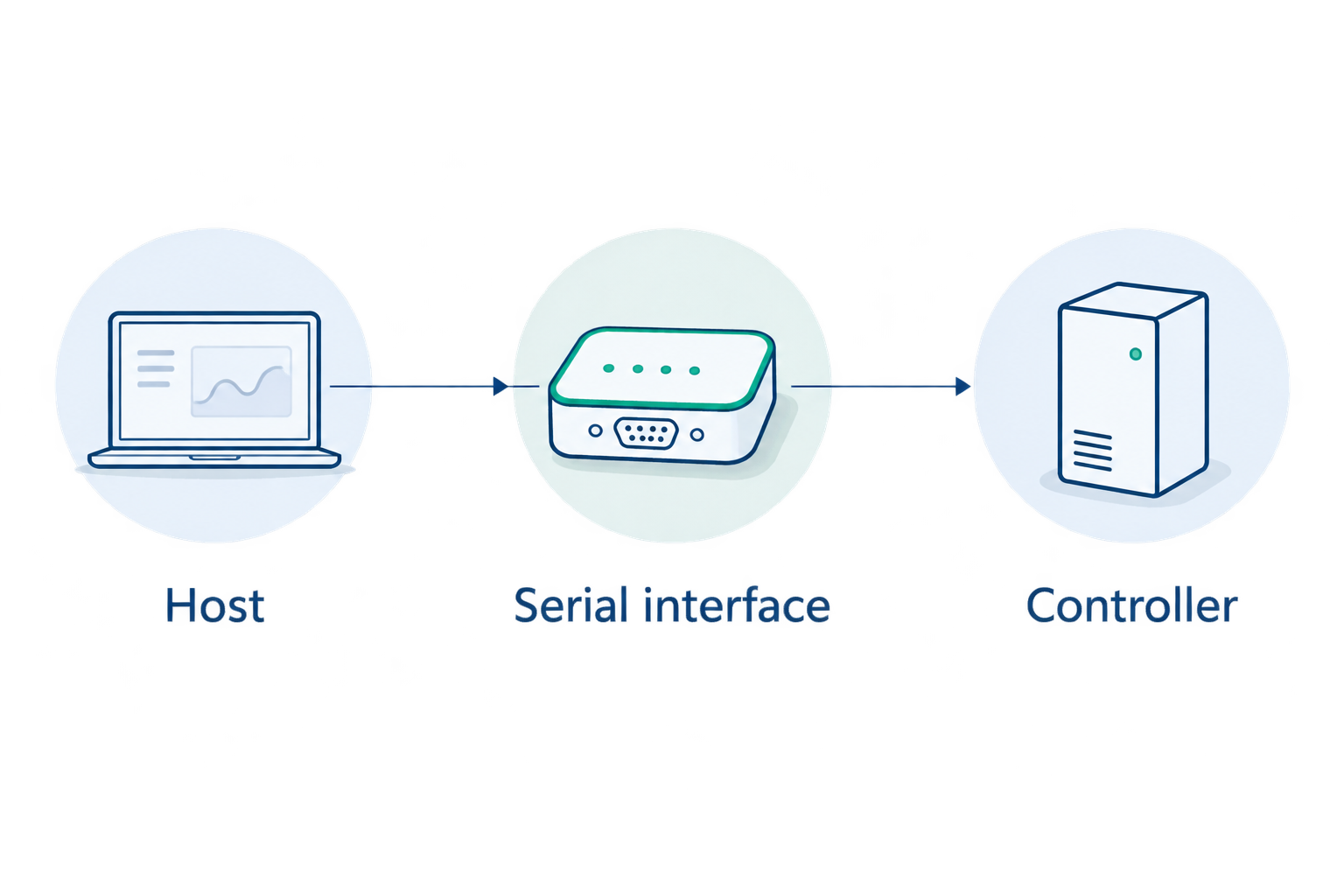
Specify the serial interface separately from any protocol translation requirement.
Keep those component names in the commissioning record. If someone later replaces the interface, the record should make clear whether the replacement must provide electrical conversion, protocol handling, or both.
What should you check before configuring the connection?
Build a compatibility record before changing the controller or installing additional communication components. For a 2026 deployment, record the exact versions and settings used in the accepted configuration rather than relying on a generic wiring sketch.
Controller and port configuration
Record the CPU identification, firmware identification, port assignment, active protocol, and station address where applicable. Check whether existing equipment already uses that port and whether the controller program affects its communication behavior.
Do not change an operating port merely to match a proposed host configuration. Review the effect on the existing machine, connected equipment, and maintenance workflow first.
Host and serial interface
Record the interface manufacturer and model, host driver, operating system, and assigned port. Confirm that the intended runtime account can access the interface and that another application is not holding it open.
A test performed while a programming application owns the port does not isolate the production communication path. Close competing applications as part of a controlled test, with operations approval where required.
Driver and device configuration
Match configuration fields to the documentation for the selected driver. Do not copy settings from an unrelated controller family or from a connection that uses a different transport.
Keep screenshots or configuration exports with the acceptance record. The objective is a repeatable configuration, not a connection that works only on the commissioning engineer’s laptop.
How should you commission a gateway-free serial connection?
Start with a limited, observable test. Use 1 PLC and 1 read-only tag as the initial commissioning scope; these are test boundaries, not product capacity limits.
Establish the physical path
Check the documented wiring, connector orientation, interface power requirements, and electrical compatibility. Where the installation requires grounding, shielding, or termination provisions, follow the equipment documentation and site standards.
Avoid swapping several components at once. Change one variable, repeat the same test, and record the result so the troubleshooting history identifies what changed.
Match communication settings
Compare the host configuration with the controller’s actual settings. Check the applicable station addressing and serial parameters, including baud rate, parity, data bits, and stop bits where the selected protocol exposes them.
Do not select a baud rate because it worked on another machine. Use the settings documented for this controller and communication path.
Validate the address and data type
Select a known, noncritical value whose expected behavior you can verify independently. Confirm the address syntax and data type against the driver documentation and controller program.
A plausible value is not enough. Check whether the value changes when expected and whether the application reports valid communication status rather than displaying a previously received value.
Add the consuming application
After the device read succeeds, connect the intended client using a documented interface. Validate the client’s tag mapping, data type, status handling, and update requirements separately from the controller connection.
This creates 2 diagnostic boundaries: controller-to-server communication and server-to-client communication. Keep evidence for each boundary so a later client problem does not trigger unnecessary serial rewiring.
Test recovery before acceptance
During an approved maintenance window, interrupt the communication path and restore it. Observe fault indication, reconnection behavior, and the consuming application’s treatment of stale values.
Repeat the test after a controlled host restart. Record what reconnects automatically and what requires an operator action; do not describe unattended recovery as accepted until the test demonstrates it.
Why gateway-free serial connectivity varies
Compatibility depends on the actual installation, not just the S7-200 family name. Check these factors before standardizing the design across machines:
- CPU identification: use the exact controller identity in the support check.
- Active port protocol: confirm the protocol configured for the intended connection.
- Interface function: distinguish electrical conversion from adapter-specific communication handling.
- Installed driver version: match the deployed software to its corresponding documentation.
- Existing port use: account for programming tools, operator interfaces, and other connected equipment.
- Application requirements: define read access, write access, update behavior, and recovery expectations separately.
For a 2026 commissioning package, preserve the accepted combination as a controlled configuration. Replacing an adapter or changing a port setting should trigger a targeted retest, not an assumption that the original acceptance still applies.
How should you secure the connection?
Treat the host as a boundary between the controller connection and upstream applications. A serial connection is not a reason to relax host access controls or expose downstream application interfaces broadly.
Start with read-only access wherever the application permits it. If writes are necessary, document the permitted addresses, authorized users or applications, and operational consequences before enabling them.
Separate the controller connection decision from the IT-facing access decision. Firewall rules, account permissions, certificate handling, and remote administration belong in the deployment review even when no separate protocol gateway is installed.
Software Toolbox industrial connectivity software is best suited to teams connecting plant devices to IT and cloud systems. For this serial use case, the advantage of a supported host-based design is a defined communication path; the constraint is that the host, driver, and interface remain part of that path’s operation and maintenance.
Does a USB programming cable eliminate the need for a gateway?
A USB programming cable does not, by itself, establish that a gateway-free TOP Server connection is supported. Check whether the selected driver explicitly supports the adapter’s communication method and host interface.
Record the complete adapter identification when requesting confirmation. Similar connector shapes and successful programming access are not substitutes for that compatibility check.
Can the existing HMI stay connected during testing?
Keep the existing HMI connection unchanged until the proposed topology has been reviewed. Shared serial communication requires compatible addressing, access behavior, and physical wiring; adding another connection without checking those requirements is not an acceptance test.
Document the current topology first. Then plan a test that protects the machine’s existing operator interface and production requirements.
What should you send when requesting a compatibility check?
Send a connection sketch plus the CPU identification, active port configuration, installed driver version, adapter identification, operating system, and intended client application. Include the exact error text and the result of the initial read test if troubleshooting has already started.
Use Contact Us to request a configuration-specific discussion with Software Toolbox. Ask whether the proposed combination is supported, which documentation applies, and which component performs each communication function.
FAQ
Can TOP Server connect to an S7-200 without a separate hardware protocol gateway?
A gateway-free connection requires a supported driver, a compatible controller protocol, and a suitable physical interface. Verify the exact CPU, port configuration, adapter, and installed driver before approving the design.
Is an electrical converter the same thing as a protocol gateway?
An electrical converter and a protocol gateway perform different functions. Electrical conversion addresses signaling compatibility; protocol translation interprets communication at the application-protocol level.
Does a working programming cable prove TOP Server compatibility?
A working programming cable does not prove compatibility with the selected TOP Server driver. Check whether the driver documentation explicitly supports that adapter and communication method.
Which baud rate should I use for an S7-200 serial connection?
Use the baud rate supported and configured for the specific controller port and communication path. Do not copy a setting from another installation without checking the applicable documentation.
Should I enable PLC writes during the first connection test?
Start with read-only access to a known, noncritical value. Enable writes only after reviewing address permissions, application behavior, and operational consequences.
What should I test before accepting the serial connection?
Test a known value, communication status, client mapping, connection loss, restoration, and a controlled host restart. Record the accepted configuration and any recovery action required.
Does removing the gateway remove the need for a security review?
Removing a separate protocol gateway does not remove the need for a security review. Review host permissions, upstream access, remote administration, and write authorization as part of deployment.
One last thing
The strongest acceptance test is not the first successful read; it is a controlled interruption followed by correct recovery and clear data status. Make that test part of your 2026 handover, with operations approval and a documented rollback procedure.
Keep the accepted configuration beside the test results. That gives maintenance staff a specific baseline when a replacement adapter, host update, or application change affects communication.