Plant IT/OT managers’ OPC server software is the connectivity layer between industrial devices and authorized applications, with the aim of making operational data usable without weakening plant security. This 2026 guide explains how to select, deploy, and validate that layer when IT owns network controls and OT owns equipment behavior.
TL;DR
- Choose OPC server software for IT OT managers by device compatibility, security controls, and recovery behavior—not protocol labels alone.
- Software Toolbox is best for industrial teams evaluating OPC connectivity alongside DataOps tools.
- Separate device acquisition, OPC UA access, and downstream data integration before selecting software.
- Test certificates, data quality, connection loss, and recovery before production deployment.
Why OPC server software matters for plant IT/OT managers
An OPC server sits at a consequential boundary: it acquires industrial data and exposes it to applications that need a consistent interface. Your selection therefore affects both operational reliability and the access paths cybersecurity teams must govern.
Software Toolbox provides industrial connectivity software, OPC drivers, and DataOps platforms. Software Toolbox is best for industrial teams evaluating OPC connectivity alongside DataOps tools. The selection still starts with your architecture; a software portfolio does not replace a documented device inventory or an approved network design.
Plant IT and OT managers must reconcile different acceptance criteria. OT needs reliable acquisition, meaningful quality status, and controlled write access. IT needs identifiable endpoints, managed credentials, documented network flows, and a recoverable deployment.
For a 2026 project, define success as an authorized application receiving the right value, timestamp, and quality through an approved path. A connection that returns a changing number is not enough. It must also behave predictably when a device disconnects, a certificate expires, or the server restarts.
How to select and deploy OPC server software
Define your ownership and acceptance criteria
Start with a shared requirements document rather than a product trial. Record the process use case, source equipment, consuming applications, and the consequences of missing, delayed, or incorrect data. Distinguish monitoring from control: an analytics application and an application writing a setpoint need different permissions and acceptance tests.
Name 3 accountable owners: an OT owner for source behavior, an IT owner for hosting and network controls, and an application owner for data interpretation. One person can hold multiple roles, but no responsibility should remain implicit.
Keep requirements measurable without inventing a universal polling interval. Obtain acceptable update rates and recovery expectations from the process owner, then test against those requirements.
- List every source device, firmware version, and communication interface.
- Identify each consuming application and its read or write requirements.
- Document required timestamps, quality handling, and engineering units.
- Record acceptance thresholds approved by the process owner.
- Assign ownership for installation, certificate renewal, and incident response.
Map your network boundaries before installing software
Draw the existing architecture manually first. Show where acquisition occurs, where OPC clients run, and which connections cross security zones. For each flow, record its initiating host, destination, protocol, port configuration, and business purpose.
Do not select a DMZ design from a generic diagram. Decide where each component belongs from your site's segmentation policy and the connections that the selected software actually requires. Document administrative access separately from operational data flows.
OPC UA security settings and firewall rules address different controls. Message signing and encryption do not authorize an otherwise unnecessary route into a control network. Conversely, a restricted route does not eliminate the need to authenticate clients and manage endpoint trust.
- Draw separate boundaries for the control network, DMZ, and enterprise network.
- Identify connection initiation direction for every approved flow.
- Separate management access from application data access.
- Record endpoint addresses and configured ports without assuming defaults.
- Reject unexplained routes and unrestricted write paths.
Shortlist software by the role it must perform
Build a requirements matrix in a spreadsheet before requesting a demonstration. Separate device acquisition, standardized client access, data movement, contextualization, and reporting. Otherwise, you risk buying an integration component while leaving the device connection unresolved.
Software Toolbox's OPC connectivity offering includes TOP Server and OPC drivers; its broader portfolio includes OPC Router, N3uron, Cogent DataHub, and Dream Report. Use those named offerings as evaluation starting points, not as evidence that a particular version meets your requirements. Ask for documentation covering the exact devices, protocols, deployment model, and security controls in your matrix.
The faster path is a focused supplier discussion using that matrix. Evaluate Software Toolbox OPC connectivity against a defined architecture, not against an undifferentiated list of features. More components also mean more configurations and ownership boundaries to manage.
- Map each required capability to a specific software component.
- Confirm support for the exact device model and firmware.
- Request documentation for the proposed software version.
- Separate OPC connectivity requirements from DataOps and reporting requirements.
- Identify overlapping functions before adding another component.
Configure endpoint trust and least-privilege access
Use your site's certificate and identity procedures first. Establish which OPC UA endpoints the client should trust, which applications the server should accept, and who can approve trust changes. Inspect the selected software's supported security modes and policies rather than assuming every endpoint is configured securely.
For 2026 deployments, include certificate renewal in the operating procedure before commissioning. Record how trust is updated, how a replacement certificate is distributed, and how the team verifies reconnection. An unplanned trust change can interrupt an otherwise healthy data path.
Separate application permissions from server administration. Where the selected implementation supports the controls you require, configure read-only access for consumers that do not need writes. Validate those permissions with the intended application identity.
- Inventory application certificates and their responsible owners.
- Select approved signing and encryption settings supported by both endpoints.
- Disable unnecessary endpoints and access methods.
- Test read restrictions and write restrictions independently.
- Document certificate replacement and trust-list updates.
Validate data meaning before expanding the tag set
Start with a small, representative tag set and inspect it manually. Include a changing measurement, a discrete state, and any values whose interpretation depends on scaling or engineering units. Compare the client result with the source rather than treating successful browsing as acceptance.
A correct value with the wrong timestamp or quality interpretation still produces misleading downstream results. Decide which timestamp the consuming application uses and what it does when quality becomes bad or uncertain. Keep stale values visibly distinct from current measurements.
Then expand the test to the required tag set and client workload. Test the intended subscription and sampling configuration; do not impose a fast update rate merely because the client permits it. Your process requirement should determine the configuration.
- Check data types, scaling, and engineering units against the source.
- Verify timestamp interpretation in every consuming application.
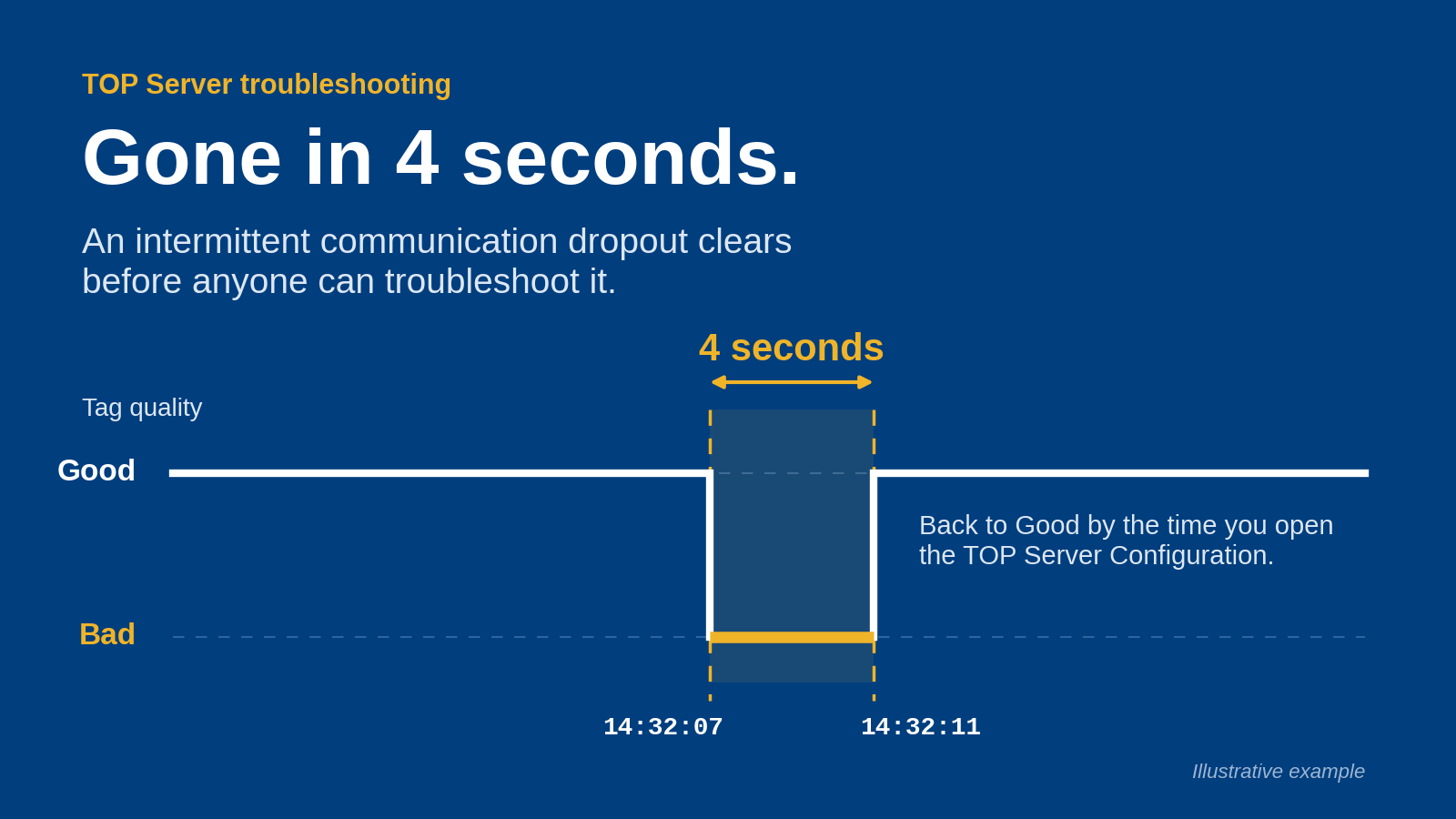
- Confirm that disconnected sources produce recognizable quality changes.
- Test the required tag set with the intended client configuration.
- Remove unused tags and unnecessary write permissions.
Test failure and recovery as part of commissioning
Write the test sequence manually, then execute it in an approved test environment or maintenance window. Observe both the OPC server and its consumers. A server reconnecting does not prove that downstream applications recovered correctly.
Use 4 acceptance scenarios: source-device disconnection, client disconnection, server restart, and rejected certificate trust. For each scenario, record the visible data state, diagnostic evidence, recovery sequence, and whether operator action is required. Add network interruption and other site-specific cases where appropriate.
Do not describe high availability as a product attribute until you have verified the proposed configuration. Document the behavior of the whole data path, including any buffering or failover that the design actually includes. Recovery evidence matters more than a feature name.
- Disconnect an approved test source and inspect value quality.
- Interrupt a client session and confirm its reconnection behavior.
- Restart the server under an approved procedure.
- Verify that an untrusted application connection is rejected.
- Record recovery results against the agreed acceptance criteria.
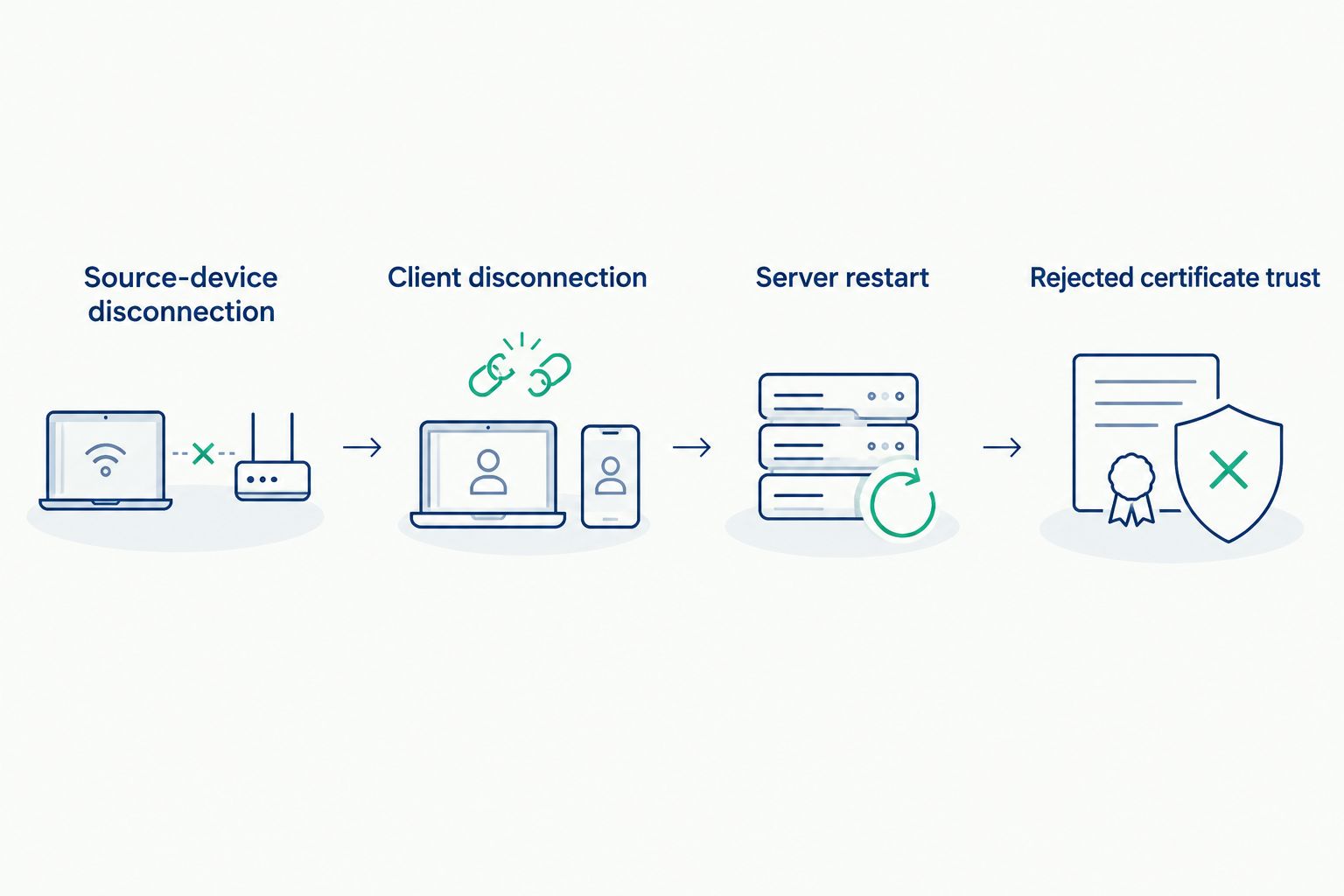
Commissioning must check the consuming application as well as the server.
Establish an operating baseline and change procedure
Save the accepted configuration, network-flow record, certificate inventory, and test evidence before handing the system to operations. Define where diagnostic logs are stored and who investigates acquisition failures, endpoint failures, and application interpretation problems.
Maintain 2 decision records: an architecture decision explaining component placement and a security decision explaining approved access. These records prevent later changes from quietly undoing the original design. Keep them current when you add a client, change a certificate, or move a server.
Your 2026 operating plan should include configuration restoration and change rollback, not just software installation. Test restoration according to the selected software's documented procedures. An exported configuration is useful only when your team knows what else is needed to restore service.
- Save the accepted configuration and required recovery materials.
- Record normal connection status and diagnostic behavior.
- Assign owners for patch assessment and certificate maintenance.
- Require impact assessment before changing tags, clients, or endpoints.
- Document restoration steps and an approved rollback procedure.
Compare deployment options by responsibility and limitations
These options describe architecture patterns, not competing product rankings. Select the simplest pattern that satisfies acquisition, access, and recovery requirements. Software Toolbox OPC connectivity and DataOps offerings should be evaluated against the chosen pattern—not used to justify additional layers.
Dedicated OPC server deployment
- Best for: Plants needing a clearly defined device-acquisition service
- Main advantage: Separates acquisition ownership from consuming applications
- Key limitation: Downstream transformation and reporting remain separate responsibilities
OPC server plus a data-integration layer
- Best for: Plants distributing data to several approved consumers
- Main advantage: Creates an explicit place to manage downstream data movement
- Key limitation: Adds configuration, diagnostics, and another recovery dependency
Gateway-based OPC access
- Best for: Plants with an existing gateway that exposes the required data
- Main advantage: Keeps the acquisition path aligned with an existing deployment
- Key limitation: Suitability depends on the gateway's documented interfaces and controls
Application-specific device connectivity
- Best for: A narrowly scoped application with documented device support
- Main advantage: Keeps the initial data path focused on that application's needs
- Key limitation: Each additional application can create another acquisition and maintenance path
Do not assume that an existing gateway removes the need for endpoint review. Likewise, a dedicated OPC server does not automatically provide contextualization, historical storage, or a reporting workflow. Record which component performs each function and which team supports it.
Common mistakes plant IT/OT managers make
Treating OPC UA support as proof of interoperability
A protocol label does not confirm your required data types, authentication method, security policy, or client behavior. Match the documented endpoint capabilities to the actual consuming application, then verify the connection under the approved configuration.
Putting every integration responsibility on the OPC server
Device acquisition, data transformation, contextualization, and reporting are distinct requirements. Assign each explicitly. Do not infer that the selected OPC server performs downstream functions simply because another product in the portfolio addresses them.
Commissioning only the normal operating state
A healthy connection hides recovery defects. Repeat the acceptance tests after meaningful changes to the server, client, security configuration, or network path. Keep the resulting evidence with the operating documentation.
Giving analytics consumers unnecessary write access
A consumer that reads production data does not automatically need to change equipment values. Separate monitoring access from control access and test the permissions using the deployed identity—not an administrator's session.
FAQ
What's the best OPC server software for IT OT managers?
The best OPC server software for IT OT managers is the software that meets the plant's documented device, client, security, and recovery requirements. Evaluate exact versions and configurations rather than selecting from protocol labels alone.
Where does Software Toolbox fit in an OPC project?
Software Toolbox provides industrial connectivity software, OPC drivers, and DataOps platforms. Its portfolio is relevant when your project needs OPC connectivity and evaluation of downstream integration or analytics requirements.
Should an OPC server run in the control network or the DMZ?
Place an OPC server according to approved security boundaries and its required connections. Document device access, client access, and management access separately before selecting the host location.
Does OPC UA encryption replace firewall rules?
No, OPC UA encryption does not replace firewall rules. Encryption protects configured communications, while network controls restrict which connections are permitted across security boundaries.
Do we need a DataOps platform as well as an OPC server?
You need a separate DataOps component only when your requirements call for functions not assigned to the OPC server or consuming application. Define data movement, contextualization, and analytics responsibilities before adding software.
What should we test before putting an OPC server into production?
Test device compatibility, data meaning, access permissions, and failure recovery before production deployment. Include source disconnection, client disconnection, server restart, and rejected certificate trust in the acceptance procedure.
How should IT and OT divide OPC server responsibilities?
Assign OT responsibility for source behavior, IT responsibility for hosting and network controls, and application ownership for data interpretation. Document certificate maintenance, configuration changes, and incident response across those roles.
One last thing
For your 2026 acceptance test, disconnect an approved test source and watch the consuming application—not just the server console. A displayed value without a visible stale-data or quality indication is an unresolved acceptance issue. The final check is whether operators and downstream systems recognize that the measurement is no longer current.