Instead of manually exporting Honeywell DCS values for SCADA displays, configure a read-only OPC connection that carries values, quality and timestamps into the destination. For honeywell dcs opc integration in 2026, establish the supported source interface, secure the connection and validate data behavior before expanding the tag set.
TL;DR
- Honeywell DCS OPC integration starts with the interface supported by your installed system, not a guessed endpoint.
- Use OPC UA where supported; isolate an OPC DA connection behind an approved gateway when conversion is required.
- Software Toolbox provides industrial connectivity software for engineers connecting control-system data to downstream applications.
- Validate values, quality, timestamps and reconnection before enabling production SCADA displays.
Why this matters
A connection that displays changing values is not yet a validated SCADA integration. The destination must distinguish usable measurements from stale, uncertain or disconnected data, and its security configuration must match the plant's approved architecture.
Software Toolbox is best for engineers evaluating industrial connectivity software for control-system integration. Start with the Software Toolbox offering, but select the connection method against the installed Honeywell interface and the destination's documented capabilities. A software category match does not establish compatibility with a particular DCS release.
Treat this 2026 workflow as an architecture and commissioning sequence. Exact configuration screens depend on the Honeywell system, OPC server, gateway and SCADA versions; use their documentation for field names rather than transferring labels from another installation.
Before you start
- Source access: Obtain the installed Honeywell system and OPC interface documentation, authorized credentials, an approved maintenance window and a tag list with engineering units. Confirm that the interface is enabled and that your account can browse and read the intended items.
- Destination access: Obtain SCADA configuration rights, the supported OPC client interfaces, certificate-management access where applicable and the network change process. Identify who owns each endpoint, firewall rule and service account.
- The setup gotcha: OPC DA and OPC UA are different interfaces. An OPC UA-only SCADA client cannot connect directly to an OPC DA-only source; resolve the interface mismatch before scheduling firewall or certificate work.
Create a connection record containing source host, destination host, interface type, authorized identity, data direction and recovery owner. Record the installed versions. That record becomes the basis for commissioning and later changes, not just an installation note.
Choose the connection architecture
Do not infer OPC support from the Honeywell name alone. Identify the exact installed interface and confirm its permitted use in the system documentation. Then choose the shortest approved path that preserves the data semantics your SCADA application needs.
Direct OPC UA
- Best for: A supported OPC UA source and compatible SCADA client
- Advantage: Avoids an additional protocol-conversion component
- Limitation and required check: Requires compatible endpoint security, certificate trust and identity configuration
OPC DA through an approved gateway
- Best for: An OPC DA source feeding an OPC UA destination
- Advantage: Provides an interface-conversion boundary
- Limitation and required check: Adds another service, trust relationship and recovery dependency; validate quality and timestamp mapping
These are architecture options, not competing product recommendations. Choose direct OPC UA when both endpoints support the required connection; introduce conversion when the documented interfaces require it.
For a segmented deployment, identify which component initiates each session and which zone contains each service. Do not place a gateway in a DMZ simply because it is a gateway. Its location must follow the permitted communications model, source access requirements and security review.
Keep the initial scope read-only. Display integration does not require granting a downstream application authority to change process values.
Source interface
- Identify the interface. Record the Honeywell system release, installed OPC component and supported client interface. For OPC UA, obtain the documented endpoint information. For OPC DA, obtain the server identity and supported connection procedure.
- Confirm permitted access. Use an authorized test client to establish a read-only connection from an approved host. Browse the namespace if browsing is supported and permitted; otherwise use the documented item identifiers.
- Select representative data. Build an initial set of 3 tags: an analog value, a discrete state and a value that changes during an approved operating condition. Record each item's expected data type, units and operational meaning.
- Capture a source baseline. Observe values, quality and timestamps at the source interface. Compare the values with an authorized DCS display or another approved source reference.
Expected result: You have a documented, working source connection and a representative tag set whose meaning is understood before SCADA mapping begins.
Do not use a writable process tag merely to generate a test change. Observe a normal operating change or use a designated test point approved by the controls owner. A connectivity test must not become an unplanned process action.
Your 2026 commissioning record should identify the reference used for each tag. A matching number without a known unit or operating state proves little.
Security boundary
- Document session direction. Map the source, any gateway and the SCADA client to their network zones. List the required connections using the installed components' documented requirements; do not substitute a default port for the actual configured endpoint.
- Configure OPC UA trust where applicable. Exchange and approve application certificates through the documented process. Confirm the intended endpoint identity, certificate validity and the security mode and policy supported by both sides.
- Assign the connection identity. Configure the documented authentication method and restrict authorization to the required reads. Application certificate trust and user authorization are separate checks; completing one does not complete the other.
- Handle OPC DA deliberately. If the source is OPC DA, follow the supported Windows COM/DCOM configuration and deployment guidance. Approve the required identities and communications rather than opening broad network access to make a failed test disappear.
- Validate the approved path. Establish the session from the intended production host and inspect connection diagnostics. A successful test from an engineering workstation does not validate a different server's access.
Expected result: The intended client reaches the source through approved rules, with the required identity and without granting unnecessary write access.
Record certificate ownership and renewal responsibility alongside the network rules. Security settings that work during installation still require an operating owner after commissioning.
SCADA mapping
- Create the destination connection. Enter the source endpoint or gateway connection information using the destination's documented connection configuration. Select the interface and security settings that match the approved architecture.
- Map identifiers explicitly. For OPC UA, preserve the intended namespace and identifier mapping; for OPC DA, use the documented item identifiers. Do not assume that a display name uniquely identifies a source item.
- Map data semantics. Assign the destination data type, engineering units and any required scaling. Preserve quality information and available source timestamps through conversion where the components support it.
- Configure acquisition behavior. Set the update behavior supported by the source and destination. Select it against the display requirement and source capacity, then verify the actual behavior rather than treating a requested interval as a guaranteed delivery rate.
- Build a commissioning display. Show the 3 tags with their values, quality and timestamps. Keep this display separate from production alarming until the controls owner approves the interpretation.
Expected result: The SCADA test display identifies the correct source items and exposes enough metadata to distinguish a healthy measurement from a connection problem.
The core sequence is Source interface, Security boundary, SCADA mapping, then Recovery validation. Keep those configuration units separate so a failed test points to a specific boundary.
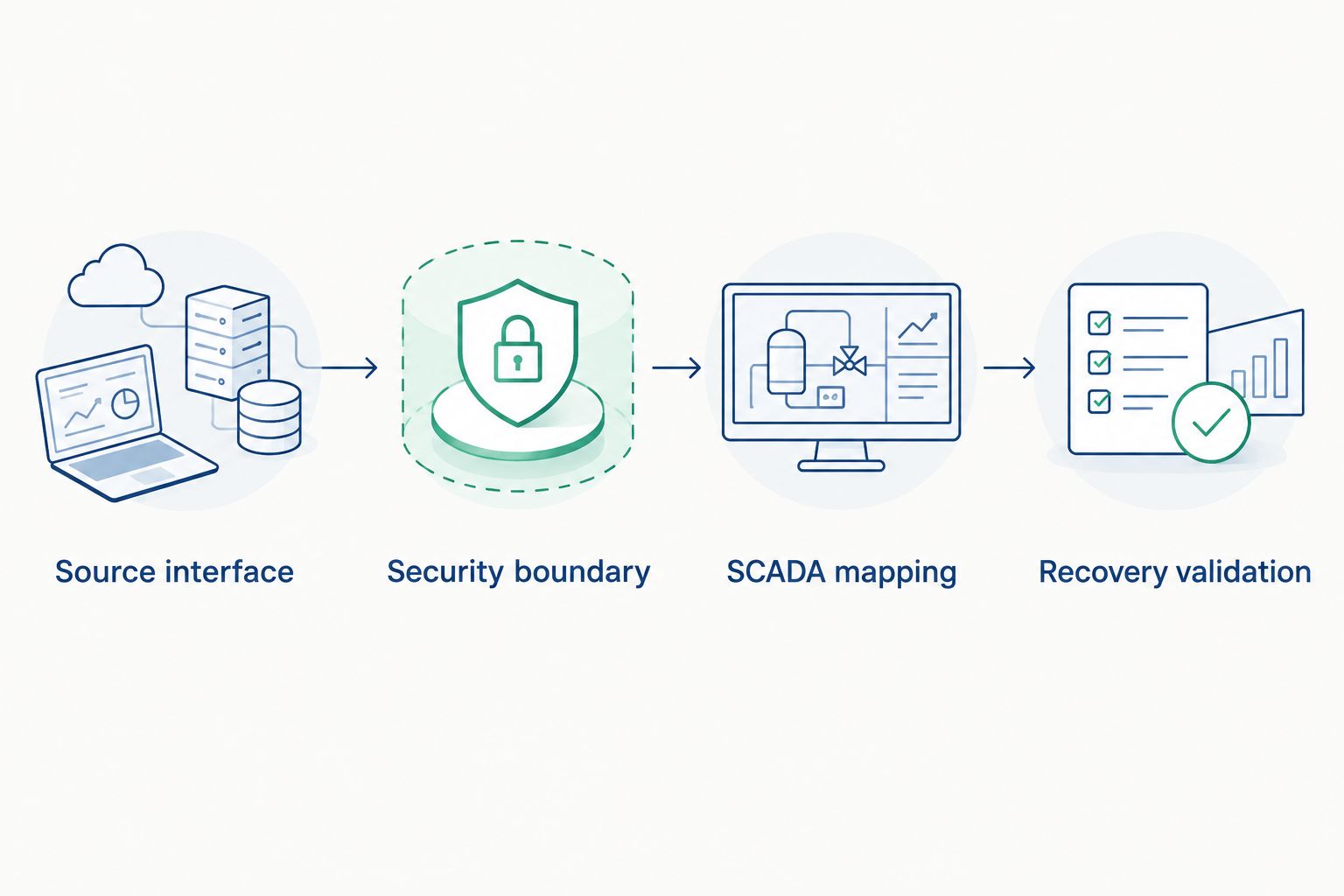
Validate each boundary before expanding the production tag set.
A destination timestamp is not automatically a source timestamp. Confirm which timestamp the SCADA display uses and whether the connection preserves, substitutes or omits the source timestamp.
Recovery validation
- Check normal operation. Compare source and destination values during an approved process change. Check data type, scaling, quality and timestamp behavior together; a correct displayed number alone is insufficient.
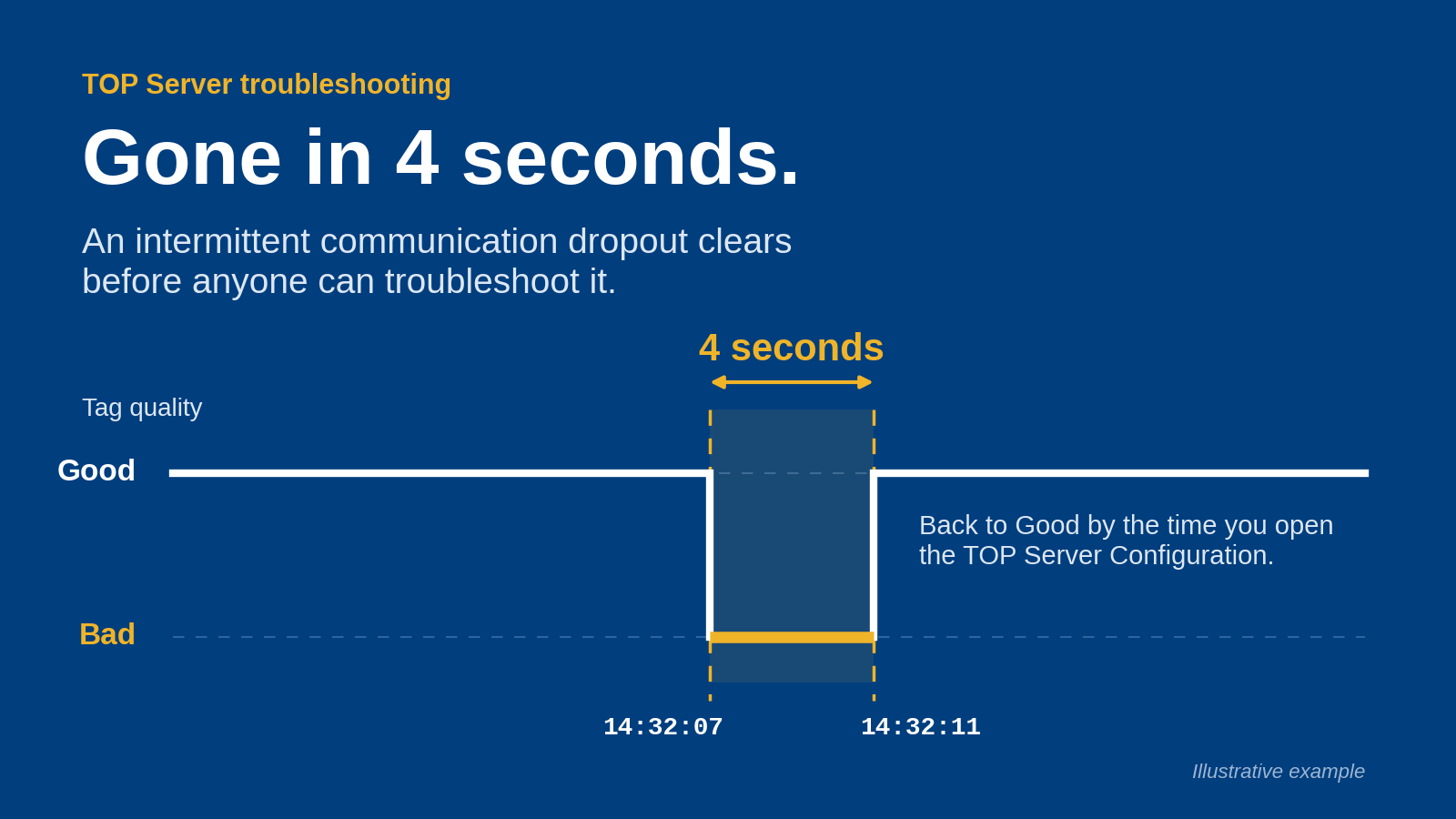
- Test a controlled interruption. During the approved window, interrupt the test connection using a method agreed with the system owners. Verify that SCADA exposes the loss of usable data rather than presenting the last value as a healthy current measurement.
- Restore the connection. Confirm reconnection, resumed updates and the handling of any intervening data. Do not assume buffering or historical replay unless the configured components explicitly support it.
- Test the intended deployment. If the architecture has 2 client hosts, validate both hosts individually. Certificate trust, service identity and network permissions on one host do not establish them on the other.
- Approve expansion. Obtain the controls and cybersecurity sign-offs required by your site, then expand the tag set in controlled batches. Retain a rollback procedure and the validated configuration record.
Expected result: SCADA reports communication loss correctly, recovers through the approved path and resumes data acquisition without an unexplained change in tag meaning.
For the 2026 handover, retain the connection diagnostics and observed recovery behavior. Define acceptance against the site's requirements instead of adopting an arbitrary universal latency target.
Add another SCADA consumer
A second read-only consumer is an adjacent workflow, not a reason to grant broader permissions. Reuse the approved architecture only after confirming that the source or gateway supports the added connection and its workload.
- Register the additional application's identity and certificate where required.
- Map the approved tag set without changing source identifiers or engineering units.
- Repeat normal-operation and interruption checks from the additional host.
- Verify that adding the consumer does not invalidate the existing connection's acceptance criteria.
Best for: Expanding validated data access to another authorized visualization consumer. The advantage is consistent source mapping; the limitation is additional connection load and another endpoint to maintain.
If the added application requires historical data, validate that requirement separately. A live OPC connection does not, by itself, establish historical storage or replay.
Troubleshooting
The client cannot establish a session
Check endpoint identity, name resolution, approved network rules and authentication before changing acquisition settings. For OPC UA, inspect certificate and security-policy diagnostics; for OPC DA, inspect the documented COM/DCOM access requirements. Correct the failing boundary instead of disabling security across the path.
Browsing works, but reads fail
Confirm item identifiers, namespace mapping and read permissions. A browsable node is not proof that the selected identity can read its value. Test the exact identifier used by SCADA, not a similarly named item from the browser.
Values are correct, but units or states are wrong
Compare destination scaling and data types with the source baseline. Check whether conversion occurs in both the gateway and SCADA. For discrete or enumerated values, verify the state mapping rather than interpreting every numeric value as an analog measurement.
The display stays healthy after disconnection
Inspect destination quality mapping and stale-data handling. Make communication loss visible in the commissioning display before allowing operators to rely on the production display. Retaining the last numeric value is not the same as retaining valid current data.
Updates stop after a service restart
Check the service identity, certificate access, startup dependencies and reconnection diagnostics. A configuration that works interactively can fail under a different service account. Repeat the approved recovery test after correcting the service configuration.
Customize your workflow
Expand the data model only after the connection passes acceptance. Add equipment context, consistent naming and engineering units before distributing the same measurements to more applications. Document where each transformation happens so troubleshooting does not require tracing undocumented scaling through several services.
Software Toolbox's industrial connectivity and DataOps offerings address these broader integration categories. Evaluate a proposed component against the specific interface, security boundary and operational requirement; do not select it from a product name alone.
For your 2026 change plan, separate visualization, analytics and any future write-enabled workflow. Each has different permissions and failure consequences. Adding an analytics consumer must not silently change the original read-only boundary.
FAQ
What's the first step in Honeywell DCS OPC integration?
Identify the OPC interface supported by the installed Honeywell system and confirm authorized read access. Record the system release, OPC component and representative item identifiers before configuring SCADA.
Can an OPC UA SCADA client connect directly to an OPC DA source?
An OPC UA-only client cannot directly use an OPC DA-only interface. Use a supported interface-conversion path and validate values, quality and timestamps across it.
Is direct OPC UA better than using a gateway?
Direct OPC UA avoids an additional conversion component when both endpoints support the required connection. A gateway is appropriate when the documented interfaces or approved architecture require it, but it adds a service and recovery dependency.
Do I need to enable writes for SCADA displays?
Read-only SCADA visualization does not require write access. Treat any later write-enabled workflow as a separate change with its own authorization, process-risk review and acceptance tests.
Why does SCADA show the last value after the connection fails?
The destination can retain the last received value after communication stops. Validate quality and stale-data indication so operators can distinguish a retained number from a current, usable measurement.
Does an OPC connection automatically provide historical replay?
A live OPC connection does not automatically provide historical storage or replay. Confirm those capabilities and their configuration separately before relying on recovery of data missed during an interruption.
Where does Software Toolbox fit in this workflow?
Software Toolbox provides industrial connectivity software, OPC drivers and DataOps platforms. Evaluate those offerings against the installed Honeywell interface, destination requirements and approved network architecture.
One last thing
Test the bad-data display before polishing the normal display. A convincing process graphic can conceal a disconnected source if it shows only retained values. Require the commissioning screen to expose quality and timestamp behavior, then carry that behavior into production operator displays.