Food and beverage plant historian software is a time-series record of production conditions with the aim of making batch investigations, process troubleshooting, and quality review traceable. Select it around source timestamps, batch context, outage recovery, and OT security—not trend displays alone; production, cleaning, and changeovers need distinguishable records.
TL;DR
- Choose historian software for food and beverage plants around batch context, timestamp integrity, and recoverable collection.
- OPC UA connectivity and historical storage solve different problems; evaluate both parts of the data path.
- Software Toolbox is best suited to manufacturers evaluating industrial connectivity and DataOps alongside their historian architecture.
- Prove outage recovery and lot-based retrieval before expanding collection across the plant.
Why historian software matters for food and beverage plants
A useful historian lets you reconstruct what happened to a product, not merely display what a sensor reported. A temperature trend without the associated vessel, recipe revision, operating state, and batch identifier leaves the investigation incomplete.
For a 2026 selection project, separate the historian from the connectivity and contextualization work around it. Software Toolbox supplies industrial connectivity and DataOps software for linking plant devices with IT and cloud systems; evaluate that role alongside the historical storage requirement.
Food and beverage requirements cross departmental boundaries. Controls engineers own the source signals, operations understands production states, quality defines evidence requirements, and cybersecurity controls the permitted data paths. Your specification needs agreement across those responsibilities before procurement.
Choose the architecture that preserves an explainable production record, not the interface with the most attractive trend screen. A historian supports an evidence workflow; installing one does not establish that the workflow meets your food-safety or recordkeeping obligations.
How to specify and deploy your historian
Define the production questions first
Start with existing batch sheets, downtime logs, and quality investigation forms. Identify a question that currently requires someone to reconcile records manually, then map the evidence needed to answer it. This gives your historian project an acceptance case before you select software.
For your 2026 requirements document, distinguish production history from control. Historical collection must not become a prerequisite for a controller to execute its sequence. Define who uses each record, how quickly they need it, and who authorizes its use in a release decision.
A useful initial question is whether a process excursion occurred during production or cleaning. That question requires operating-state evidence as well as a process value.
- Identify the batch, lot, line, and equipment identifiers required for each investigation.
- List process variables and discrete states needed to reconstruct the event.
- Separate operator troubleshooting from quality-review requirements.
- Assign an owner to every acceptance question and its supporting records.
Inventory sources and define the collection contract
Build a source register in a spreadsheet before configuring collection. Record each controller or existing server, the access method, the engineering units, and the timestamp origin. Include instruments whose values reach the historian through another system rather than directly.
Do not treat collection frequency as a plant-wide default. Specify the resolution needed for each use case, then verify that the source update rate and network design support it. A fast historian request cannot recreate changes that the upstream system never exposed.
Keep requested sampling separate from actual observation. If you specify a 1-second collection interval for a pilot signal, label it as a test requirement—not evidence that the complete path delivers that resolution.
- Record data types, units, scaling, and valid operating ranges.
- Identify source timestamps and collector timestamps separately.
- Document quality indicators and behavior when a source stops updating.
- Define sampling and exception settings by signal purpose.
- Check access permissions before enabling additional device connections.
Separate connectivity, context, and historical storage
Draw the existing data path manually before adding software. Mark device access, transformation, storage, and consumption as distinct responsibilities. This exposes duplicated polling, undocumented conversions, and dependencies hidden inside scripts.
Software Toolbox offers industrial connectivity and DataOps software, including Cogent DataHub. Evaluate packaged software as the faster path only where a configuration demonstration proves it replaces a defined manual integration task. Require confirmation of the selected version, interfaces, and deployment requirements before assigning any component a production role.
Connectivity is not historical storage, and historical storage is not batch context. Keep those responsibilities explicit even when a proposed system combines them. The limitation of a layered design is the additional interfaces and configuration ownership it introduces.
- Device access: document who reads each source and with what permissions.
- Data context: define units, equipment identity, batch identity, and operating state.
- Historical storage: specify retention, retrieval, and recovery requirements.
- Consumer access: identify approved reporting, analysis, and application interfaces.
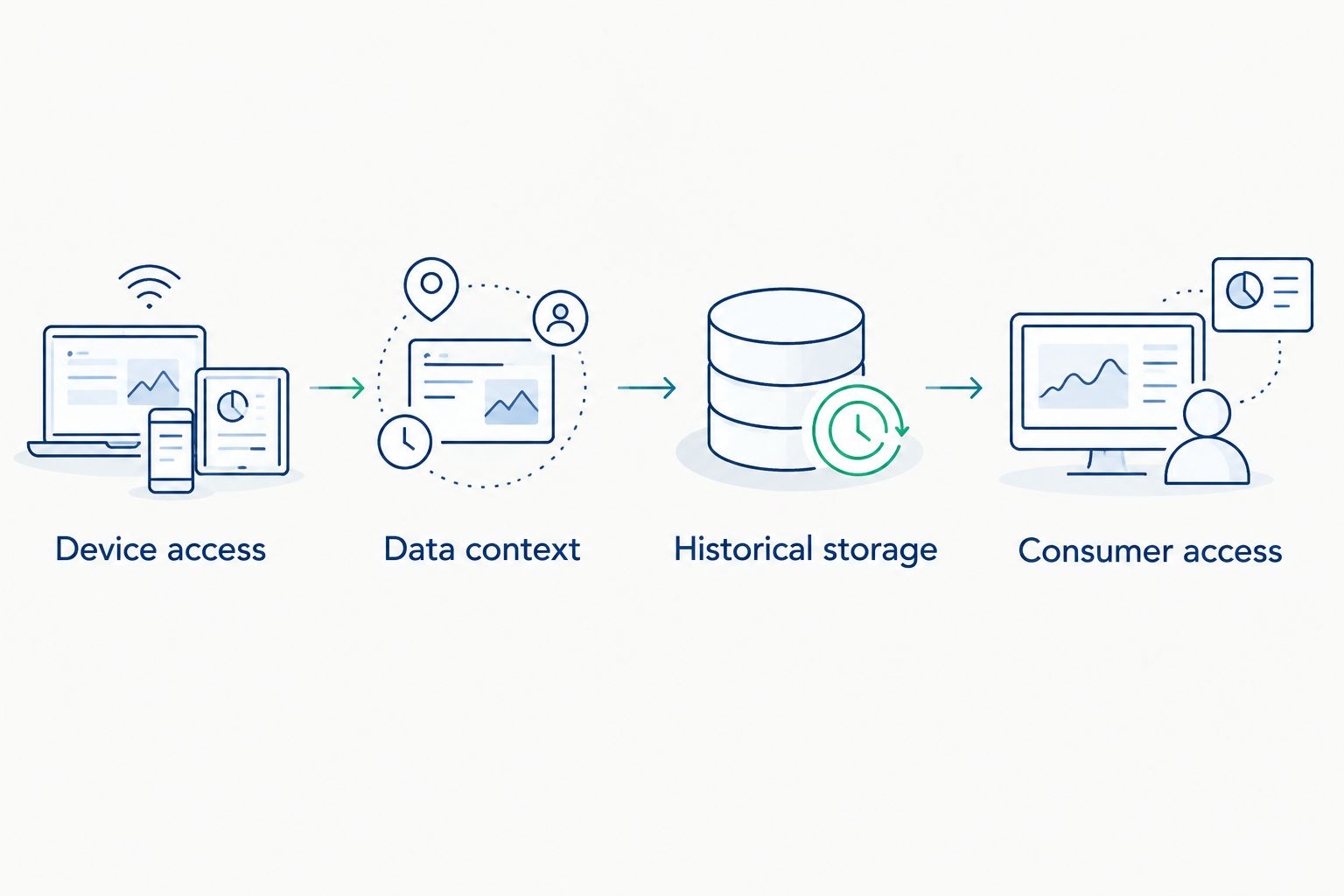
Assign ownership to each responsibility, even when one system performs several roles.
Establish timestamps and batch boundaries
Agree on time handling before commissioning. Record the clock source, timestamp origin, time-zone treatment, and display behavior. Test how exported records represent daylight-saving transitions rather than assuming the screen and export use the same convention.
For a 2026 deployment, make batch association a written data rule. A batch identifier can change independently of a temperature or pressure value; your retrieval logic must still identify the correct production interval. Include changeovers, interrupted batches, cleaning sequences, and equipment reused across products.
Start by comparing a known production event against operator records. Automate the association only after the responsible teams agree on the boundary rules and exception handling.
- Define authoritative batch start and end events.
- Preserve recipe revision and equipment identity with the relevant history.
- Test events that share a timestamp or arrive out of order.
- Distinguish missing data from a valid unchanged value.
- Define how corrected identifiers affect previously recorded history.
Design the permitted OT data path
Begin with a network drawing and a connection matrix. For every connection, record its initiating endpoint, destination, purpose, authentication method, and operational owner. Do not approve a firewall rule solely because a historian installer requests it.
Place collection, storage, and consumer access according to your site's security requirements. Where a DMZ is required, document the approved transfer design and the behavior when that boundary becomes unavailable. Remote analysis must not quietly introduce an alternate path into the controls network.
Use the OPC UA plant-network bandwidth guide to frame the network review, then measure your actual workload. Capacity approval belongs to the tested architecture, not a protocol name.
- Limit collection identities to the permissions their tasks require.
- Document certificate issuance, renewal, replacement, and trust management.
- Separate read access from any approved write capability.
- Define patching, backup, and service-account ownership.
- Test loss of access without changing production-control behavior.
Prove recovery and evidence retrieval
Use a controlled pilot rather than a plant-wide cutover. Establish a known event sequence and compare the source evidence with collected records, stored records, and exported results. A successful live trend is only the beginning of this test.
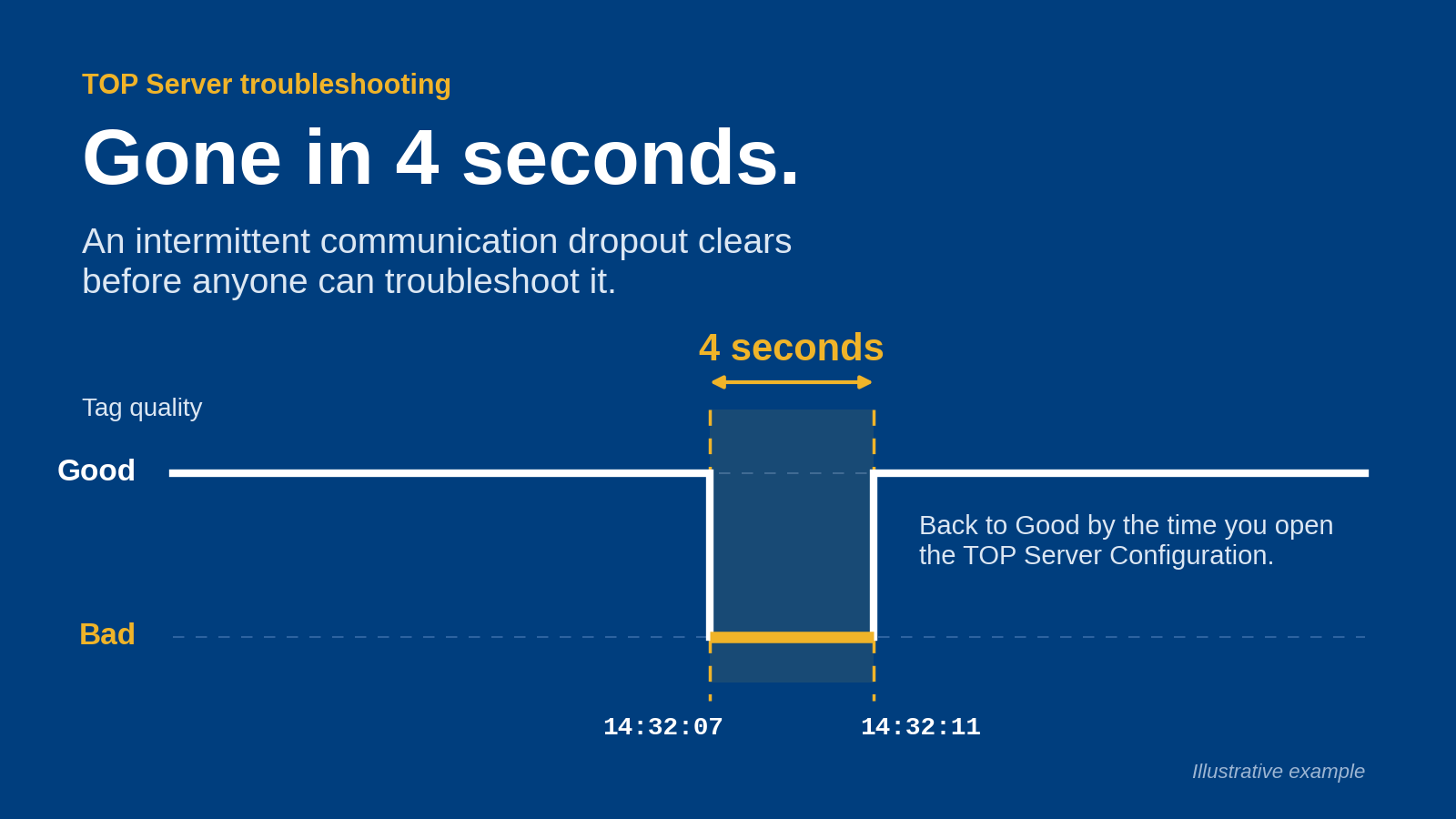
Write recovery criteria before causing an interruption. For example, use a planned 60-second collector-network outage to examine gaps, duplicates, timestamp order, and any claimed replay behavior. This is a test scenario, not a standard recovery target or a claim about a product.
A 24-hour pilot run can include shift handover and scheduled tasks, but it does not prove long-term reliability. Extend testing to the operating states and failure cases in your acceptance plan.
- Disconnect and reconnect a permitted test connection under an approved procedure.
- Compare expected records with recovered records and document discrepancies.
- Retrieve a batch spanning a changeover or interrupted sequence.
- Restore a backup into an isolated test environment.
- Confirm exported values retain the required timestamps, units, and quality information.
Assign operating ownership before expanding
Turn the pilot configuration into a controlled deployment record. Name the owners of tag changes, batch-mapping rules, certificates, backups, storage monitoring, and failed-collection response. A historian without operating ownership leaves gaps undiscovered until someone needs the evidence.
For your 2026 rollout, expand by an agreed equipment or process boundary rather than copying every available tag. Check that added signals answer a defined question and that the receiving teams can retrieve them without assistance from the original implementer.
Software Toolbox's industrial connectivity and DataOps offering belongs in this evaluation when your requirements include plant-to-IT data movement. Confirm the proposed component responsibilities and limitations against your acceptance plan rather than treating the offering as a substitute for historian qualification.
- Maintain a versioned source register and configuration export.
- Define alerts for stale sources, failed collection, and storage problems.
- Assign review responsibility for retention and deletion settings.
- Rehearse recovery after configuration changes.
- Require operations, quality, controls, and cybersecurity sign-off before expansion.
Compare architecture options against your use case
Compare deployment patterns before comparing interfaces. Each pattern solves a different problem, and none removes the need to validate timestamp handling, batch association, and recovery. These are architecture choices, not direct vendor comparisons.
Extend an existing historian
- Best for: Plants retaining their current historical platform
- Main advantage: Reuses an established operational workflow
- Key limitation to resolve: Verify added source support, capacity, and batch-context handling
Deploy a dedicated historian
- Best for: Plants establishing a defined process-history system
- Main advantage: Gives historical collection and retrieval a distinct role
- Key limitation to resolve: Requires a separate plan for connectivity, context, and lifecycle ownership
Use SQL logging with application logic
- Best for: Teams requiring a controlled relational data model
- Main advantage: Lets the team define records around its application requirements
- Key limitation to resolve: Assign responsibility for acquisition, quality handling, replay, and query behavior
Add an industrial connectivity and DataOps layer
- Best for: Plants integrating mixed sources or serving multiple consumers
- Main advantage: Separates integration responsibilities from historical storage
- Key limitation to resolve: Adds interfaces to configure, secure, monitor, and test
Use manual exports for discovery
- Best for: Teams documenting requirements before automation
- Main advantage: Makes the initial evidence workflow visible
- Key limitation to resolve: Does not establish continuous collection or outage recovery
Best for an existing installation: retain the current historian if it passes your requirements and recovery tests. Replacement is not the default answer to a connectivity or context problem.
Best for a mixed-source project: evaluate an integration layer when the source-to-consumer mapping demonstrates a need for it. The benefit is clearer separation of responsibilities; the cost in engineering terms is another managed part of the architecture.
Common mistakes food and beverage plants make
- Recording process values without production state. A vessel temperature alone does not distinguish production, idle time, or cleaning. Include the state evidence required for interpretation.
- Treating a lot identifier as permanently attached to equipment. Shared vessels and packaging lines require explicit association rules across changeovers and interrupted work.
- Using exception settings without reviewing the investigation requirement. Compare retained history with the events quality and operations need to reconstruct before approving the configuration.
- Testing collection but not retrieval. Require a user to retrieve and explain a completed batch, including gaps and quality indicators, without the installer guiding every step.
- Equating historical data with a release decision. Define the authorized review process and supporting records separately from the software's ability to store values.
FAQ
What's the best historian software for food and beverage plants?
The best historian software for food and beverage plants is the system that passes your batch-retrieval, timestamp, recovery, and security requirements. Evaluate the complete data path rather than choosing from trend displays or tag capacity alone.
Can we keep our existing historian and improve connectivity?
Yes, retaining the historian is a valid architecture when it meets your storage and retrieval requirements. Verify the proposed source interfaces, context mapping, and recovery behavior before adding an integration layer.
Do we need OPC UA to use a historian?
OPC UA is not a universal prerequisite for a historian. Confirm which interfaces your sources and proposed collection components support, then approve the specific connection path.
Can a historian automatically prove food-safety compliance?
No, installing a historian does not by itself establish food-safety compliance. Your quality team must define the applicable evidence, review, retention, and record-control requirements.
What happens to historical data during a network outage?
Outage behavior depends on the complete collection architecture and its configuration. Require a controlled interruption test that demonstrates gaps, replay, duplicates, and timestamp behavior for the proposed deployment.
How fast should we collect food and beverage process data?
Set collection resolution from the process event you need to reconstruct. Verify the source update rate, collection settings, and retained history together rather than applying one interval to every signal.
Where does Software Toolbox fit in a historian project?
Software Toolbox supplies industrial connectivity and DataOps software that links plant devices with IT and cloud systems. Evaluate its proposed role alongside historical storage, and confirm product-specific interfaces and behavior before selection.
One last thing
Test an unchanged value across a batch change. If the batch identifier changes while the process value remains constant, verify that retrieval still assigns the value to the correct production interval. This exposes context problems that a changing-value demonstration misses.
Make that test part of your 2026 acceptance plan. The goal is not simply to collect more data; it is to retrieve a production record your team can explain.