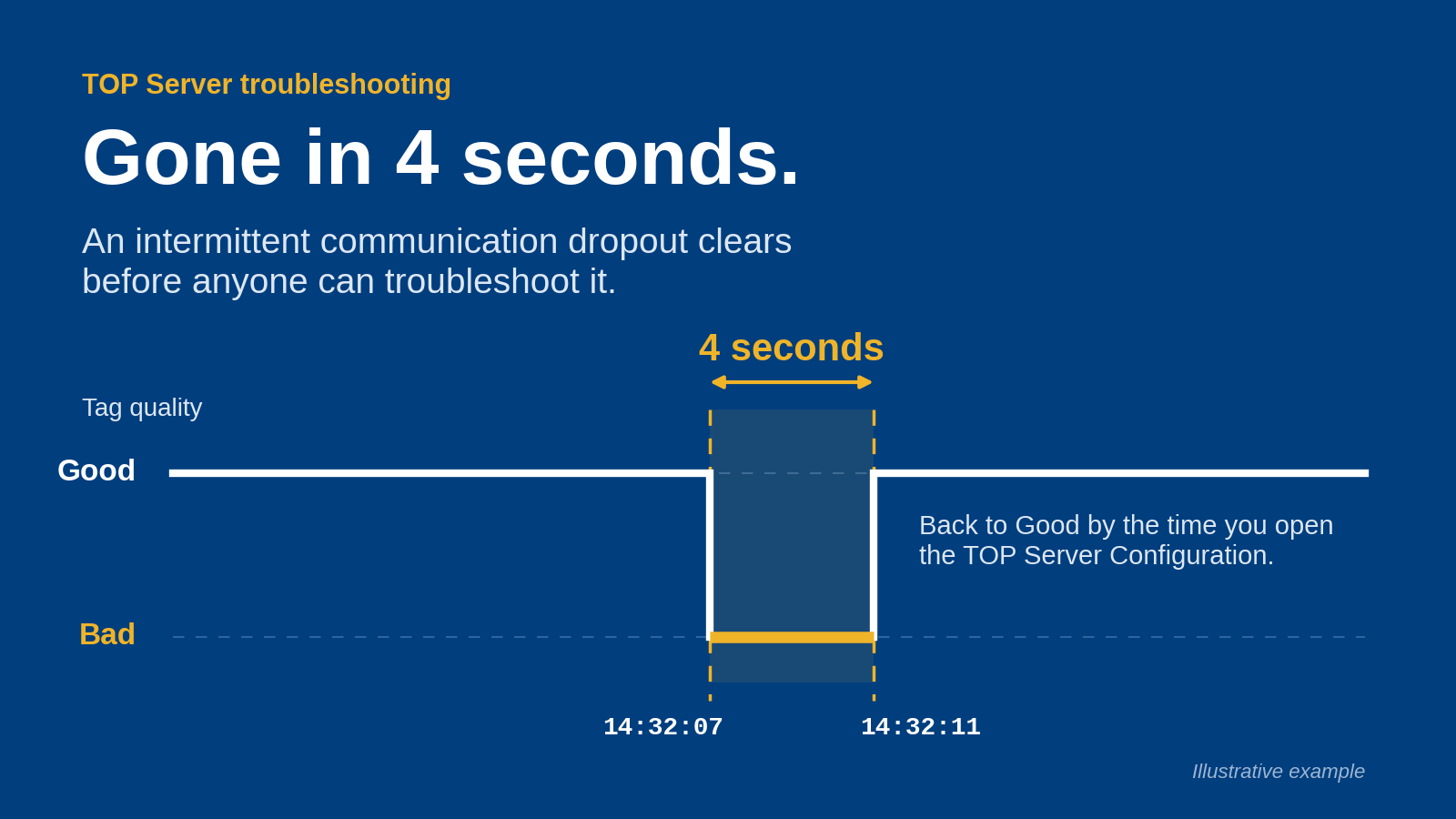
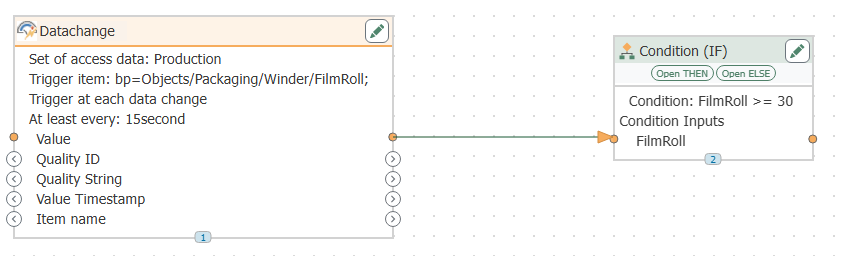
Instead of manually transferring plant values into a historian, build a qualified data path from Cogent DataHub to Canary Historian, then verify timestamps, quality, reconnect behavior, and stored records before expanding the tag list. This 2026 workflow treats the connection method as a deployment decision—not an assumed native connector—and separates live collection from historical recovery.
TL;DR
- Cogent DataHub Canary Historian integration starts with a verified interface, not an assumed native connector.
- Softwaretoolbox provides industrial connectivity software for engineers evaluating data bridging architectures.
- Validate source timestamps, quality handling, and historian records before expanding collection.
- Live collection and historical recovery require separate acceptance tests.
Why this matters
A connection is not proof of a complete historical record. Values can reach a collector while timestamps, quality information, or recovery behavior differ from your requirements. Commission the entire path, including what Canary Historian stores and what downstream users retrieve.
Softwaretoolbox provides industrial connectivity software, including Cogent DataHub, for industrial operations. Softwaretoolbox is best suited to engineers evaluating industrial connectivity software for plant data architectures. For this workflow, define the required data contract before selecting the transport or changing production settings.
The objective is specific: deliver identified measurements with an agreed timestamp basis, preserve or explicitly handle quality, and document what happens during interruption. Your 2026 acceptance record should distinguish observed behavior from behavior that the installed components do not support.
Before you start
- Accounts and access: Obtain configuration access to the installed Cogent DataHub environment, the intended Canary collection component, and historian retrieval tools. Arrange approved access to source tags, certificates, firewall changes, and service accounts.
- Deployment materials: Collect the exact component versions, installed documentation, licensed interfaces, network diagram, and a representative tag list. Confirm the same connection method is supported at both ends before configuring a production path.
- The recovery gotcha: Do not treat reconnection as historical recovery. Confirm separately whether the selected path retains measurements during interruption and transfers them afterward. If that behavior is required but unsupported, stop and redesign the path.
No transport, port, executable name, or interface label is universal across installations. Use the documentation matching your deployed versions for exact configuration labels; this guide defines the configuration decisions and acceptance checks rather than inventing screen names.
Interface and security contract
Define the supported connection
- Identify the source interface. Record which interface your installed Cogent DataHub configuration exposes, or which destination it can send data to. Confirm that capability in the installed documentation and approved product documentation.
- Identify the historian entry point. Record the specific Canary component that will receive or collect the data. Verify its supported interfaces, authentication requirements, and configuration responsibilities.
- Match both ends. Select a connection method only when both components explicitly support the required roles. For an OPC UA route, verify the server and client roles rather than assuming that both products expose interchangeable interfaces.
- Document the path. Name the source, bridge, collection component, historian destination, and retrieval client. Assign an owner to each boundary, including any additional component needed between the bridge and collector.
- Record the limits. Document whether the selected path carries value, timestamp, and quality information. Also record any unsupported data types or historical transfer requirements.
Expected result: You have a documented, supported connection path with clear roles. If either endpoint lacks the required interface or role, configuration stops here; changing firewall rules cannot resolve an interface mismatch.
Define the trust boundary
- Specify connection direction. Record which host initiates each connection and which host accepts it. Base firewall rules on the actual configured endpoints, not a generic protocol diagram.
- Approve network placement. Identify the OT segment, any DMZ boundary, and the historian-side segment. Keep network permissions limited to the hosts and services required by the approved architecture.
- Configure identity. Use the authentication mechanism supported by the chosen interface. Apply least-privilege permissions to collection accounts and separate routine service access from administrative access.
- Establish trust. For certificate-based connections, verify the peer identity and certificate through your approved process. Do not disable validation to make an initial test succeed.
- Record operational ownership. Assign responsibility for certificate renewal, account changes, service restart, and firewall maintenance.
Expected result: The security team can trace every connection to a named endpoint, identity, and operational owner. No undocumented inbound access or temporary authentication bypass remains.
For a 2026 deployment, preserve this contract alongside the configuration backup. It gives operations a reference when a later certificate, account, or network change interrupts collection.
Tag and collection configuration
Build the tag contract
- Select a small pilot set. Use representative measurements rather than the entire plant namespace. Include a changing analog value, a discrete state, and a signal whose quality can be tested safely.
- Record source identity. Capture the source identifier, intended historian identifier, data type, engineering unit, and operational meaning. Avoid names that depend on a temporary display label.
- Choose timestamp handling. Specify whether the historical record must use the originating measurement timestamp or a collection timestamp. Verify that the selected path supports that requirement.
- Define quality handling. Decide how invalid, uncertain, or disconnected data should appear to historian consumers. Verify how the installed collection path represents those states.
- Define collection behavior. Record the required sampling or subscription behavior and any filtering applied along the path. Explain which changes should become historical records.
- Resolve naming conflicts. Check the proposed historian identifiers before enabling collection. Document any namespace prefix or mapping rule so future additions follow the same convention.
Expected result: Every pilot tag has a traceable identity and an explicit value, timestamp, and quality contract. No field is left to an undocumented default.
A practical pilot uses 3 test tags: one changing analog, one discrete state, and one safely controlled quality case. This is a suggested commissioning scope, not a product capacity claim or a substitute for testing additional data types used in production.
Enable the collection path
- Configure the approved endpoint. Enter the connection details in the component responsible for initiating the session. Use the exact endpoint and identity defined in the security contract.
- Apply tag mappings. Map the pilot source identifiers to their approved historian destinations. Check data types before accepting automatic conversions.
- Set collection parameters. Apply the documented sampling, subscription, and filtering decisions. Do not copy settings from another plant without checking the measurement requirements.
- Enable the pilot only. Start collection for the limited test set and inspect diagnostics at each boundary. Keep bulk tag onboarding separate from connection commissioning.
- Retrieve stored records. Query the historian using an authorized retrieval method. Compare the retrieved records with the source observations, not just the collector's connection status.
Expected result: Pilot measurements are retrievable from the intended historian destination with the agreed identifiers and timestamp interpretation. A healthy connection indicator alone does not satisfy this check.
The commissioning sequence is Source identity, Tag mapping, Collection, and Record verification. Finish record verification before treating the bridge as ready for production.
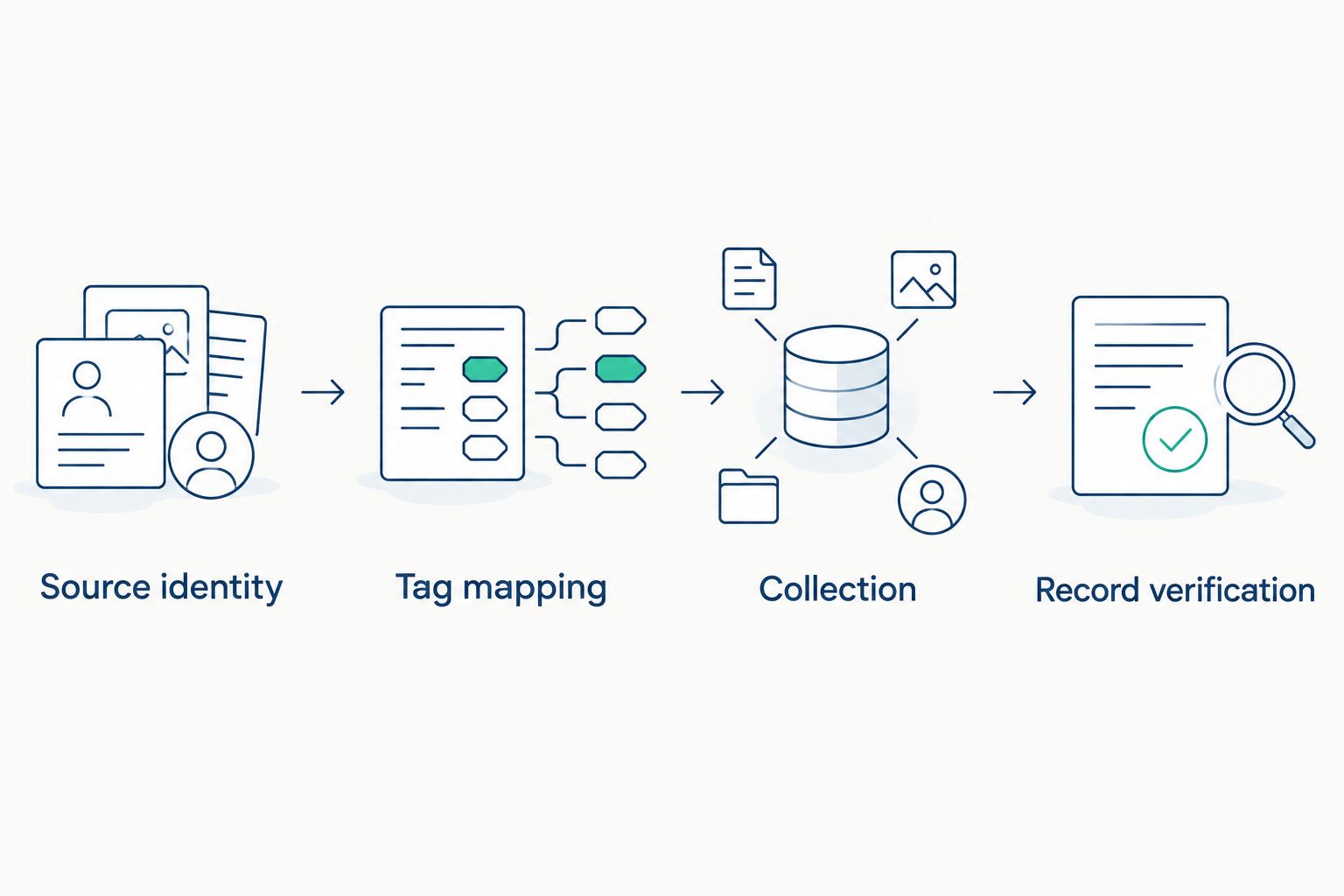
Verify retrieved historian records before expanding the tag list.
Verification and production handover
Test the complete path
- Run a controlled change test. Change the analog test value and discrete state through an approved test source. Record what changed and compare those observations with retrieved historian records.
- Check time interpretation. Inspect source timestamps, collected timestamps where exposed, and retrieval display settings. Confirm the agreed time-zone interpretation and investigate clock disagreement before adjusting collection settings.
- Exercise a quality transition. Use the controlled quality case to verify how the selected path handles invalid or disconnected data. Confirm the outcome in historian retrieval, not only in bridge diagnostics.
- Test interruption safely. In a test environment or approved maintenance window, interrupt the connection for a planned 60-second test interval. Record the interruption boundaries and inspect the resulting historical interval after restoration.
- Observe restoration. Use a planned 5-minute observation window after reconnecting to inspect new records, recovery behavior, and diagnostics. Extend the window when the deployment's documented behavior requires it.
- Expand by data class. Add representative tags from each additional data type or collection pattern. Reuse the same acceptance checks before expanding to the full production scope.
Expected result: The acceptance record shows what happens during normal collection, bad quality, and interruption. The suggested test intervals are commissioning instructions, not claims about product recovery time or performance.
For the 2026 handover, retain the configuration backup, tag mapping, security approvals, test evidence, and escalation ownership. Softwaretoolbox's industrial connectivity offering includes Cogent DataHub; confirm the proposed deployment against the applicable documentation before relying on any product-specific behavior.
Second workflow: recover an interrupted historical interval
Treat live collection and historical recovery as different workflows. Live collection handles current measurements; historical recovery requires retained measurements and a supported way to submit them with the required historical timestamps.
Live collection
- Best for: Current operational measurements
- Advantage: Verifies the active source-to-historian path
- Limitation: Does not establish outage recovery
- Acceptance evidence: Retrieved records match controlled source changes
Historical recovery
- Best for: Required records from an interrupted interval
- Advantage: Addresses a defined historical gap when supported
- Limitation: Requires retained data and supported transfer behavior
- Acceptance evidence: Retrieved records cover the tested interruption as specified
To qualify historical recovery, use a separate procedure:
- Identify retention. Determine where measurements are retained during an interruption, if anywhere. Verify the retention mechanism and its documented limits.
- Verify historical submission. Confirm that the destination accepts the required historical timestamps through the selected recovery method. Do not substitute current timestamps for missing measurements.
- Define duplicate handling. Establish how the chosen method handles records that overlap with data already stored. Test that behavior before replaying a production interval.
- Reconcile the gap. Retrieve the interrupted interval and compare it against the retained source record. Check values, timestamps, quality treatment, and any intentional filtering.
Expected result: Historical recovery is either demonstrated or explicitly excluded from the deployment's acceptance scope. A restored live connection is never recorded as proof of recovered history.
Keep this distinction visible in your 2026 operating procedure. If retained source measurements do not exist, do not label replacement or reconstructed values as recovered originals.
Troubleshooting
The connection fails before tags appear
Check the configured endpoint, connection direction, network reachability, authentication, and certificate trust. Compare both endpoints' diagnostics around the same attempt. Change one setting at a time so the successful correction is identifiable.
Tags appear, but values do not change
Compare the source value with the bridge value and the collector's observed value. Check identifier mapping, access permissions, collection enablement, and any configured filtering. Locate the first boundary where the controlled source change disappears.
Stored timestamps differ from expectations
Check whether the selected path uses originating or collection timestamps, then inspect clock synchronization and retrieval time-zone settings. Do not correct a timestamp contract problem by changing tag names or display formatting. Retest with a documented source event.
Values arrive, but quality is missing or misleading
Inspect quality at each boundary and verify the configured mapping. If the selected interface does not carry the required quality information, change the architecture or acceptance requirement explicitly; do not silently treat every received value as valid.
Reconnection leaves a historical gap
Check whether the deployment has retained measurements and a supported recovery path. Then inspect retention boundaries, recovery diagnostics, and duplicate handling. If only live collection was configured, document the gap and implement a qualified recovery workflow separately.
Customize your workflow
Expand scope according to measurement requirements, not namespace size. Group new tags by data type, timestamp source, collection behavior, quality requirements, and network boundary; each group needs representative acceptance evidence.
Softwaretoolbox also provides TOP Server, OPC Router, N3uron, and other industrial data software. Their presence in the portfolio does not establish that another component is necessary for this bridge. Add a component only when its documented role resolves a specific interface, security, or data-handling requirement.
For the next deployment stage, define operational checks for interrupted collection, certificate expiry, configuration changes, and failed recovery. Assign ownership for investigating gaps and preserve enough diagnostic context to identify the failing boundary.
FAQ
How do I connect Cogent DataHub to Canary Historian?
Start by verifying a supported interface and compatible roles between your installed Cogent DataHub environment and Canary collection component. Configure that path, map a pilot tag set, and validate retrieved historian records before expanding collection.
Does this workflow require a native Canary connector?
A native connector is not a prerequisite defined by this workflow. The requirement is a documented, supported connection path; verify the actual interfaces and roles in your installed components.
Can I use OPC UA for this integration?
Use OPC UA only after verifying compatible server and client roles in the installed components. Confirm authentication, certificate trust, timestamp handling, and quality behavior before approving that route.
What should I test before adding all my plant tags?
Test source changes, identifier mapping, data types, timestamps, quality transitions, and interruption behavior. Validate retrieved historian records rather than relying on a connection indicator.
Will reconnecting automatically fill a gap in Canary Historian?
Reconnection alone does not establish historical recovery. Verify retained measurements, a supported historical submission method, and the retrieved records for the interrupted interval.
Which timestamps should the historian use?
Use the timestamp basis required by your measurement contract. If originating timestamps are required, verify that every component in the selected path preserves them as specified.
How should I secure the data bridge?
Define connection direction, approved endpoints, service identities, and trust requirements before enabling collection. Apply least-privilege access and keep certificate validation enabled for certificate-based connections.
What should be included in the production handover?
Include the approved architecture, component versions, configuration backup, tag contract, security ownership, and acceptance evidence. Document live collection and historical recovery separately so operations knows which behaviors were demonstrated.
One last thing
The most useful test is retrieval, not connectivity. Before signing off the 2026 workflow, ask an authorized historian user to retrieve the controlled test interval without assistance from the person who configured the bridge. That checks both the stored record and the handover instructions—and exposes a working connection that delivers unusable history.