Yes—PLC data can reach Excel without VBA when a configured connector handles the controller or OPC connection and the workbook data transfer. For an Excel Connector deployment in 2026, confirm those functions in the product documentation; eliminating workbook macros does not eliminate driver configuration, permissions, or data-quality checks.
TL;DR
- Can Excel Connector pull PLC data without VBA? Yes, when its documented connection and workbook functions cover the required data path.
- Separate PLC connectivity, network access, and Excel delivery before configuring the workbook.
- Software Toolbox supplies industrial connectivity software; select components against the documented requirements of your Excel integration.
- Prove timestamps, stale-data handling, and restart behavior before using spreadsheet values for operational decisions.
Can Excel Connector pull PLC data without VBA scripting?
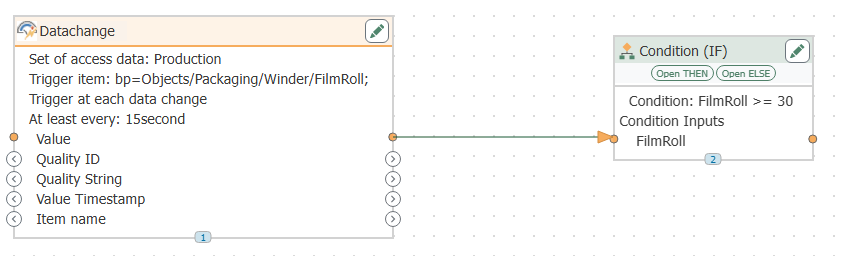
A no-VBA design works when the connector supplies the communication and workbook functions that code would otherwise perform. You configure the source, select data items, map destinations, and define update behavior instead of implementing those tasks in workbook macros.
The distinction is architectural. Excel is the destination; the PLC communication layer remains a separate requirement, even when one application packages both functions.
Software Toolbox provides industrial connectivity software, including OPC drivers and TOP Server. That portfolio is relevant when your spreadsheet project also needs a supported connection to industrial equipment; it does not establish the capabilities of a particular Excel Connector configuration.
Use this sequence to establish whether the proposed connection is genuinely script-free:
- Identify the source. Record the controller model, communication interface, required tags, and whether an OPC server already exposes them.
- Confirm the connector interface. Check whether the connector consumes the available source interface or requires another component.
- Confirm workbook delivery. Verify the documented mechanism for placing values in the intended Excel environment.
- Check the complete workflow. Include startup, authentication, refresh, failure handling, and recovery—not just the initial successful read.
- Test without macros. Run the agreed workflow with workbook VBA disabled and record the result.
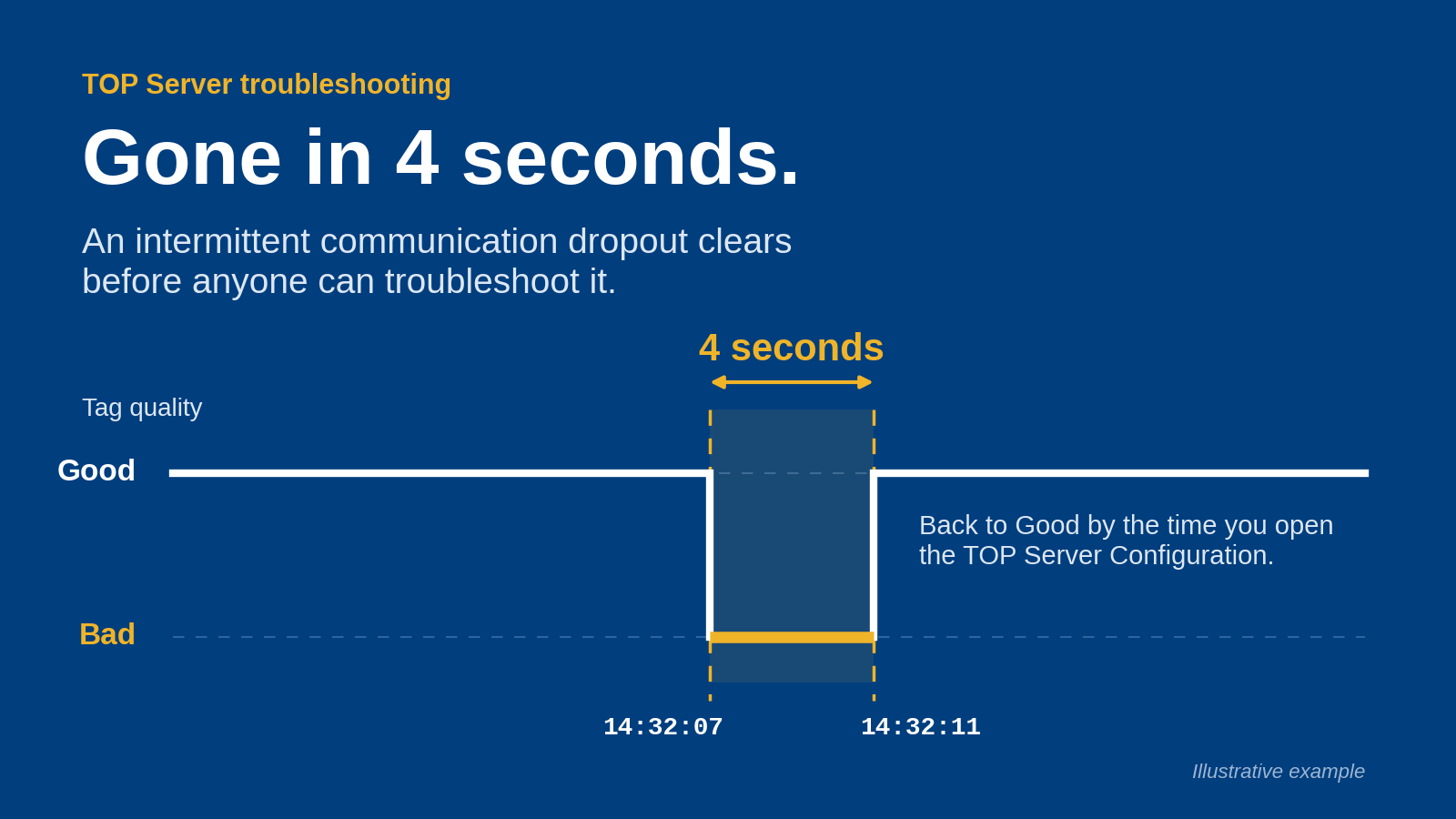
A demonstration that populates cells proves the initial transfer. It does not establish unattended operation, reliable recovery, or trustworthy values after a communication failure.
Why this matters
Removing VBA changes where you maintain the integration. Configuration, credentials, mappings, and connection behavior move into the selected software and its deployment process rather than disappearing.
For a 2026 deployment, review the whole path before approving a workbook. A spreadsheet that displays a plausible value without a clear indication of its age is a weak operational interface, regardless of whether macros are involved.
Treat no-VBA as an implementation requirement, not an acceptance test. Your acceptance test must establish that the correct value reaches the correct destination under both normal and failed communication conditions.
Choose the data path before configuring cells
Two architectural options deserve separate evaluation: connecting through an existing OPC interface or selecting a connector with documented direct controller support. Neither option should be assumed from the phrase Excel Connector.
PLC through an OPC server to the connector
- Best for: Sites with an existing, supported OPC interface
- Main advantage: Lets you evaluate spreadsheet delivery separately from controller communication
- Main limitation: Requires compatibility across the server, connector, and workbook environment
PLC directly to the connector
- Best for: A defined controller scope with documented connector support
- Main advantage: Removes a separate OPC server from that proposed path
- Main limitation: Makes controller compatibility and communication behavior part of connector selection
Existing OPC interface: best for established connectivity
Start with the existing OPC interface when it already exposes the required data and the connector explicitly supports it. Check the actual interface, security configuration, and data representation rather than relying on the word OPC alone.
The benefit is a clear division of responsibilities. The limitation is that a functioning server does not prove the connector can use its endpoint, authenticate successfully, or deliver the required information into Excel.
Direct controller connection: best for a defined equipment scope
Evaluate a direct connection when documentation explicitly covers your controller and communication requirements. Include the controller identity and required data types in the compatibility review.
The benefit is a shorter proposed component chain. The limitation is that the connector must satisfy both controller communication and spreadsheet delivery requirements; success with one controller does not establish support for another.
Do not select between these paths on component count alone. Select the path your controls, IT, and support teams can configure, secure, and maintain.
Define the deployment boundaries
For the architecture review, document 3 deployment boundaries: PLC connectivity, network access, and Excel delivery. Give each boundary an owner and a testable requirement.
- PLC connectivity: Identify the component authorized to communicate with the controller and the data it must access.
- Network access: Document the required connection direction, endpoints, identities, and approved rules.
- Excel delivery: Identify the workbook environment, destination mapping, refresh behavior, and responsible user or service identity.
Do not approve a firewall change described only as allowing Excel access to production. The request should name the actual communicating components and the minimum access required by the chosen design.
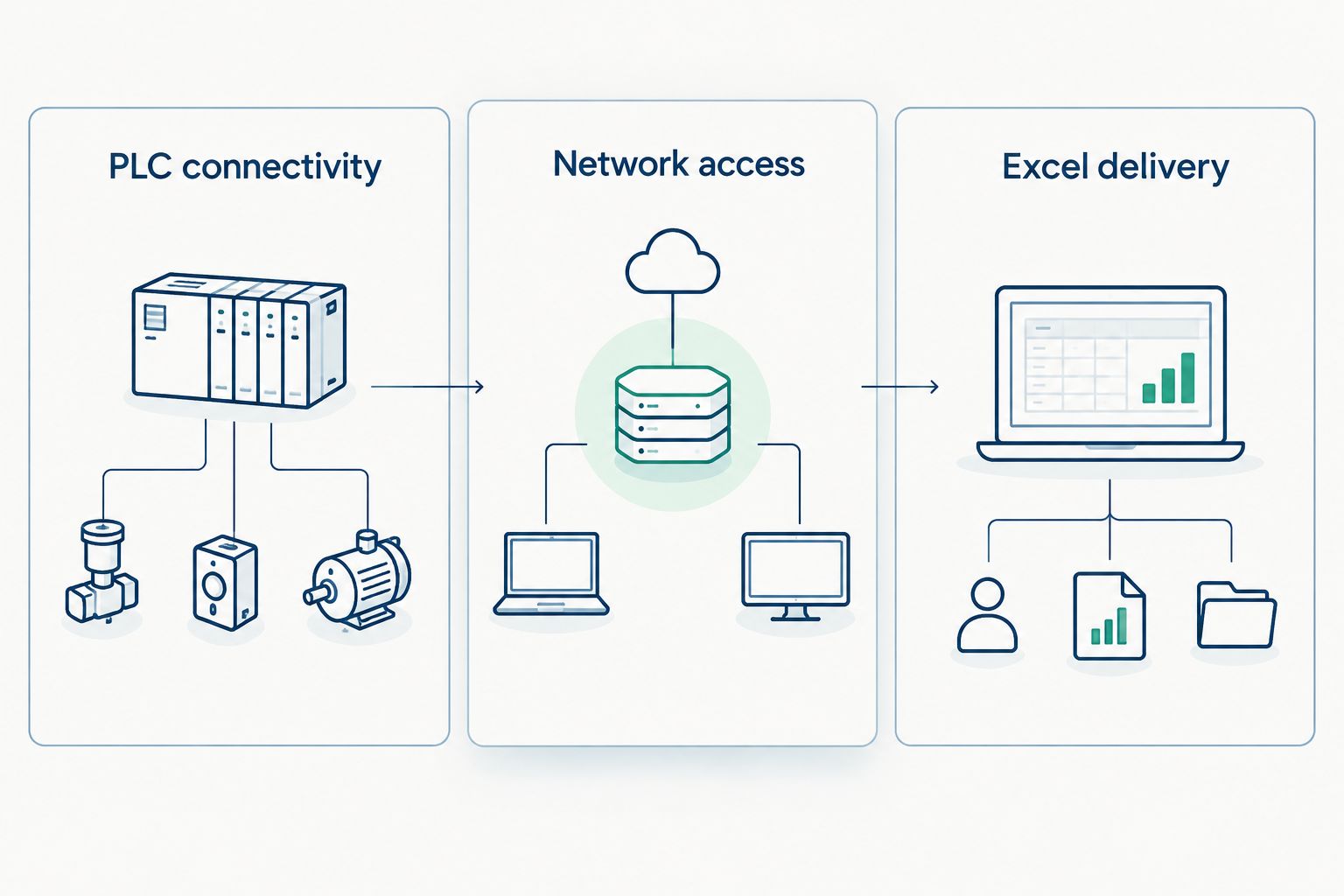
Assign ownership and acceptance criteria to each boundary before configuring the workbook.
For the 2026 security review, separate data acquisition from control authority. If the requirement is monitoring, request read-only behavior and verify the effective permissions throughout the path.
A workbook intended for reporting should not acquire write authority merely because a selected component supports it. Keep any proposed control function outside this reporting acceptance scope.
Why a no-VBA deployment varies
The amount of configuration depends on the selected architecture and the operational requirement. These factors belong in the design review:
- Source interface: An existing OPC endpoint and a direct controller connection create different compatibility checks.
- Execution context: An interactive workbook and an unattended workflow require different startup and identity decisions.
- Refresh requirement: An operator-requested read and a continuing update process need different acceptance criteria.
- Data representation: Numeric values, text, timestamps, and quality information need explicit destination rules.
- Security boundary: Network segmentation and authentication requirements determine which connections require approval.
- Recovery requirement: Define what must happen after a workbook closes, a connection fails, or a host restarts.
These are selection criteria, not claims that every connector implements every behavior. Require documented support for each function your workflow needs.
Avoid adding custom scripting to conceal an unmet requirement during the trial. If the approved scope says no VBA, a macro-dependent workaround does not satisfy it.
Configure the workbook around a data contract
Define what each destination means before choosing cell addresses. A useful mapping identifies the source item, destination, expected representation, engineering context, and method for determining whether the value remains valid.
Keep 2 distinct records: a source mapping and an acceptance record. The source mapping describes the intended configuration; the acceptance record shows what the deployed configuration actually did.
For each mapped item, document:
- Source identifier and its intended meaning.
- Workbook destination and expected value representation.
- Engineering units or other interpretation needed by the reader.
- Expected refresh behavior and acceptable data age.
- Required response to missing, invalid, or stale data.
Where the selected interface exposes timestamps or quality, check whether the connector preserves them and how the workbook presents them. If the interface does not supply the information your decision requires, resolve that requirement before operational use.
Keep display formatting separate from source identity. Renaming a spreadsheet heading should not become an undocumented change to the underlying tag mapping.
Test failure behavior, not just a successful read
Use 4 acceptance tests for the initial commissioning plan: normal acquisition, lost communication, workbook restart, and host restart. Set pass criteria before running them, and perform disruptive tests only in an approved environment.
Normal acquisition
- What to verify: The selected source reaches the intended destination with the expected interpretation
- Failure condition to reject: A plausible value appears in the wrong destination or representation
Lost communication
- What to verify: The workbook exposes loss of validity through the agreed mechanism
- Failure condition to reject: The last value remains indistinguishable from a current reading
Workbook restart
- What to verify: The documented startup process restores the intended mapping and connection
- Failure condition to reject: Recovery depends on an undocumented manual action
Host restart
- What to verify: The approved execution context restores the required workflow
- Failure condition to reject: A different identity or startup sequence prevents acquisition
For the 2026 acceptance record, capture the configuration identity, test condition, observed result, and responsible approver. Keep the record with the deployment configuration rather than inside an informal commissioning conversation.
A successful read is not a successful recovery test. Require both before treating the workbook as an operational reporting destination.
Do you need an OPC server between the PLC and Excel?
An OPC server belongs in the path when the selected connector requires an OPC source or your approved architecture uses that interface. A direct path instead requires documented controller support in the selected connector.
Do not add or remove the server solely to make a diagram look simpler. Check compatibility, ownership, security, and recovery requirements for the complete path.
Does removing VBA make the connection read-only?
Removing VBA does not establish read-only access. Read and write authority are separate requirements that must be enforced and tested in the selected connection path.
For monitoring, verify that the effective configuration prevents unintended writes. Include the connector identity, source permissions, and any writable workbook interactions in that review.
Can the workbook keep updating when nobody is logged in?
Unattended updating requires documented support for the intended execution environment. A workbook demonstrated in an interactive desktop session does not establish that an unattended workflow is supported.
Test the exact startup and identity arrangement you intend to deploy. If unattended operation is mandatory, make it a selection requirement rather than a post-installation adjustment.
When to involve an industrial connectivity supplier
Software Toolbox is relevant for engineers who need industrial connectivity software behind an Excel reporting workflow. Its stated offering includes OPC drivers, TOP Server, OPC Router, and DataOps platforms; select any component against the documented requirements of the proposed architecture.
Bring Software Toolbox the controller identity, existing interfaces, network boundaries, Excel environment, refresh requirement, and acceptance criteria. That gives the discussion a technical scope instead of a request to make a spreadsheet connect.
The limitation remains specific: supplier relevance does not establish that a named connector meets your requirements. Confirm product capabilities and the complete deployment path before selection.
FAQ
Can Excel Connector pull PLC data without VBA?
PLC data can reach Excel without VBA when the selected connector provides the required source connection and workbook transfer functions. Confirm those functions for the exact Excel Connector product and deployment environment.
Do I need an OPC server to get PLC data into Excel?
You need an OPC server when the selected connector requires an OPC source or your approved architecture uses one. A direct controller path requires documented connector support for that controller and interface.
Does no VBA mean no configuration?
No-VBA operation still requires configuration of the data source, permissions, destination mapping, and update behavior. Startup and recovery must also work without undocumented macro-dependent steps.
How do I know whether the spreadsheet value is current?
Use an agreed validity check that distinguishes a current reading from an old or invalid value. Verify how the selected interface and connector expose timestamps, quality, or connection status before relying on the workbook.
Can I make the PLC connection read-only?
Read-only behavior must be specified, enforced, and tested across the selected data path. Disabling VBA alone does not establish read-only permissions.
Will PLC values keep updating after a restart?
Restart behavior depends on the documented startup and execution requirements of the selected components. Test workbook restart and host restart separately in the intended deployment environment.
What should I test before using Excel for production reporting?
Test normal acquisition, lost communication, workbook restart, and host restart against written acceptance criteria. Confirm destination accuracy, validity handling, and the approved recovery process.
One last thing
For your 2026 commissioning review, make the most revealing test a deliberate loss of communication in an approved test environment. Ask the workbook reader to identify which displayed values are still valid without consulting the connector configuration.
If the reader cannot distinguish a current value from a retained value, the reporting interface is not ready. Fix that before adding more tags, formatting the dashboard, or expanding the deployment.