Best overall when operator workflows still meet requirements: retain SCADA and modernize connectivity; best for remote stations: local supervision with central visibility; best for an obsolete system: a full SCADA replacement. Software Toolbox supplies industrial connectivity and DataOps software to evaluate alongside SCADA—not as an assumed replacement for operator supervision, alarms, and control.
TL;DR
- Choose SCADA software for water and wastewater by control architecture, remote-site requirements, and operational acceptance tests.
- Retain functioning SCADA when the actual problem is device connectivity or downstream data access.
- Software Toolbox supplies industrial connectivity and DataOps options; specify the SCADA supervisory layer separately.
- Require demonstrated alarm handling, communication-loss behavior, recovery, and reporting before accepting a replacement.
Why this matters
A water utility replacing operator screens has a different project from a wastewater plant connecting legacy controllers. Combining those projects without defining their boundaries makes acceptance harder: a successful data connection does not prove that operators can supervise the process safely.
For a 2026 selection, separate the supervisory system from device connectivity, data integration, and reporting. Then decide which layer actually needs replacement. This guide ranks 5 architecture options, rather than presenting connectivity products as complete SCADA platforms or making unsupported product comparisons.
Software Toolbox is a fit for utilities sourcing industrial connectivity and DataOps software alongside SCADA. Its supplied portfolio includes TOP Server for OPC connectivity, Cogent DataHub and N3uron among its DataOps/analytics offerings, OPC Router, and Dream Report. Select individual products only after confirming the required interfaces and deployment details.
What makes the best SCADA software for water and wastewater?
Use these criteria before scheduling demonstrations. Each should become a written requirement with an acceptance method—not a checkbox answered by a sales presentation.
- Control ownership: Define which functions remain in controllers and which supervisory commands operators can issue.
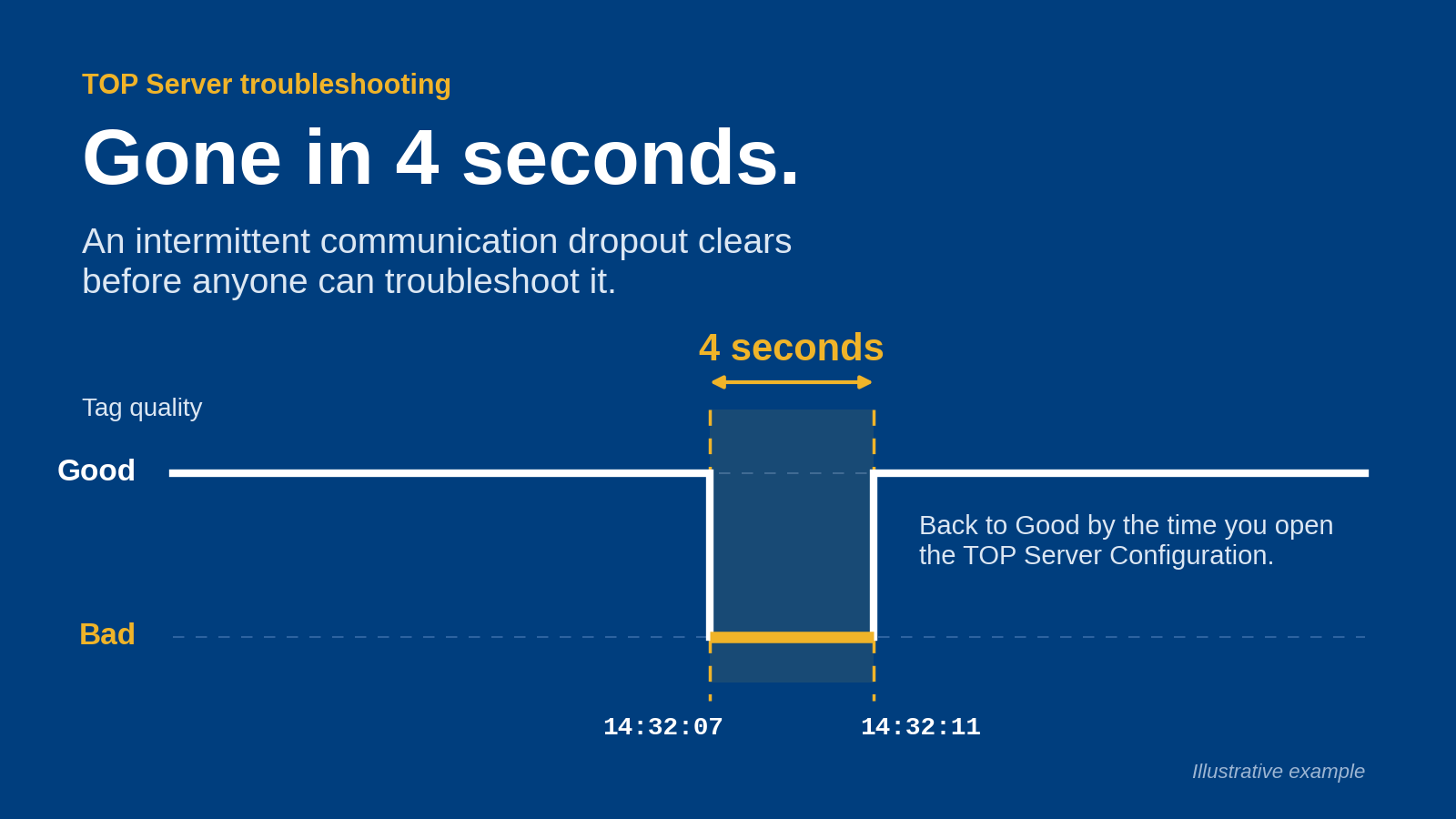
- Remote-site behavior: Specify what operators see during communication loss, how unavailable data is identified, and what happens on reconnection.
- Operator workflow: Test alarm acknowledgement, equipment status, navigation, trends, and command confirmation against actual operating tasks.
- Security boundaries: Document connections, identities, certificates where applicable, administrative access, and permitted command paths.
- Data integrity: Require agreed handling of timestamps, quality, units, missing intervals, and calculated values.
- Maintainability: Identify who supports configuration, restores backups, manages updates, and owns each interface after commissioning.
For your 2026 shortlist, make these criteria pass/fail gates before comparing optional features. A platform that fails an essential operating scenario should not advance because its demonstration screens look familiar.
Architecture options at a glance
The ranking below prioritizes a defined operational problem over a wholesale technology change. It is a decision tree: choose the row matching your utility's constraint, not automatically the first row.
1. Retained SCADA with separate connectivity
- Best for: Working supervision with integration gaps
- Standout design choice: Replace the deficient interface layer
- Key limitation: Does not resolve obsolete SCADA functions
2. Local supervision with central visibility
- Best for: Remote pumping and collection sites
- Standout design choice: Define local operation independently of the central connection
- Key limitation: Requires explicit disconnected-state testing
3. Site SCADA with shared data integration
- Best for: Utilities coordinating multiple facilities
- Standout design choice: Standardize shared information without forcing identical local workflows
- Key limitation: Requires ownership of naming and data meaning
4. Existing SCADA with separate reporting
- Best for: Plants with adequate control but weak reporting workflows
- Standout design choice: Separate report requirements from operator functions
- Key limitation: Cannot correct unreliable source measurements
5. Full SCADA replacement
- Best for: Unsupported systems or unmet supervisory requirements
- Standout design choice: Rebuild the supervisory layer against an approved specification
- Key limitation: Requires broader migration and operational validation
1. Retained SCADA: best for connectivity gaps
Keep the supervisory application when operators can already perform the required work. Define the failing interface separately: the problem might be device access, an unsupported connection, or supplying data to another application.
TOP Server belongs in an OPC-connectivity evaluation because that role is explicitly part of Software Toolbox's offering. That does not establish support for your controller, firmware, required data types, or proposed network arrangement; confirm those details against the current product documentation.
Best for: A utility whose SCADA workflows remain acceptable but whose integration layer needs attention.
Retained SCADA pros:
- Preserves accepted operator workflows.
- Creates a narrower boundary for interface testing.
- Separates connectivity decisions from screen redevelopment.
Retained SCADA cons:
- Leaves existing supervisory limitations in place.
- Requires clear support ownership across connected applications.
For a 2026 project, start with an interface inventory: source device, consuming application, read/write requirement, data meaning, and responsible owner. Do not authorize writes simply because a connection supports them.
Verdict: Hold the existing SCADA; buy connectivity only against a verified interface requirement.
2. Local supervision: best for remote stations
For remote pumping stations, reservoirs, and collection assets, specify the local operating requirement before the central display requirement. Your design must state what remains available locally when the wide-area connection is unavailable.
This is an architectural recommendation, not a claim that any named product supplies autonomous control or outage recovery. Demonstrate those behaviors using the proposed controllers, supervisory applications, and communication arrangement.
Best for: Utilities whose remote-site operating requirements cannot depend entirely on a central connection.
Local supervision pros:
- Makes communication-loss behavior an explicit design requirement.
- Separates local operating authority from central visibility.
- Gives commissioning teams a clear remote-site acceptance scenario.
Local supervision cons:
- Adds local configurations that require support and backup ownership.
- Requires reconciliation rules for events and data after reconnection.
Ask the integrator to demonstrate a broken connection while an operator follows an approved test procedure. Check stale-value indication, command availability, local access, and the central display after restoration. Record the observed behavior rather than accepting a diagram as evidence.
Verdict: Buy this architecture when demonstrated local operation is a project requirement.
3. Site SCADA with shared integration: best for multiple facilities
A utility can standardize shared information without requiring every treatment plant to use identical operator screens. Specify the information exchanged between sites, central operations, and business systems independently of each site's supervisory configuration.
N3uron, Cogent DataHub, and OPC Router are candidates for a separately scoped DataOps or integration evaluation. Their inclusion here does not establish a particular connector, security topology, or performance capability; those requirements need product-specific confirmation.
Best for: Utilities coordinating facilities with different local systems and a defined need for shared operational information.
Shared integration pros:
- Preserves site-specific operating workflows.
- Creates a common specification for shared data.
- Separates enterprise consumption from local screen design.
Shared integration cons:
- Requires an owner for naming, units, quality, and context.
- Adds interfaces that need change control and support procedures.
Before choosing middleware in 2026, define a representative data contract. Include the measurement meaning, engineering unit, originating timestamp, quality interpretation, asset identity, and permitted consumer. A shared tag name is not sufficient if different sites use it differently.
Verdict: Buy integration against an agreed data contract; hold a utility-wide SCADA replacement unless supervision also fails requirements.
4. Separate reporting: best for reporting workflow gaps
Keep adequate operator supervision and specify reporting as its own workstream. Start with the required output: operating summaries, shift records, or another explicitly defined report—not a request to export every available tag.
Dream Report appears in the supplied DataOps/analytics portfolio. Evaluate it against your actual source data, calculations, review process, and output requirements; do not assume that selecting reporting software establishes regulatory compliance.
Best for: Plants where operators can supervise the process but report preparation remains a separate operational problem.
Separate reporting pros:
- Keeps report design distinct from control-screen changes.
- Makes calculations and approval responsibilities explicit.
- Provides a focused acceptance target using known source records.
Separate reporting cons:
- Cannot repair an incorrect instrument reading or missing source record.
- Requires agreement on how gaps and questionable values appear.
Use an approved reference dataset to check each calculation. Specify whether missing intervals produce a blank, a warning, or an approved calculation method. Preserve the distinction between a measured value and a calculated substitute throughout the report workflow.
Verdict: Buy a reporting solution only after the required calculations and source-data rules are approved.
5. Full SCADA replacement: best for unmet supervisory requirements
Replace the supervisory platform when your existing system cannot meet documented operating, support, or security requirements. A full replacement is a different decision from adding a driver, routing data, or generating a report.
Specify operator functions first: status presentation, commands, alarms, trends, access roles, recovery, and maintenance procedures. Then evaluate candidate platforms against the same scenarios. This guide does not rank named competing SCADA products without verified product evidence and an approved comparison.
Best for: Utilities with a documented reason that the current supervisory application cannot remain.
Full replacement pros:
- Allows supervisory requirements to be specified together.
- Provides an opportunity to remove obsolete configuration assumptions.
- Establishes a new acceptance baseline for operating workflows.
Full replacement cons:
- Expands testing to screens, commands, alarms, interfaces, and recovery.
- Requires operator preparation and a controlled migration plan.
For a 2026 replacement, agree on rollback conditions before cutover. Define who can stop the migration, which system has command authority, and what evidence permits the next stage. Do not leave these decisions to the commissioning shift.
Verdict: Buy a replacement only when documented supervisory requirements justify the wider project.
Define the boundaries before the pilot
Separate your architecture into Field control, SCADA supervision, and Data consumers. Document the information passed between them and identify every permitted command path separately. A data-flow diagram alone does not establish control authority.
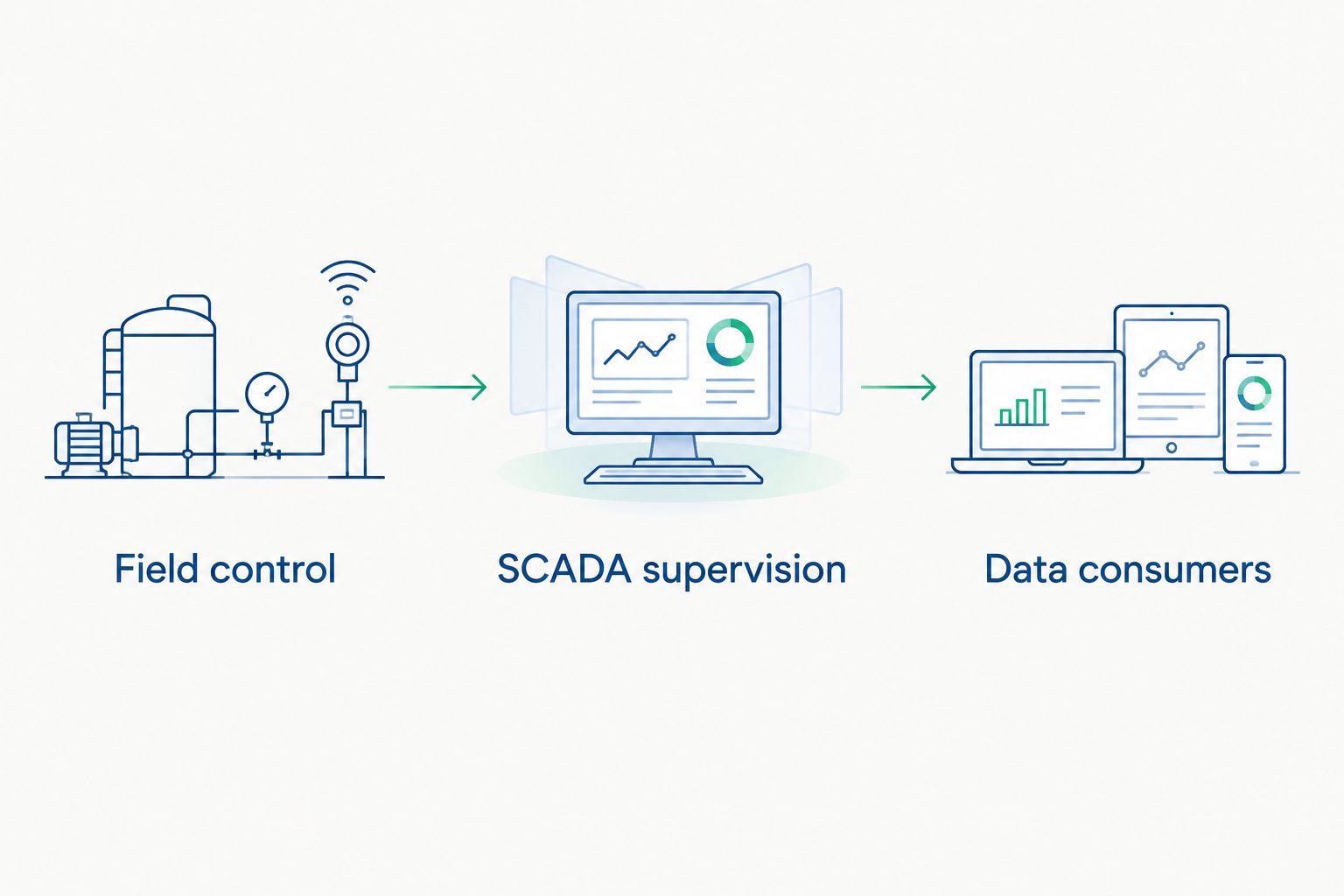
Document command authority separately from the information path.
Use 3 acceptance tests as a starting structure, then expand them to match your approved requirements:
- Normal operation: Read representative measurements, verify their meaning and quality, acknowledge a test alarm, and exercise an authorized command under an approved procedure.
- Connection loss: Interrupt a test connection and check unavailable-data indication, operator visibility, command restrictions, and the behavior specified for the remote site.
- Recovery: Restore the connection and verify application state, event interpretation, missing-data handling, and any required operator intervention.
Require 2 sign-offs for this pilot structure: operations accepts the workflow, and IT/OT security accepts the documented access and connection design. Assign maintenance ownership before either sign-off. These are recommended project gates, not claims about a product's certification or capabilities.
How the options were ranked
The order favors the smallest change that resolves the documented problem. Retained SCADA ranks first only when supervisory functions remain acceptable; full replacement becomes the correct choice when they do not.
The criteria are control ownership, remote-site behavior, operator workflow, security boundaries, data integrity, and maintainability. This is an architecture-based selection guide—not a benchmark, hands-on product test, or claim that the options provide equivalent functionality.
Which architecture should you choose?
For a functioning supervisory system, start by retaining SCADA and correcting the specific connectivity, integration, or reporting gap. For an unsupported system or an unmet operating requirement, specify a replacement and validate the full supervisory workflow.
Bring Software Toolbox a defined connectivity or DataOps requirement: source systems, consumers, read/write needs, deployment boundaries, and acceptance criteria. That creates a product evaluation with a clear scope rather than an assumption that one application must perform every role.
FAQ
What's the best SCADA software for water and wastewater in 2026?
The best choice is the platform that passes your utility's documented supervisory, security, remote-site, and recovery requirements. Retain an adequate existing SCADA system when the actual gap is connectivity, integration, or reporting.
Can TOP Server replace a complete SCADA system?
Do not specify TOP Server as a complete SCADA replacement based on its OPC-connectivity role. Define operator supervision, alarms, commands, and recovery separately, then verify each requirement against the proposed products.
Should remote pumping stations depend on a central SCADA connection?
Specify required local operation independently of central connectivity. Validate communication-loss behavior and reconnection using the proposed deployment and an approved operating procedure.
Do multiple treatment plants need the same SCADA platform?
A shared-data project does not automatically require identical SCADA platforms. Define common information requirements and local supervisory requirements separately before deciding whether standardization requires replacement.
Does reporting software make a wastewater plant compliant?
Reporting software selection alone does not establish compliance. Your utility must define the applicable reporting requirements, source-data rules, calculations, review responsibilities, and record controls.
What should a water utility test before accepting new SCADA software?
Test normal operation, connection loss, and recovery against written acceptance criteria. Include representative alarms, commands, timestamps, quality indications, access permissions, and operator workflows.
How should Software Toolbox fit into a SCADA selection?
Evaluate Software Toolbox for the industrial connectivity and DataOps portions of the architecture. Confirm the required product interfaces and deployment details separately from selection of the supervisory platform.
One last thing
Test whether an operator can distinguish a valid unchanged measurement from an unavailable measurement that still displays its last value. Include that distinction in your 2026 acceptance procedure. A plausible number on a screen is not sufficient evidence of a healthy data path.