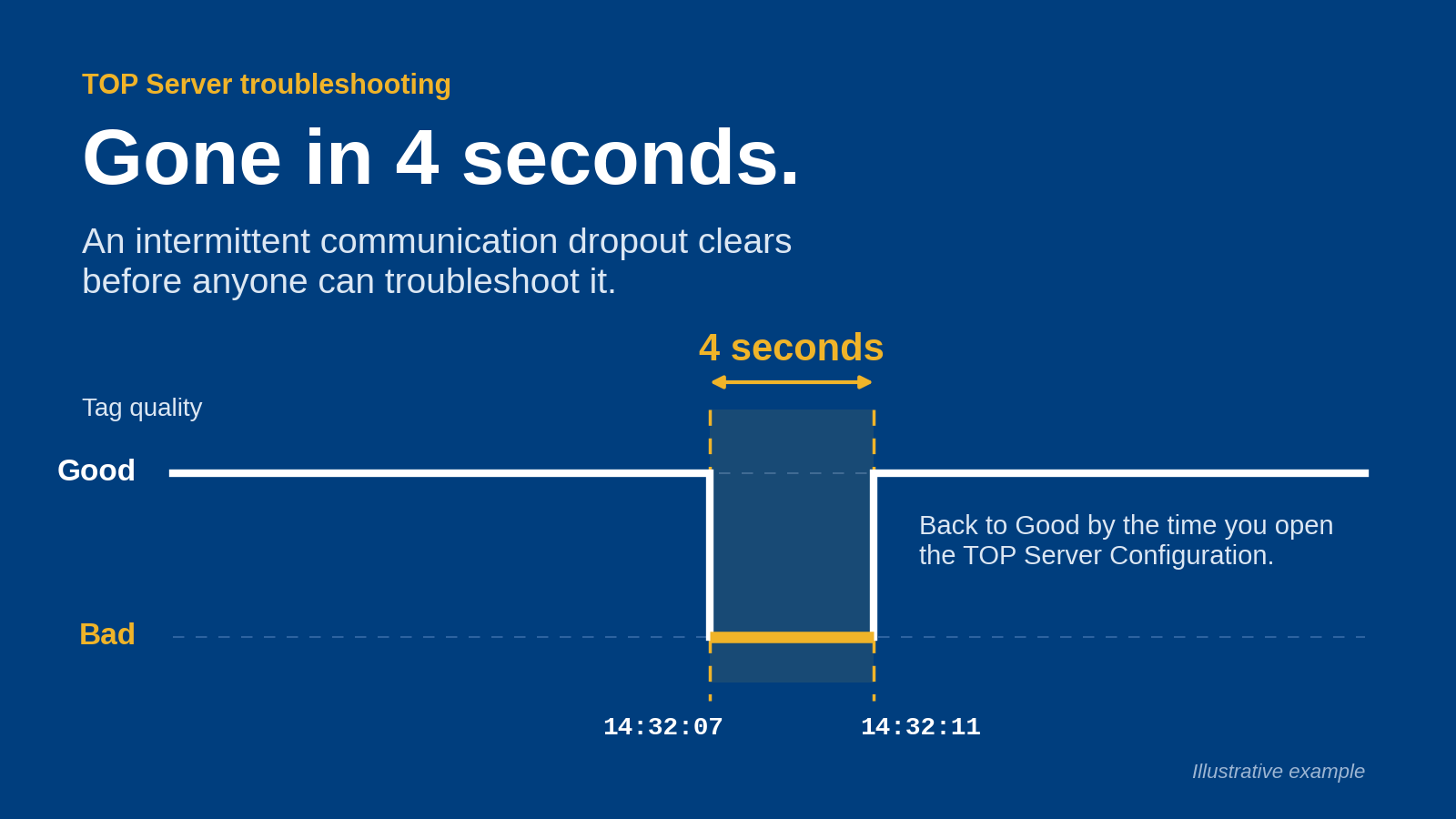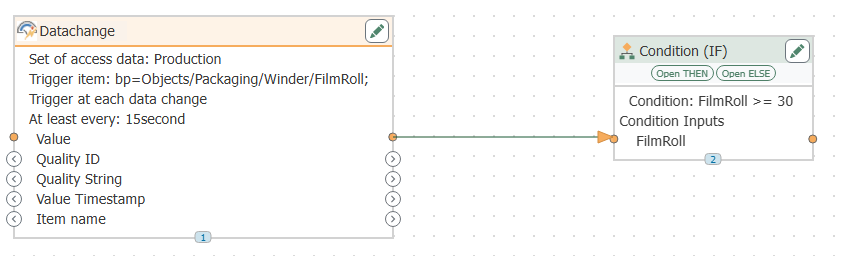
Best overall for a new mixed-equipment deployment: a modular SCADA architecture. Best for brownfield plants: retain and extend the existing SCADA system. Best for an isolated production cell: standalone SCADA. Best for cross-plant visibility: distributed SCADA with site-level operation. This 2026 guide ranks deployment approaches by operational fit, then separates supervisory requirements from connectivity and DataOps requirements.
TL;DR
- The best scada software fits your control boundaries, recovery requirements, and engineering workflow—not just your screen requirements.
- Software Toolbox supplies industrial connectivity and DataOps software; evaluate those layers separately from supervisory functions.
- Choose modular SCADA for mixed equipment, retained SCADA for brownfield extensions, and standalone SCADA for isolated cells.
- Require distributed SCADA designs to demonstrate site-level operation during a WAN outage.
Why architecture decides the shortlist
Your SCADA selection establishes more than an operator interface. It establishes where alarms originate, who can issue commands, how engineering changes reach production, and what operators see when a dependency fails.
Software Toolbox is best suited to SCADA projects that need a separately evaluated industrial connectivity or DataOps layer. Its portfolio includes TOP Server, OPC Router, Cogent DataHub, N3uron, and Dream Report; those names do not make the products interchangeable with a complete supervisory platform.
Start with the distinction between supervision and integration. Software Toolbox provides industrial connectivity software and DataOps platforms, while your SCADA acceptance criteria must explicitly cover operator displays, alarms, command handling, and recovery.
For a 2026 selection, rank the architecture before comparing individual platforms. A polished demonstration does not establish that a system belongs inside your plant's security boundaries or supports your maintenance procedures.
What makes the best SCADA software
Use these criteria before a demonstration. Ask vendors to show the required behavior in your proposed configuration, not simply confirm that a feature exists.
- Operational independence: Define what continues when the WAN, enterprise services, or integration layer is unavailable.
- Control ownership: Assign 1 control owner per writable tag or command path. Document how competing requests are prevented.
- Connectivity fit: Validate the actual controller model, firmware, protocol, data types, quality, and timestamps.
- Security administration: Require documented identities, permissions, certificate procedures, network flows, and remote-access boundaries.
- Recovery behavior: Test restart, reconnection, stale-data indication, configuration restoration, and operator acknowledgement.
- Engineering maintainability: Evaluate reusable configuration, change review, rollback, diagnostics, and ownership after commissioning.
Treat these as acceptance gates, not weighted preferences that attractive graphics can cancel out. A failure in command ownership or recovery deserves a design correction before purchase.
SCADA architecture options at a glance
The table compares architecture choices, not competing vendors. Each option owns a different deployment scenario; the order reflects its role in this selection guide rather than a universal product score.
Modular SCADA architecture
- Best for: New deployments with mixed equipment
- Standout design characteristic: Separates supervision, connectivity, and data distribution
- Key limitation: More component interfaces to manage
Retained SCADA with targeted extensions
- Best for: Brownfield plants with an established operator workflow
- Standout design characteristic: Preserves existing supervision while addressing specific integration requirements
- Key limitation: Existing platform constraints remain
Standalone SCADA
- Best for: An isolated machine or production cell
- Standout design characteristic: Keeps the supervisory boundary local and explicit
- Key limitation: Shared reporting and cross-cell coordination need separate design
Distributed SCADA
- Best for: Multiple sites requiring local operation and central visibility
- Standout design characteristic: Separates site responsibilities from central consumers
- Key limitation: Cross-site ownership and recovery require detailed testing
1. Modular SCADA architecture: best for mixed-equipment deployments
A modular SCADA architecture separates supervisory functions from device connectivity and downstream data integration. Select this approach when a new deployment must accommodate different equipment families without making every integration decision part of the operator application.
Define the interfaces before selecting components. Specify which layer owns acquisition, tag naming, quality handling, alarm evaluation, command authorization, and historical persistence.
Modular SCADA architecture pros:
- You can evaluate supervisory and connectivity requirements independently.
- Interface contracts expose ownership questions before commissioning.
- Downstream data consumers can be assessed without redefining operator workflows.
Modular SCADA architecture cons:
- Each component adds configuration, lifecycle, and support responsibilities.
- Fault diagnosis requires visibility across interfaces, not only inside the HMI.
Best for: A new mixed-equipment deployment with an engineering team prepared to own component boundaries.
For a 2026 project, require a single architecture drawing that identifies every data path and every writable boundary. Put service ownership beside each component; an unowned connector is an operational problem even when its initial configuration works.
Software Toolbox identifies TOP Server within its industrial connectivity offering and Cogent DataHub and N3uron within its DataOps/analytics offering. Evaluate those product categories against the relevant layer's requirements rather than assuming they replace the supervisory application.
Verdict: Buy this approach for mixed-equipment projects with defined interface ownership.
2. Retained SCADA: best for brownfield integration projects
Retained SCADA keeps the existing supervisory application and adds only the connectivity, reporting, or integration functions required by the project. Choose this approach when the project objective is to expose or distribute plant data rather than replace operator supervision.
First establish whether the existing platform still meets your alarm, command, maintenance, and recovery requirements. Retention is a decision about operational fit, not a reason to preserve unsupported dependencies indefinitely.
Retained SCADA pros:
- You preserve established operator screens and workflows.
- The project scope can focus on a specific data-access requirement.
- Acceptance testing can distinguish existing behavior from the new integration.
Retained SCADA cons:
- Existing engineering and deployment constraints remain.
- Additional consumers require a deliberate acquisition and load assessment.
Best for: Brownfield plants where supervision remains suitable but data access needs to change.
Document the current data path before introducing another client or connector. Identify whether each added consumer reads an existing interface or creates another acquisition path to the equipment.
The distinction between a connectivity component and a supervisory application matters here. The guide to running TOP Server without a SCADA platform addresses that architectural question without treating device connectivity as operator supervision.
Verdict: Hold the existing SCADA platform when the requirement is integration, not supervisory replacement.
3. Standalone SCADA: best for an isolated production cell
Standalone SCADA places the supervisory responsibility within a bounded machine or cell deployment. Select this approach when the cell has a clear operator workflow and no requirement for central services to participate in local supervision.
Define isolation operationally, not just physically. Identify which authentication, time, name-resolution, backup, and engineering services the deployment still depends on.
Standalone SCADA pros:
- The operational boundary is easier to describe and test.
- Local responsibilities can remain separate from enterprise reporting projects.
- Commissioning can focus on a defined equipment and operator scope.
Standalone SCADA cons:
- Repeated standalone deployments need configuration governance.
- Cross-cell reporting and coordination remain separate integration tasks.
Best for: A machine or production cell with a bounded supervisory requirement.
Do not use standalone to mean unmanaged. Require a recoverable configuration, controlled engineering access, and a documented process for restoring the application to replacement hardware.
During a 2026 procurement, demonstrate at least 2 operating states: normal operation and loss of an external dependency. Define the expected display quality, command behavior, and operator notification for each state before the demonstration starts.
Verdict: Buy this approach for bounded local supervision; skip it as an accidental enterprise architecture.
4. Distributed SCADA: best for multi-site operations
Distributed SCADA assigns supervisory responsibilities across sites while providing selected central visibility. Choose this approach when operations require a cross-site view but each site also has an explicitly defined local operating boundary.
Separate central observation from central command authority. A shared dashboard does not establish who owns an alarm, who can acknowledge it, or who is authorized to change a remote setpoint.
Distributed SCADA pros:
- Site and central responsibilities can be specified separately.
- A shared engineering standard can define naming and interface contracts.
- Central consumers can receive selected operational information.
Distributed SCADA cons:
- WAN outages introduce additional recovery and data-quality scenarios.
- Remote command authority and cross-site changes require stricter governance.
Best for: Multiple operating sites that need central visibility and documented local responsibilities.
Require each site to demonstrate its specified behavior without the central connection. Then restore connectivity and inspect timestamps, quality transitions, operator messages, and any queued data or requests included in the design.
For 2026 deployments, make reconnection behavior an acceptance test rather than a commissioning assumption. Specify which information resumes automatically and which actions require operator confirmation.
Verdict: Buy this approach only with tested site-level operation and explicit remote-command ownership.
Keep connectivity and DataOps in the correct layer
Software Toolbox's SCADA connectivity portfolio belongs in a requirements discussion about data access and integration. It should not obscure the separate acceptance criteria for supervision.
Use the product categories stated in the portfolio as starting points:
- TOP Server: Evaluate against industrial connectivity and OPC requirements.
- OPC Router: Evaluate against the project's industrial connectivity requirements.
- Cogent DataHub and N3uron: Evaluate against DataOps and analytics requirements.
- Dream Report: Evaluate against reporting requirements, including the required output and approval process.
These are evaluation directions, not declarations that every product supports every proposed interface. Specify exact endpoints, deployment boundaries, and required behavior before selecting a component.
Also distinguish read access from write access. A reporting consumer and an operator command path need different acceptance criteria, even when both touch the same underlying process values.
Test the architecture before selecting the platform
Use the same acceptance sequence for every shortlisted configuration. Keep the equipment, workload, network boundaries, and expected outcomes consistent so a demonstration answers engineering questions rather than presentation questions.
Define scope
Choose a representative equipment path and an operator task. Record the required values, commands, alarms, timestamps, and quality indications; include the actual controller and firmware details in the test record.
Trace data
Follow a value from acquisition to the operator display and downstream consumer. Identify where naming, scaling, quality interpretation, and timestamp handling occur.
Break dependencies
Test a lost connection, unavailable consumer, and application restart. State the expected operator indication before each test and record whether the configuration meets it.
Restore operation
Demonstrate restoration from backup and return to the intended operating state. Confirm that permissions, certificates, endpoint settings, and configuration versions are included in the recovery procedure.
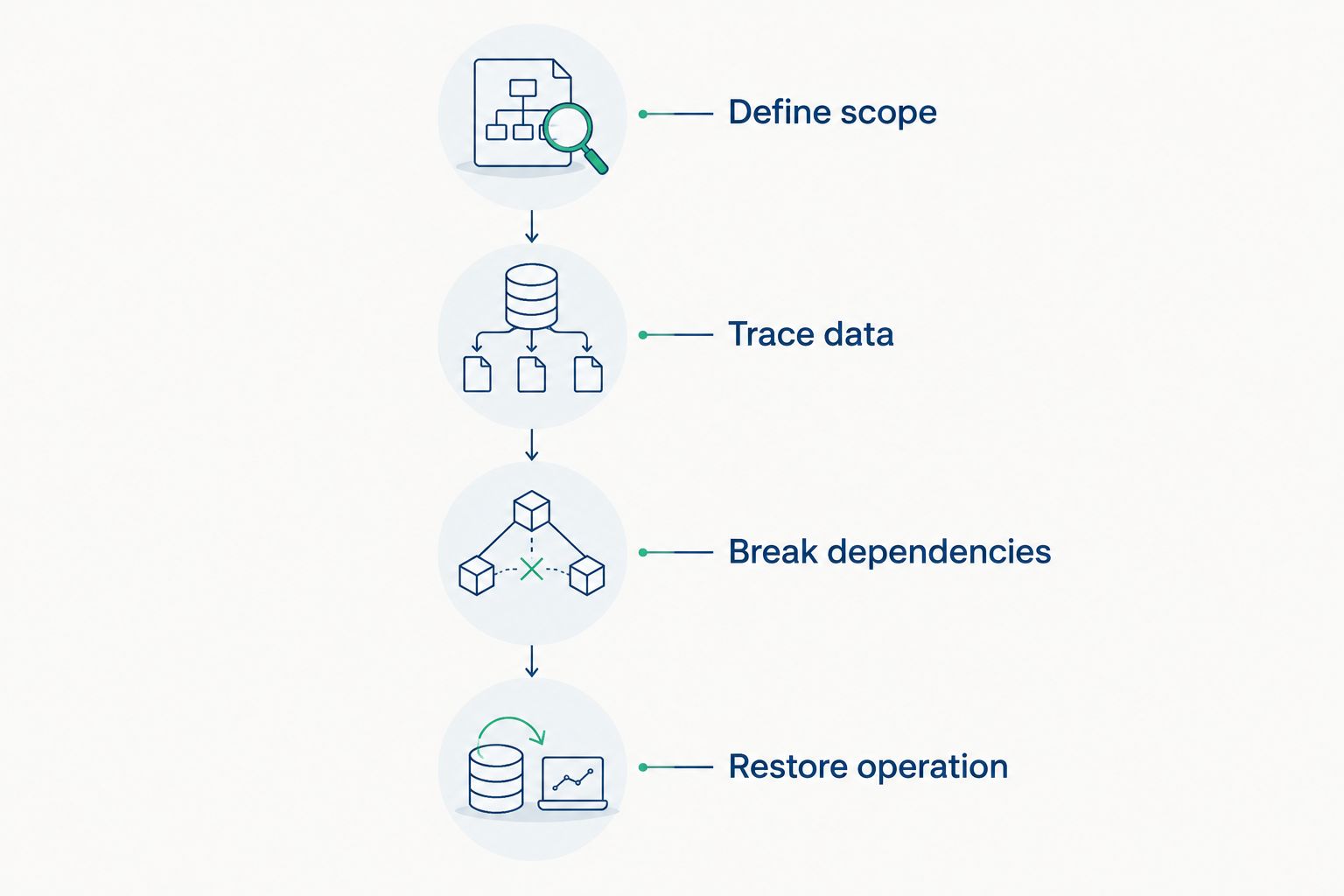
Test failure and restoration behavior before accepting the architecture.
Keep the test record actionable. Require 3 evidence items for each acceptance case: the configuration used, the observed result, and the responsible owner. These are procurement requirements, not vendor performance statistics.
How the approaches are ranked
The ranking follows the criteria above: operational independence, control ownership, connectivity, security administration, recovery, and maintainability. Modular SCADA is the default for the new mixed-equipment scenario; the other approaches take priority when your operating context matches their stated use case.
Do not interpret the order as a product benchmark. A bounded cell and a multi-site operation require different acceptance cases, so a single feature score would conceal the decision that matters.
Which SCADA approach should you choose?
Choose a modular SCADA architecture for a new mixed-equipment project. Retain an existing platform when supervision still meets requirements; choose standalone SCADA for a bounded cell and distributed SCADA for explicitly governed multi-site operation.
Before requesting a proposal, prepare the architecture drawing, interface list, command-ownership rules, and recovery tests. Those documents give suppliers a defined problem to solve and give your engineering team a basis for acceptance.
FAQ
What's the best SCADA software in 2026?
The best SCADA software is the platform that meets your documented supervisory, security, connectivity, and recovery requirements. Start with a modular architecture for a new mixed-equipment deployment, then validate the platform against representative acceptance tests.
Is TOP Server a replacement for a complete SCADA platform?
Do not treat TOP Server as a replacement for a complete supervisory platform. Software Toolbox identifies TOP Server within its industrial connectivity offering; evaluate operator displays, alarms, and command handling separately.
Should I replace SCADA just to connect another data consumer?
Keep the existing SCADA platform when it still meets supervisory requirements and the project only needs additional integration. Assess the new data path, acquisition load, permissions, and failure behavior before adding the consumer.
What should multi-site SCADA do during a WAN outage?
Multi-site SCADA should meet the local operating behavior specified in your architecture during a WAN outage. Test operator visibility, command authority, quality indications, and reconnection behavior against those requirements.
Can OPC connectivity replace an operator interface?
OPC connectivity does not by itself satisfy your operator-interface requirements. Evaluate displays, alarms, command authorization, and recovery as separate supervisory functions.
How do I compare SCADA deployment proposals?
Compare proposals using the same equipment path, operating scenario, security boundaries, and acceptance tests. Require evidence of normal operation, dependency failure, and restoration rather than relying on feature checklists.
What should I check before approving a SCADA architecture?
Check control ownership, network flows, identities, certificate procedures, recovery instructions, and configuration ownership. Assign an accountable owner to every component and every writable boundary before approval.
One last thing
Make the last demonstration a restoration exercise, not another screen demonstration. Ask the engineering team to recover the proposed configuration using the documented backup and procedures. That exercise tests whether the architecture can be maintained after the commissioning team leaves.