Best overall for commissioning: a dedicated diagnostic client. Best for operator-facing production use: a SCADA-integrated client. Best for application integration: a DataOps-integrated client. Best for a purpose-built application: an SDK-based client. This 2026 guide ranks OPC UA client software by deployment role, security requirements, and operational ownership—not by a feature checklist detached from your architecture.
TL;DR
- Choose dedicated OPC UA client software for commissioning, browsing, and connection troubleshooting.
- Choose a SCADA-integrated client when operators need live values, alarms, and supervisory workflows.
- Choose a DataOps-integrated client when OPC connectivity feeds application integration rather than an operator display.
- Software Toolbox suits teams evaluating OPC connectivity alongside industrial DataOps software.
Why this matters
An OPC UA client that helps an engineer inspect a server is not automatically the right application to run a production integration. Interactive troubleshooting and unattended operation have different requirements for credentials, recovery, logging, and support.
Software Toolbox provides industrial connectivity and DataOps software. For OPC UA client software selection, define the consuming application's role before selecting a product or adding another component to the network.
For a 2026 deployment, your decision should start with the data path: which application initiates the session, which security boundary it crosses, and who responds when data stops arriving. A successful connection proves access. It does not prove production readiness.
What makes the best OPC UA client software
Use these criteria before comparing interfaces or connector lists:
- Deployment fit: Separate temporary engineering access from an application expected to operate unattended.
- Security control: Evaluate endpoint selection, certificate trust, user authentication, and the permissions required for the intended operations.
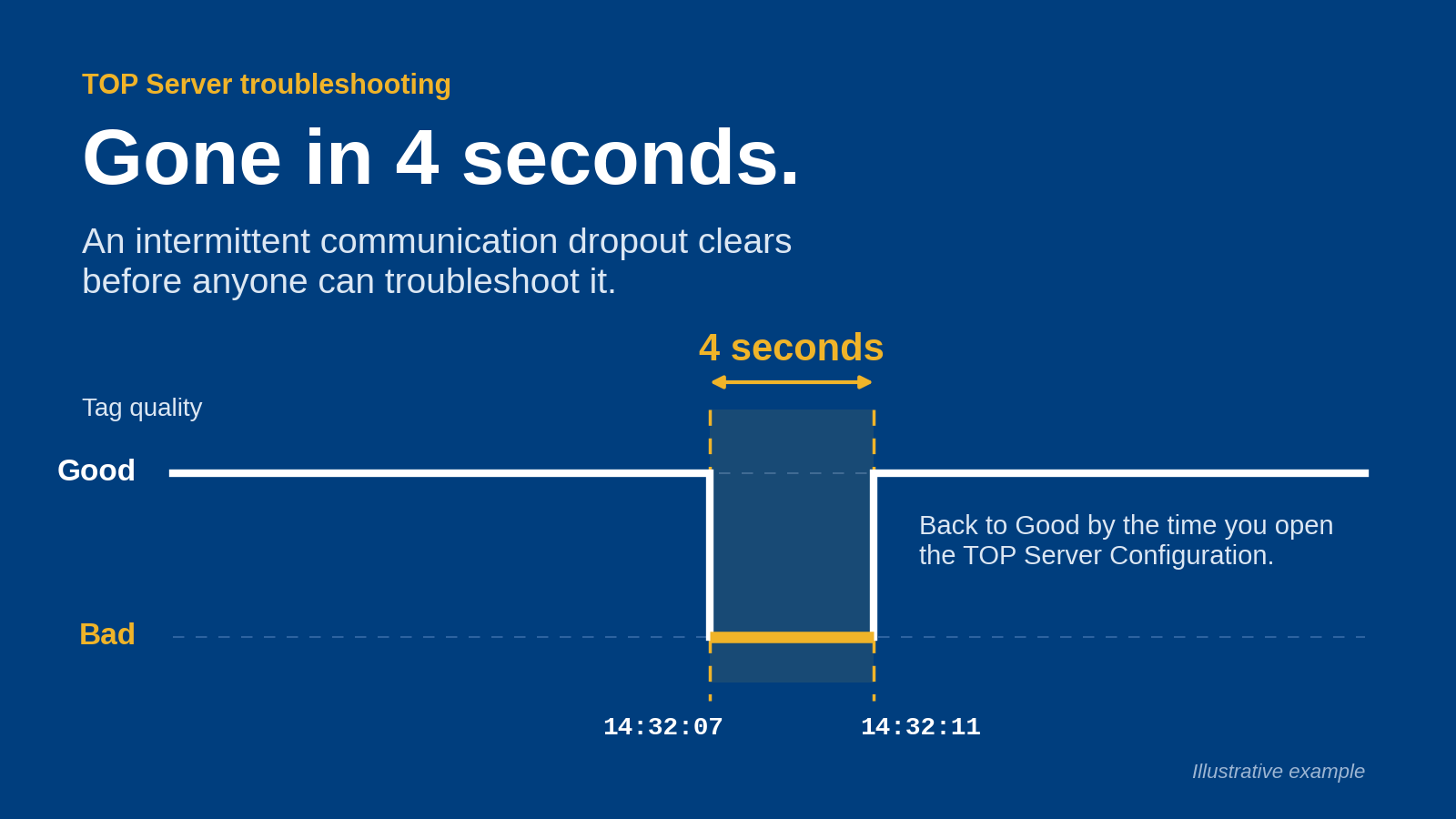
- Data fidelity: Check values alongside status codes and timestamps. A displayed value without its quality context is insufficient for troubleshooting.
- Failure recovery: Test interrupted connections, server restarts, and application restarts against your actual acceptance requirements.
- Operational ownership: Identify who maintains certificates, reviews logs, applies updates, and restores configuration.
- Integration scope: Decide whether you need inspection, operator interaction, application integration, or custom behavior.
Network impact belongs in this evaluation, but a tag count alone does not describe the workload. Subscription configuration, changing values, payloads, and client behavior all matter. Use the guide to OPC UA bandwidth on a plant network when preparing your network assessment.
OPC UA client software at a glance
The ranking below compares deployment patterns, not competing vendors. Each option owns a different job; select the row that matches your application's responsibility.
Dedicated diagnostic client
- Best for: Commissioning and troubleshooting
- Defining characteristic: Interactive endpoint inspection and data examination
- Key limitation: Does not replace a production application's operating workflow
SCADA-integrated client
- Best for: Operator-facing production use
- Defining characteristic: OPC UA access within a supervisory application
- Key limitation: Ties the connection to that application's lifecycle
DataOps-integrated client
- Best for: Application integration
- Defining characteristic: OPC UA consumption within a wider data workflow
- Key limitation: Adds integration configuration and ownership
SDK-based client
- Best for: Purpose-built applications
- Defining characteristic: Application-specific behavior implemented in code
- Key limitation: Requires software maintenance and security engineering
The best OPC UA client software is the client whose operating model matches the task. Do not deploy an engineering utility as a production dependency merely because it connects successfully.
1. Dedicated diagnostic client: best for commissioning
A dedicated diagnostic client gives engineers an interactive way to examine an OPC UA server. Use this category to investigate endpoints, browse the address space, and inspect the data exposed to a consuming application.
For your 2026 commissioning toolkit, prioritize visibility into connection errors and data quality over a polished dashboard. Confirm the selected application's actual support for the services and security settings your server requires.
Dedicated diagnostic client pros
- Keeps connection troubleshooting separate from the production application's configuration.
- Helps distinguish server access problems from downstream application problems.
- Supports focused inspection of selected nodes during commissioning.
- Provides a separate connection path for reproducing reported behavior.
Dedicated diagnostic client cons
- A successful diagnostic session does not validate the production application's subscription or recovery behavior.
- Interactive engineering access still requires credential management and certificate ownership.
- Leaving a diagnostic session connected introduces another consumer to account for during testing.
Best for: Controls engineers and system integrators investigating endpoint access, node selection, or unexpected values.
During evaluation, compare the diagnostic client's observations with the production client's observations. Use the same server endpoint and intended user permissions; otherwise, you are testing different access conditions.
Verdict: Buy for commissioning and troubleshooting; skip as a substitute for a production integration.
2. SCADA-integrated client: best for operator-facing production use
A SCADA-integrated client places OPC UA consumption inside the application operators already use. This is the appropriate category when the objective is supervisory visibility or interaction rather than a separate data distribution layer.
Evaluate the connection in the context of the complete application. The OPC UA session, application permissions, displayed quality states, and operator response all belong in the acceptance test.
SCADA-integrated client pros
- Keeps data access and operator presentation within the same application boundary.
- Aligns connection troubleshooting with the supervisory system's operating procedures.
- Avoids introducing a separate integration application solely to supply that interface.
SCADA-integrated client cons
- Application maintenance and connection maintenance share a lifecycle.
- Additional consumers still need an explicit data-access design.
- A healthy display does not demonstrate that every required node, timestamp, or write operation behaves correctly.
Best for: Plant controls teams whose primary requirement is an operator-facing supervisory application.
In a 2026 acceptance test, verify how the application represents disconnected or bad-quality data. Operators must be able to distinguish an unchanged process value from a value that has stopped updating.
Also separate read requirements from write requirements. Enable only the operations the application needs, and document who approves changes to those permissions.
Verdict: Buy when the operator application is the intended consumer; hold when the requirement is broader data distribution.
3. DataOps-integrated client: best for application integration
A DataOps-integrated client treats OPC UA access as part of a wider industrial data workflow. Evaluate this category when the destination is another application or a managed data pipeline rather than an engineering browser.
Software Toolbox's DataOps portfolio includes Cogent DataHub and N3uron. Include those products in a requirements discussion without assuming that a platform category establishes support for every OPC UA service, destination, or deployment model.
DataOps-integrated client pros
- Places the OPC UA connection within the integration workflow that consumes its data.
- Creates a defined location for evaluating data handling and downstream delivery requirements.
- Separates application integration from an operator display's primary responsibility.
- Supports architecture discussions centered on the complete source-to-destination path.
DataOps-integrated client cons
- Introduces configuration that requires its own backup, change control, and support ownership.
- Source connectivity and downstream delivery remain separate failure conditions.
- A general DataOps designation does not establish compatibility with a particular OPC UA feature.
Best for: IT/OT architects and system integrators designing industrial application integration.
For a 2026 shortlist, ask Software Toolbox to map the required client behavior to the proposed product and configuration. Specify the server endpoint, required data types, security requirements, destination, and expected response to interruptions.
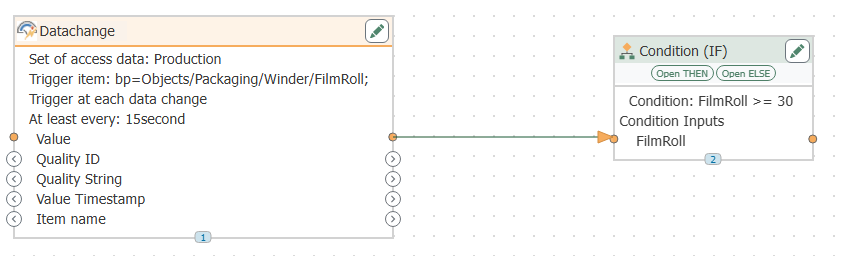
Do not stop at a live value reaching the destination. Check whether the workflow preserves the status and timing information your consuming application needs, and define what happens when the destination becomes unavailable.
Verdict: Buy for a defined integration workflow after validating the complete data path; hold for simple inspection tasks.
4. SDK-based client: best for purpose-built applications
An SDK-based client embeds OPC UA behavior in an application your development team maintains. Choose this route when application-specific requirements justify owning code rather than configuring an existing application.
The SDK is a building block, not an operating procedure. Your application still needs decisions about session handling, certificate storage, user credentials, error reporting, and deployment.
SDK-based client pros
- Lets developers shape application behavior around a specific workflow.
- Places OPC UA interaction inside the application's own interface and logic.
- Gives the development team direct responsibility for error handling and application integration.
SDK-based client cons
- Transfers ongoing maintenance and dependency management to your team.
- Requires explicit implementation and testing of recovery behavior.
- Creates a support obligation beyond the initial connection code.
Best for: OEMs and software teams with a documented requirement that configured applications do not meet.
Before approving custom development, write the acceptance tests first. Include rejected credentials, certificate changes, inaccessible endpoints, interrupted sessions, and application restarts.
Assign a long-term owner for both the application and its dependencies. A working prototype is not a maintenance plan.
Verdict: Buy only when custom application behavior justifies the engineering commitment; skip for routine commissioning.
Validate the architecture before selecting the client
Use the same sequence for every shortlisted option. This prevents an attractive interface from obscuring an unsuitable deployment model.
- Define the role: State whether the client inspects, displays, integrates, or implements application-specific behavior.
- Map the boundaries: Identify the server, client host, network zones, and approved connection direction.
- Set trust: Document certificate approval, authentication, permissions, and renewal ownership.
- Test recovery: Exercise interruptions and restarts, then inspect both the connection state and delivered data.
- Assign ownership: Name the teams responsible for configuration, security maintenance, and incident response.
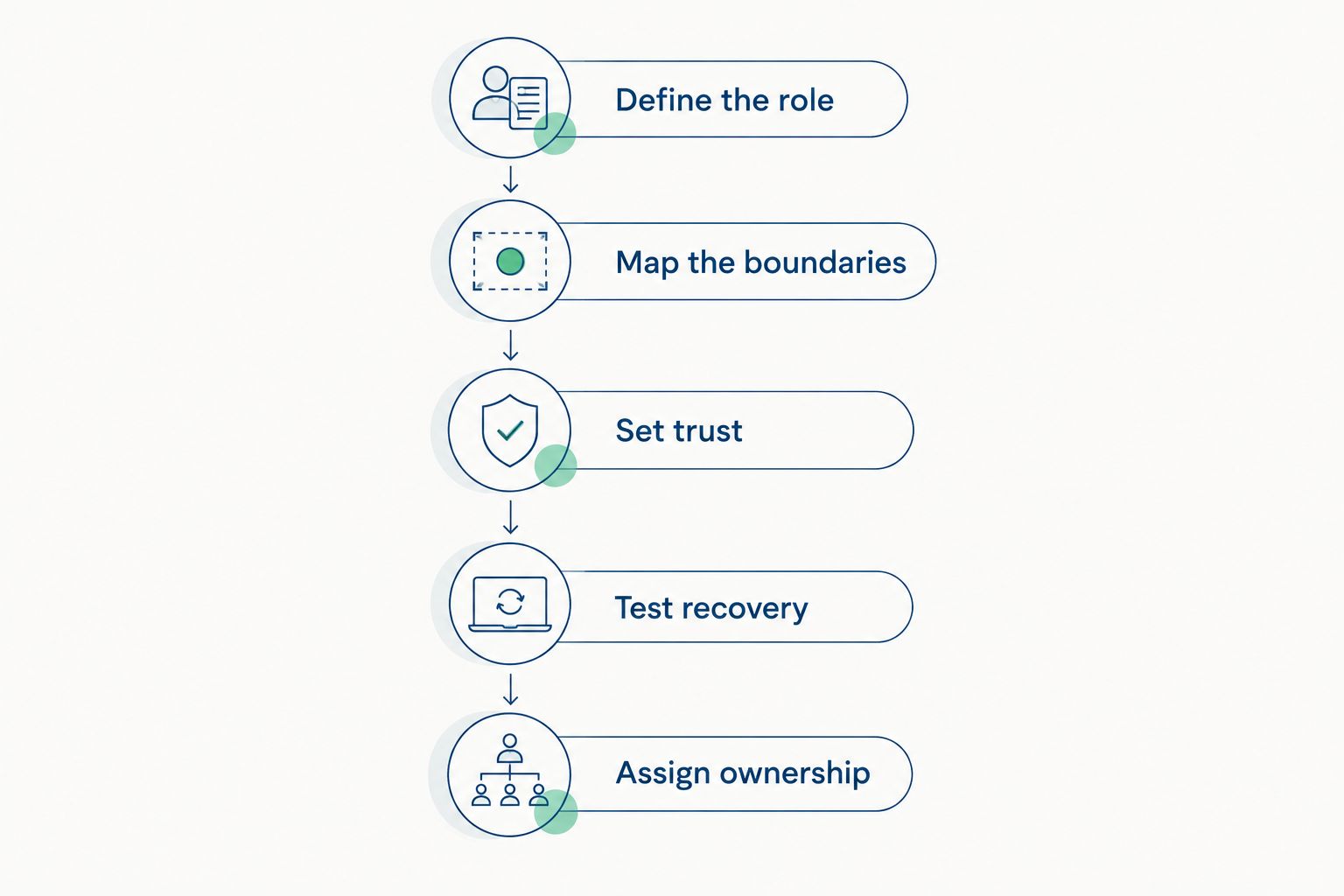
Select the deployment role before testing features and recovery.
Record observed results, not just pass marks. For a recovery test, capture what the consumer displayed during interruption, what the application logged, and whether the resumed data met the agreed requirements.
Software Toolbox can be part of the product-selection discussion across OPC connectivity and DataOps. Bring a source-to-destination diagram and an acceptance checklist so that the conversation addresses the deployment rather than an isolated connection.
Discuss your OPC UA architecture
Bring your endpoints, security requirements, and destination workflow to the product-selection discussion.
How these options are ranked
The ranking follows deployment fit, security control, data fidelity, recovery, ownership, and integration scope. Dedicated diagnostic clients lead for commissioning because inspection is their role; the remaining options serve distinct production requirements.
This is an architecture-based selection guide, not a vendor performance benchmark. The final decision depends on demonstrated behavior in your server, network, and application environment.
Which OPC UA client software should you choose?
Choose a dedicated diagnostic client if your immediate task is to establish and troubleshoot a connection. It is the clearest default for an engineer who needs to inspect a server without first building a production application.
For a production deployment in 2026, select the client embedded in the correct operating workflow: supervisory use, application integration, or purpose-built software. Do not add another application unless it has a defined responsibility.
Software Toolbox is best suited to teams selecting OPC connectivity alongside industrial DataOps software. Keep that selection focused on the complete data path, its security boundaries, and the people who will maintain it.
FAQ
What's the best OPC UA client software for troubleshooting?
A dedicated diagnostic client is the best fit for interactive commissioning and troubleshooting. Evaluate its ability to expose the connection errors, node information, status codes, and timestamps required for your investigation.
Is an OPC UA client the same as an OPC UA server?
An OPC UA client and server have different roles: the client requests services, while the server exposes an address space and services. A single software application can implement more than one role, so check the required connection direction.
Can I use a diagnostic client for a production integration?
Do not select a diagnostic client for production solely because it connects successfully. Validate unattended operation, security ownership, recovery, logging, and the required downstream workflow before making it a production dependency.
What should cybersecurity teams check before approving an OPC UA client?
Cybersecurity teams should check endpoint security, certificate trust, authentication, permissions, network boundaries, and maintenance ownership. Test the approved configuration rather than treating a successful unsecured connection as acceptance.
Does OPC UA client software need write access?
An OPC UA client needs write access only when its approved workflow requires writes. Keep read-only consumers read-only and validate the permissions of the actual application identity.
When should I choose a DataOps platform instead of a diagnostic client?
Choose a DataOps platform when the requirement is a managed application-integration workflow rather than interactive inspection. Confirm the proposed product's exact OPC UA behavior and destination requirements during evaluation.
Should I build a custom OPC UA client?
Build a custom OPC UA client when application-specific requirements justify owning development and maintenance. Include certificate handling, recovery, dependency updates, and operational support in the decision—not just the initial connection.
One last thing
An unchanged value and a healthy connection are different observations. Make your acceptance test show what happens when communication fails while the last received value remains on screen.
Require the consuming application to expose the condition its users need to act on. That test is more useful than another screenshot of successful browsing.