Best overall deployment: a hybrid historian with local collection and cloud access. Best for delegated infrastructure operations: a managed cloud historian. Best for established cloud engineering teams: a self-managed cloud historian. For manufacturing projects in 2026, choose cloud historian software by its behavior during network failure, not its dashboard.
TL;DR
- Choose hybrid cloud historian software when manufacturing data collection must continue through WAN outages.
- Choose managed hosting when infrastructure operations belong with a service provider; verify responsibilities contractually.
- Choose self-managed hosting when your team owns cloud security, recovery, and database operations.
- Software Toolbox provides industrial connectivity and DataOps software; evaluate those layers separately from historian storage.
Why this matters
A cloud deployment does not remove the plant boundary. Your historian still needs a defined path from equipment to collection, storage, and authorized consumers. Every boundary introduces decisions about credentials, timestamps, buffering, and recovery.
Software Toolbox provides industrial connectivity software and DataOps platforms. Those layers belong in the architecture discussion, but connectivity software and historian storage are not interchangeable purchasing categories.
For your 2026 shortlist, separate the acquisition layer from the historical system of record. Then require each candidate configuration to demonstrate the complete data path, including a disconnected plant.
What makes the best cloud historian software?
Use these criteria before discussing deployment preferences:
- Collection continuity: Specify where collection continues when the WAN or cloud endpoint is unavailable.
- Historical integrity: Require defined behavior for timestamps, quality indicators, late arrivals, and duplicate records.
- Security boundaries: Document connection direction, identities, certificate handling, and permitted traffic between zones.
- Operational ownership: Assign responsibility for patching, monitoring, backups, restoration, and incident response.
- Usable retrieval: Test the actual trends, reports, exports, and application queries your users need.
- Exit capability: Establish how you retrieve historical records and their context without depending on the original dashboard.
Treat these as acceptance criteria, not checkbox features. A feature name does not establish how a particular configuration behaves during failure or recovery.
Cloud historian deployment options at a glance
These are deployment choices, not direct product comparisons. The ranking identifies which operating model fits each requirement; it does not assign unverified capabilities to named vendors.
1. Hybrid historian
- Best for: Plants requiring collection continuity
- Defining design: Local collection or storage with a cloud historical destination
- Key limitation: Plant and cloud components both need ownership
2. Managed cloud historian
- Best for: Teams delegating infrastructure operations
- Defining design: Provider-operated historical service
- Key limitation: Service boundaries and recovery obligations require contractual review
3. Self-managed cloud historian
- Best for: Organizations with established cloud operations
- Defining design: Customer-operated historian on cloud infrastructure
- Key limitation: Your team owns the application and infrastructure lifecycle
4. Cloud archive alongside a local historian
- Best for: Plants retaining an existing local system of record
- Defining design: Selected history copied to a separate cloud destination
- Key limitation: Archive queries and local historian queries require separate validation
The first decision is whether the cloud holds the primary historical record, a replicated record, or an analytical copy. Write that decision into the design before selecting software.
1. Hybrid historian: best for plant continuity
A hybrid design combines a plant-side collection or storage component with a cloud destination. Define local collection as an acceptance requirement rather than assuming that every product described as hybrid provides it.
For manufacturing in 2026, this is the default architecture to evaluate when production data must survive WAN interruption. It also requires explicit rules for reconnecting, replaying buffered records, and identifying gaps.
Hybrid historian pros:
- Separates local collection continuity from cloud reachability.
- Allows plant-side and enterprise access requirements to be designed independently.
- Provides a defined place to test buffering and replay before cloud ingestion.
Hybrid historian cons:
- Requires monitoring and maintenance on both sides of the connection.
- Introduces recovery questions about replay order, duplicates, and buffer exhaustion.
- Does not guarantee local visualization unless that capability is separately specified.
Best for: Plants where a WAN outage must not stop historical acquisition.
Ask the supplier to demonstrate the proposed configuration with the cloud destination disconnected. Inspect the recovered records, not just the connection-status indicator. A successful reconnection is not proof of complete history.
Verdict: Buy a hybrid configuration only after local continuity and replay pass acceptance testing.
2. Managed cloud historian: best for delegated infrastructure operations
A managed cloud historian places defined operating responsibilities with the service provider. The contract determines whether those responsibilities cover only infrastructure or also the historian application, backup processes, and recovery.
For your 2026 evaluation, list every operational task and its owner. Do not substitute the word managed for a responsibility matrix.
Managed cloud historian pros:
- Places agreed infrastructure tasks with a service provider.
- Gives procurement a contractual route for defining service responsibilities.
- Supports centralized access without requiring users to operate the hosting infrastructure.
Managed cloud historian cons:
- Plant connectivity, data quality, and collection continuity still need owners.
- Provider responsibilities do not automatically include every restoration or export task.
- Service changes require review against your retention and access requirements.
Best for: Organizations that want a provider to operate the hosted service under clearly defined terms.
Require separate answers for service restoration and historical-data restoration. A reachable application with missing records does not meet the same requirement as a fully recovered historical system.
Verdict: Buy managed hosting when its written operating boundaries match your team's responsibilities.
3. Self-managed cloud historian: best for cloud engineering teams
A self-managed deployment runs historian software on cloud infrastructure your organization operates. Your team defines the hosting environment and takes responsibility for the resulting operational design.
Select this model because ownership fits your organization, not because installing software on a virtual machine appears straightforward. Installation is only the beginning of the operating lifecycle.
Self-managed cloud historian pros:
- Keeps infrastructure configuration under your team's control.
- Allows deployment requirements to follow your established cloud governance process.
- Assigns infrastructure and application changes to your internal operating model.
Self-managed cloud historian cons:
- Your organization owns patching, monitoring, backup execution, and restoration testing.
- Application compatibility and recovery procedures need validation after changes.
- Staff coverage must extend beyond the initial implementation team.
Best for: Organizations with named owners for cloud infrastructure, historian administration, and operational support.
Before approval, have the operating team restore the application and historical data into an isolated environment. A backup job marked successful is not a demonstrated recovery procedure.
Verdict: Buy only when your team accepts the full operating lifecycle; otherwise, hold.
4. Cloud archive: best for retaining a local historian
A cloud archive keeps the local historian as the operational system of record while copying selected history elsewhere. This is an archive architecture, not proof that a general-purpose cloud datastore is a complete industrial historian.
Use this approach when the immediate requirement is enterprise access to historical records rather than replacement of local historical operations. Define which records move and what information must travel with them.
Cloud archive pros:
- Keeps replacement of the local historian outside the initial project scope.
- Allows the cloud dataset to target a defined analytical requirement.
- Separates enterprise consumption from the local operational query path.
Cloud archive cons:
- Requires reconciliation between the local record and the cloud copy.
- Needs explicit handling of corrections, renamed tags, and changed engineering units.
- Does not establish equivalent trend or reporting behavior across both destinations.
Best for: Plants that need a cloud-accessible copy while retaining local historical workflows.
Test an actual enterprise query against the archive. Confirm that timestamps, units, quality, and equipment context remain sufficient to interpret the result without consulting the original operator display.
Verdict: Buy for a defined archive requirement; skip it as an untested substitute for a historian.
Design the data path before selecting the host
Separate Plant collection, DMZ transfer, Cloud storage, and Authorized consumers in the design. Record connection direction and permitted operations at each boundary. Do not treat this layout as permission to establish unrestricted connectivity between zones.
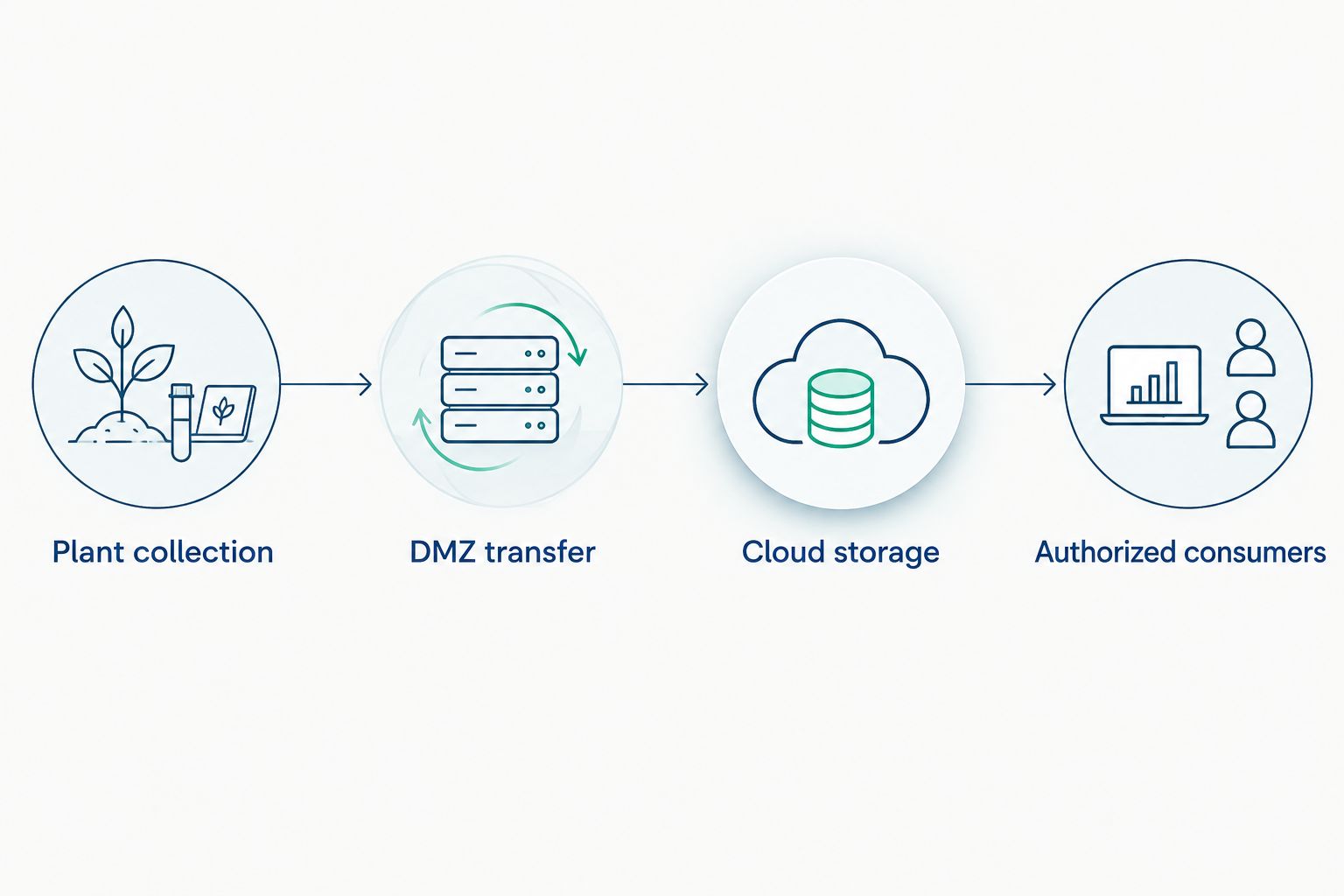
Define security boundaries and connection direction separately from the logical data path.
Software Toolbox's portfolio includes TOP Server, OPC Router, Cogent Datahub, N3uron, and Dream Report. Assign any proposed component a specific role, then verify the exact product version, interfaces, and deployment requirements against current documentation.
The Cogent DataHub to Canary Historian workflow is a related integration reference. Keep the integration review separate from approval of the historian's retention, recovery, and query behavior.
For every boundary, document the source identity, destination identity, authentication method, and failure response. Include who approves certificate replacement and how operators recognize that data collection has stopped.
Run a manufacturing acceptance test
Use the following as a proposed test plan, not as vendor performance claims. Adjust the targets to your process risk and operational requirements.
Scope the pilot
Start with 1 production line and representative tag types. Include changing analog values, discrete states, bad-quality conditions, and equipment context. Preserve an independent reference record for comparison.
Interrupt the connection
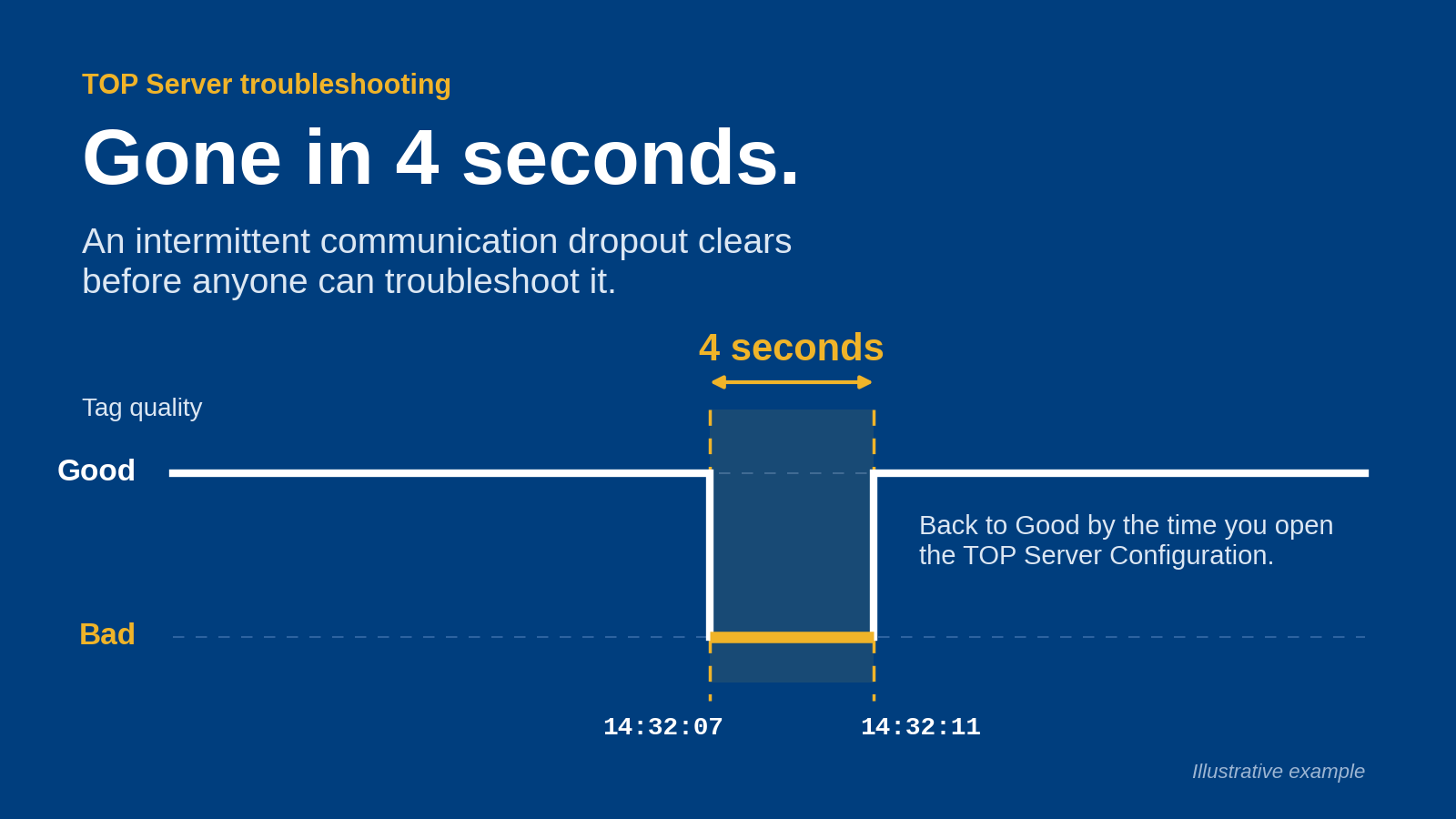
Disconnect the cloud path for 30 minutes while plant-side acquisition remains active. Record what continues, what queues, and what operators see. Extend the test separately to your required outage duration.
Verify replay
After reconnection, compare timestamps, values, quality, and record counts against the reference. Check late-arriving records and duplicate handling explicitly. Confirm that recovery traffic does not violate your approved network operating limits.
Observe normal operation
Run a 24-hour observation window covering normal production changes and your intended queries. Treat this as an initial observation period, not evidence of long-term reliability. Record collection gaps, query failures, and administrative interventions.
Restore and export
Restore the historical system into an isolated environment and retrieve a defined dataset outside the normal dashboard. Verify that the exported records retain enough context for independent interpretation.
For a 2026 deployment, make these results part of acceptance rather than postponing failure testing until after production cutover.
How to use the ranking
The ranking prioritizes collection continuity, explicit ownership, and recoverable historical records. Hybrid comes first for plants requiring acquisition through WAN outages; managed and self-managed hosting separate different operating responsibilities; an archive serves a narrower requirement.
These are architecture recommendations, not measured vendor scores. Apply the same acceptance tests to every candidate configuration. Reject any proposal that cannot identify where records reside during an outage and how completeness is verified afterward.
Which cloud historian software should you choose?
Choose a hybrid design by default when production history must continue through WAN outages. Choose managed hosting when contractual delegation is the requirement, self-managed hosting when internal ownership is deliberate, or a cloud archive when local history remains authoritative.
Software Toolbox is a fit for manufacturing teams evaluating industrial connectivity and DataOps software alongside cloud historian software. Bring the proposed data path, source interfaces, security boundaries, and acceptance criteria to that evaluation.
Discuss your industrial data architecture
Bring your source interfaces, network boundaries, and historical-data requirements.
FAQ
What's the best cloud historian software deployment for manufacturing?
A hybrid deployment is the default choice when plant-side acquisition must continue through WAN outages. Require the proposed configuration to demonstrate local collection, replay, and historical completeness before acceptance.
Is a managed cloud historian better than a self-managed deployment?
Managed hosting fits delegated infrastructure operations; self-managed hosting fits teams that deliberately own the operating lifecycle. Compare written responsibilities for patching, monitoring, backup, restoration, and incident response.
Can cloud historian software collect data when the internet is down?
Collection during an internet outage requires a functioning local acquisition path with sufficient local retention or buffering. Do not assume this behavior from a cloud or hybrid label; test the proposed configuration.
Does an MQTT broker replace a historian?
An MQTT broker is not, by itself, a historical system of record. Evaluate long-term retention, timestamp handling, quality information, historical queries, and recovery separately from message transport.
Do I need DataOps software if I already have a historian?
You need a separate DataOps layer only when defined integration or contextualization requirements remain unmet. Map the required transformations, destinations, and ownership before adding another component.
What should I ask Software Toolbox about a cloud historian project?
Ask Software Toolbox to address the industrial connectivity and DataOps requirements in your proposed architecture. Provide the source interfaces, security boundaries, historical destination, and required failure behavior.
What should a cloud historian pilot prove?
A cloud historian pilot should prove collection continuity, correct recovery, usable queries, and independent retrieval of historical records. Compare the recovered dataset with a reference record rather than relying only on dashboard status.
One last thing
A restored connection and a restored historical record are different acceptance events. Before your 2026 cutover, require the recovery report to identify the interrupted interval, the records recovered, and any unresolved gaps. Do not close the outage test because the dashboard turns green.