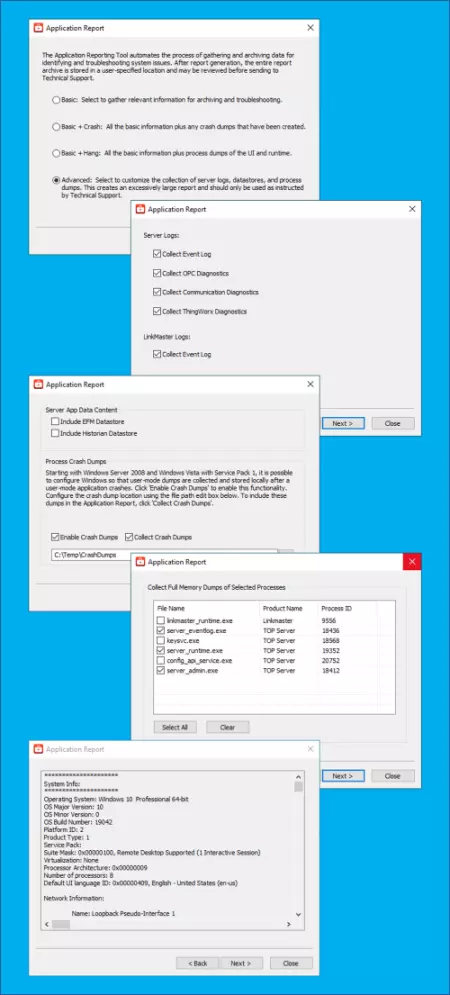
Collects by default the most commonly requested information for support
The default option when you first launch the Application Report utility (Start -> Programs -> Software Toolbox -> Application Report) is the Basic option.
Use the Basic option to collect key information to send to our technical support engineers when opening a case. This is always recommended, as sending us this report when you initially contact us can save time since we typically request this when you have an issue.
For situations where one of the TOP Server components may have stopped unexpectedly (i.e. crashed) the "Basic + Crash" option can be useful by also providing any generated crash dumps.
For situations where you may be experiencing unexpected memory usage or other behavior with one of the TOP Server components, the "Basic + Hang" option can be useful by including process dump captures for the TOP Server runtime and configuration.
There is also an Advanced option which provides the ability to select which logs, datastores and dumps to include. It is recommended only use options other than "Basic" if directed to by technical support for additional specific information that it typically not necessary for the majority of support issues.