TOP Server Modbus Ethernet Overview
Part of SuiteMulti-Industry

TOP Server Modbus RTU Server Serial OPC Driver

Make your HMI/SCADA/MES or Other Software Appear to be a Modbus Device

4.8(102 reviews)
High Density

100 channels, 247 devices each

Data Flexibility

All Modbus types supported

Fast Setup

CSV import, auto tags

Reliable Comms

Stable across all networks

Product Overview

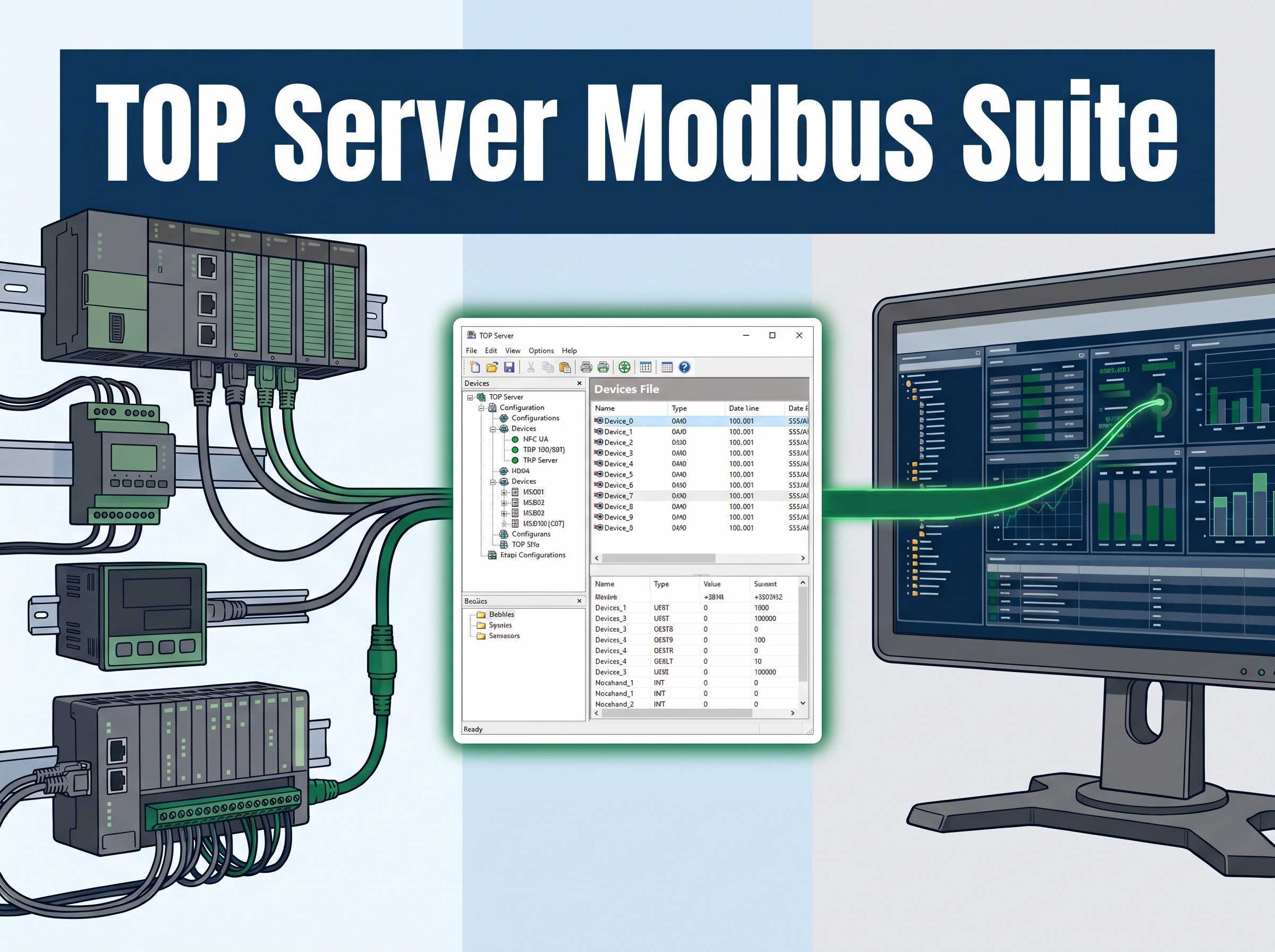
The Modbus RTU Server Serial driver works in conjunction with TOP Server to provide data exchange between OPC UA, OPC DA, SuiteLink and DDE clients and Modbus RTU Client devices using the Modbus RTU Serial protocol over direct COM: port RS-232/422/485 connections or via Ethernet/Serial Converters, Ethernet Device Servers, or Ethernet/Serial Terminal Servers.

This driver allows client software connected to the TOP Server to appear as Modbus RTU devices on the Modbus RTU network. This unsolicited mode allows the TOP server to receive data by exception from Modbus RTU Clients, whether they are actual PLCs or devices acting as Modbus RTU Clients or other software applications capable of sending Modbus RTU Client requests. Data integrity is ensured using extensive error handling.

If you need TOP Server to initiate data exchange with Modbus RTU Devices then you would use the Modbus RTU Client Driver, also part of the TOP Server Modbus Suite, so there's no added cost to do either option or both.

Why Choose This Driver?

Proven benefits that help you deploy faster and operate more reliably

Function Codes

Supports Modbus function codes in decimal, 01, 02, 03, 04, 05, 06, 08, 15, 16, and hexadecimal, 01, 02, 03, 04, 05, 06, 08, 0F, 10.

Address Range

Full address range support including 0xxxx output coils, 1xxxx input coils, 3xxxx internal registers, and 4xxxx holding registers.

Addressing Options

Supports both decimal and hexadecimal addressing formats.

Data Types

Supports all memory types and data types including float, long word, and BCD.

32 Bit Support

Base Modbus device model supports 32-bit data types using two registers.

String Support

Supports string data types for internal registers.

Tag Generation

Automatic tag database generation using CSV import.

Dynamic Tags

Supports dynamic tag configuration directly from client applications.

"Exceptionally helpful, best international support I've ever received and prompt."

Jordan H

CS Solutions

Key Features & Benefits

Everything you need for reliable Modbus TCP Ethernet connectivity

Scalability

Supports up to 100 channels and 247 devices per channel, with limits based on available system resources.

Serial Configuration

COM port range from 1 to 999 with station numbers supported from 1 to 247.

Network Support

Supports Modbus RTU multi drop and Ethernet encapsulation via converters, device servers, or terminal servers.

Data Handling

Includes word order swapping for floating point and long data types, with support for multiple Modbus slave devices.

Technical Specifications

Protocols

Supports Modbus RTU and JBUS RTU serial protocols.

RS 232

Serial communication over RS 232.

RS 422

Serial communication over RS 422.

RS 485

Serial communication over RS 485.

Ethernet Encapsulation

Supports Ethernet encapsulated serial using converters, device servers, or terminal servers.

Supported Devices

  • Modbus Compatible Devices (acting as Modbus Clients)

Note: Supports any Modbus TCP/IP Ethernet-capable device. Includes specialized support for Applicom models, flow measurement devices, and gateway/bridging configurations.

Modbus Ethernet Key Features Include

  • CapacitySupports up to 100 channels and 247 devices per channel, with limits depending on system resources.
  • Serial RangeCOM port range from 1 to 999, with station numbers supported from 1 to 247.
  • Network SupportSupports Modbus RTU multi drop and Ethernet encapsulation via converters, device servers, or terminal servers.
  • Data HandlingIncludes word order swapping for floating point and long data types, with support for multiple Modbus slave devices.

Modbus Ethernet Advanced Features Include

  • Device SimulationSimulates up to 247 Modbus RTU devices for testing and integration.
  • Address ConfigurationAdjustable address base, 0 or 1, for flexible device compatibility.
  • Data FormattingSupports word order swapping for float and long data types.
  • Block OptimizationUser definable read block sizes for efficient data access.
  • String HandlingHolding register memory can be accessed as string data with selectable byte order.
  • ConnectivitySupports Ethernet encapsulation and dial up modem communication.
  • Timing ControlAdjustable RTS flow timing for reliable radio modem communications.
  • Network SupportSupports Modbus RTU multi drop communication and broadcast messaging using device ID 0.

Customer Reviews

Customer ratings

4.8 out of 5

102 global ratings

5 star
75%
4 star
15%
3 star
7%
2 star
2%
1 star
1%
John M.
Excellent reliability and performance

Reviewed in the United States on November 15, 2023

Verified Purchase

We've been using this driver for over 6 months in our manufacturing operations and it has been rock solid. The Modbus TCP connectivity is stable, data accuracy is excellent, and the support team has been very responsive when we had questions during setup. Highly recommended for industrial applications.

Sarah K.
Easy setup and great documentation

Reviewed in the United States on October 3, 2023

Verified Purchase

As a systems integrator, I appreciate how straightforward the setup process was. The documentation is comprehensive and the driver performed exactly as expected. Integration with our SCADA system was seamless.

Mike R.
Good product, minor config challenges

Reviewed in the United States on September 20, 2023

Verified Purchase

Overall very satisfied with the driver. Had some initial configuration questions but support walked me through it. Once configured, it's been running smoothly for 3 months without issues. Would give 5 stars if the initial setup was more intuitive.

Get Started Now

The full TOP Server product runs in a 2-hour demo mode until licensed. After 2 hours, simply restart the TOP Server service to reset the demo timer. Start your free trial today or speak with a connectivity expert.

Connect with Us

1-888-665-3678 (US & Canada Toll-Free)+1-704-849-2773 (Global)Support Portal