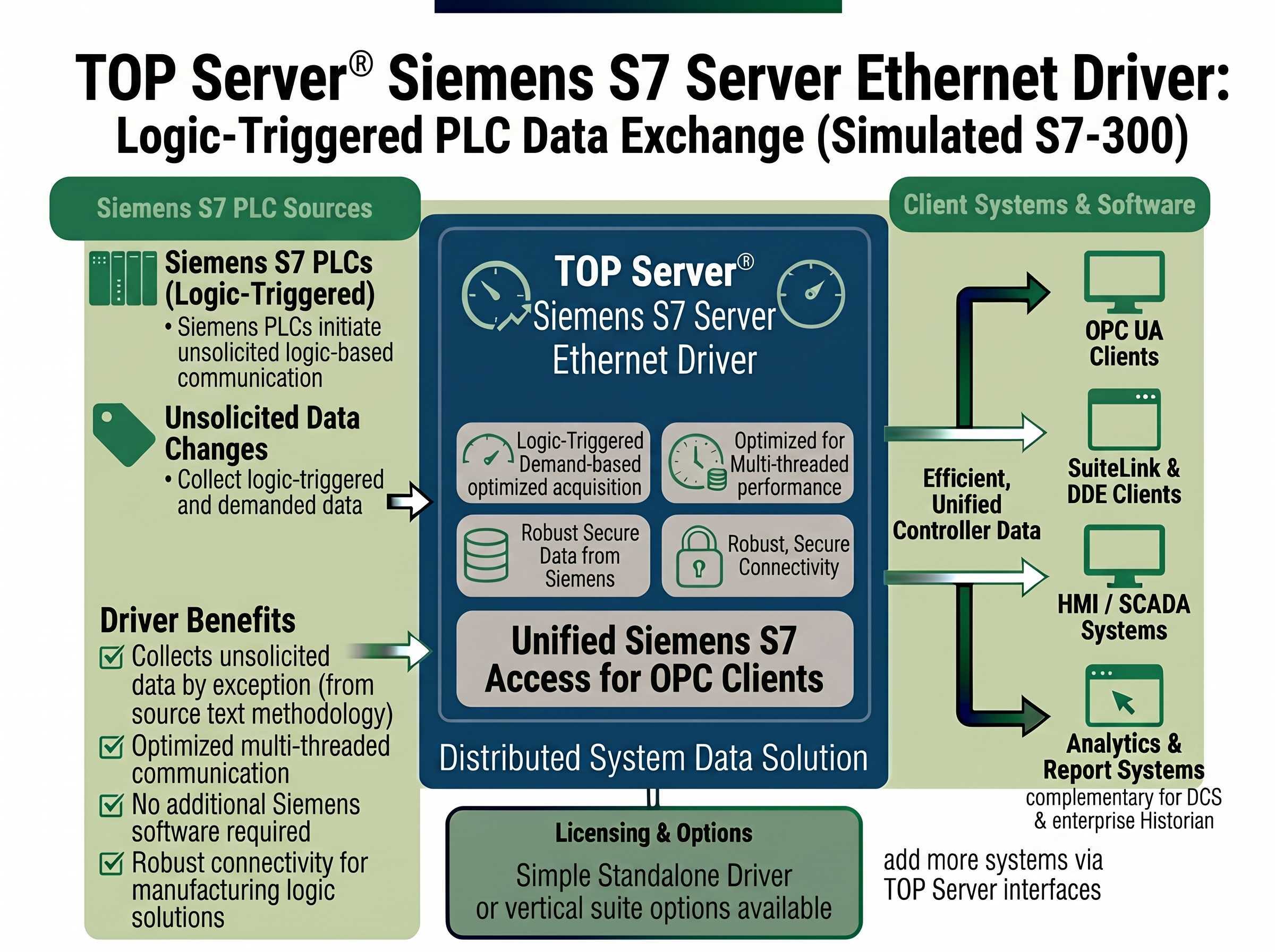
High-Performance Unsolicited Connectivity - TOP Server Acts as a Simulated Siemens S7-300 Controller
This driver is only available as part of the following TOP Server driver suites:
Key Features
Networks
Free Trial
Customer Rating
The Siemens S7 Server Ethernet driver makes TOP Server® look like an S7 controller. S7 PLCs can connect to TOP Server and exchange data, which TOP Server then makes available to OPC UA, OPC DA, SuiteLink, and DDE clients.
Very creative solutions can be built using this methodology, such as making an HMI system look like it's an S7-PLC memory space for data exchange between Siemens PLCs and non-Siemens clients, or between multiple Siemens PLCs without cross-programming.
This driver acts as a fully simulated Siemens S7-300 controller with up to 256 virtual devices supported - each with a unique rack and slot configuration. TOP Server eliminates the need for additional software packages or libraries by supporting direct communication with the S7 PLC using a standard PC network interface card.
Important Notes:
Proven benefits that help you deploy creative unsolicited connectivity architectures
Maximum Number of Channels & Devices: Channels - 1, Devices per Channel - 256 (Unique rack and slot required)
Supports maximum Packet Data Unit (PDU) size configured on device for performance optimization
Supports the SFB14-GET and SFB15-PUT commands
Supports Float, Long Word, and BCD Data Types
Supports Array Addressing
Configurable Rack and Slot
Supports maximum Packet Data Unit (PDU) size configured on device for performance and efficiency
Supports Array Addressing
"The Software Toolbox team did an outstanding job. Great follow up and checking back to find out status. I will certainly recommend Software Toolbox to everyone I can. I have NEVER had a bad experience with the highly capable tech support group. Thank you for a GREAT product"
Jr Goulet
Automation Engineer
Everything you need for unsolicited S7 connectivity with TOP Server acting as a simulated S7-300
Direct Ethernet connections to S7 CPUs with Ethernet (Modular or Built-In)
Automatic Tag Database Generation using CSV Import
Tag configuration supports dynamic tags from your client application
Memory Types Supported: I, E, Q, A, M, F, and Data Block Access
Configurable Rack (0-7) and Slot (0-31)
Uses standard Ethernet Network Interface Card for TCP/IP Communications
Protocol
Siemens TCP/IP Ethernet (S7 Messaging - ISO 8073 Class 0)
Network
TCP/IP Ethernet
Default Port
TCP/IP 102 (TSAP)
Max Channels
1
Devices per Channel
256
Rack Configuration
0-7
Slot Configuration
0-31
GET Command
FB14-GET (S7-300), SFB14-GET (S7-400, S7-1500)
PUT Command
FB15-PUT (S7-300), SFB15-PUT (S7-400, S7-1500)
Memory Types
I, E, Q, A, M, F, Data Block
Numeric Types
Float, Long Word, BCD with Array Support
Client Interfaces
OPC UA, OPC DA, AVEVA SuiteLink, DDE
Note: The driver simulates an S7-300 controller. Siemens PLCs connect to TOP Server as clients and use SFB14-GET and SFB15-PUT commands to exchange data.
Everything you need to configure unsolicited S7 PLC connectivity via the Siemens S7 Server Ethernet driver
Watch step-by-step video tutorials covering installation and configuration
View →Get started quickly with TOP Server installation and initial configuration
View →Comprehensive troubleshooting guide for common TOP Server issues
View →Complete driver documentation including configuration instructions, SIMATIC Manager appendix, and supported commands
Download →CSV Import & Export Support for Static Tags - used for tag database generation via CSV import
View →View the complete TOP Server release history and version information
View →Information on supported operating systems and system requirements
View →