
High-Performance Ethernet Connectivity for Siemens S7 Family Controllers (S7-1500, S7-1200, S7-400, S7-300, S7-200)
This driver is only available as part of the following TOP Server driver suites:
Key Features
Networks
Free Trial
Customer Rating
Enable direct Ethernet communication with Siemens S7 PLCs using a robust and scalable TOP Server driver built for industrial environments. This driver supports S7 1200, 1500, 300, and 400 controllers, allowing seamless data exchange between PLCs and SCADA, HMI, MES, and cloud platforms.
Designed for reliability and performance, it supports a wide range of memory types, bit level addressing, and optimized PDU sizes to maximize throughput. Engineers can rapidly configure connections, automate tag generation from TIA Portal, and maintain consistent data access across distributed systems.
Whether modernizing legacy infrastructure or deploying new IIoT architectures, this Siemens S7 Ethernet OPC driver provides the connectivity foundation required for real time visibility and control.
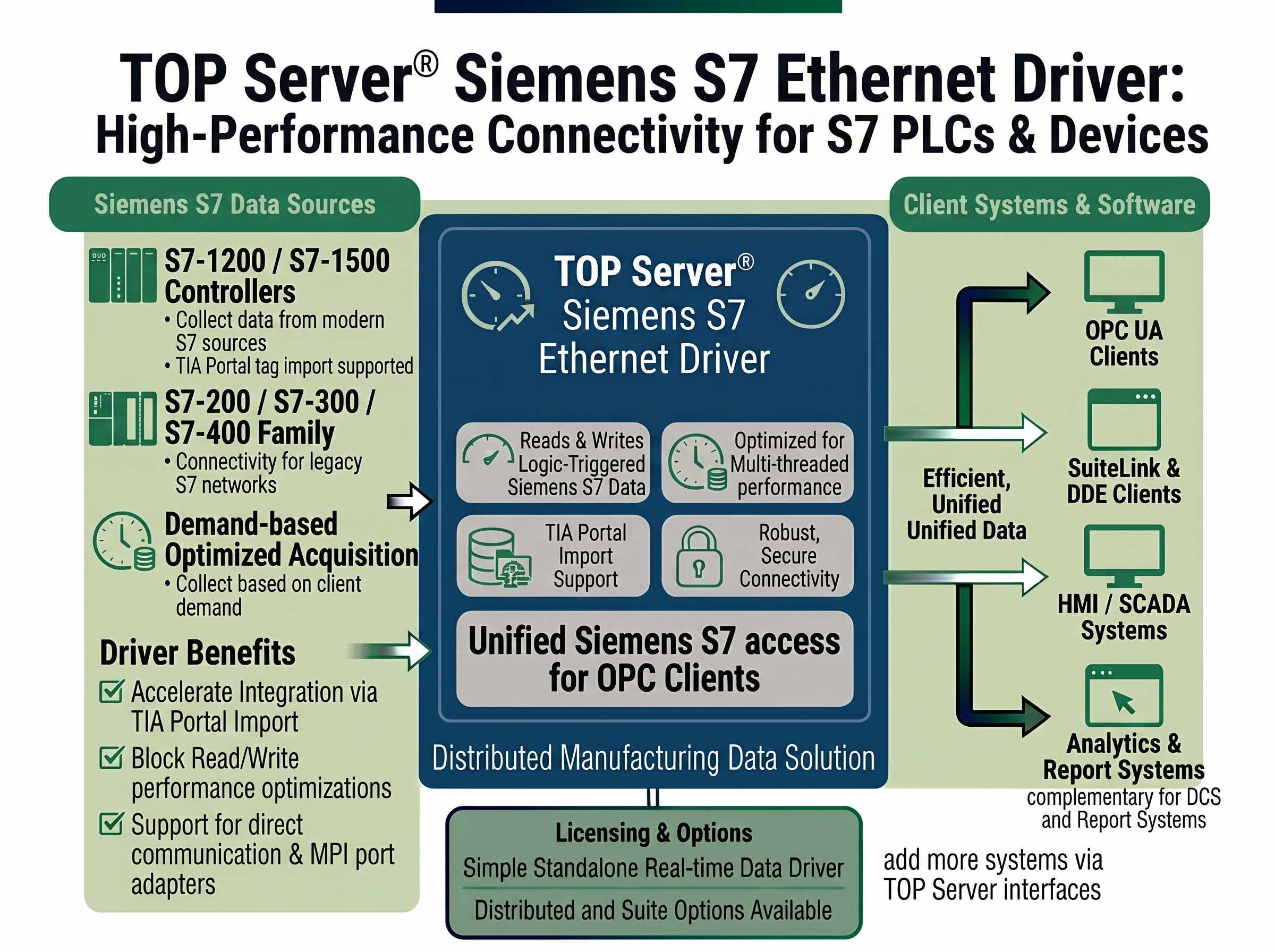
Proven benefits that help you deploy faster and operate more reliably
Direct Ethernet connections to S7 CPUs using modular or built in interfaces
Supports I, E, Q, A, M, F, T, C, Z, data blocks, and time of day
Enables precise bit level read and write operations
Supports all data types including string
Uses standard Ethernet network interface cards for communication
Specify network interface cards at the channel level
Access via PC, PG, and OP communication ports
Separate communication threads per channel for improved efficiency
"The Software Toolbox team did an outstanding job. Great follow up and checking back to find out status. I will certainly recommend Software Toolbox to everyone I can. I have NEVER had a bad experience with the highly capable tech support group. Thank you for a GREAT product"
Jr Goulet
Controls Engineer
Everything you need for reliable Siemens S7 family Ethernet connectivity
Maximum Number of Channels & Devices: Channels - 1024, Devices per Channel - 1024, NOTE: Practical channel/device limits will vary depending on your available system resources
Automatic Tag Generation from TIA Portal for S7-1500, S7-1200, S7-400 and S7-300 with the included TIA Portal Exporter (must be installed on same machine as TIA Portal)
Supports NetLink communication adapter and NetLink Configuration Utility
Supports maximum Packet Data Unit (PDU) size configured on device for performance optimization
Supports multiple connections per device
Supports access on PC, PG, and OP ports
Supports CP243, CP343, and CP443 TCP/IP communications cards
Supports Data Block Access and Bit-Level Access
Protocol
Siemens TCP/IP Ethernet (S7 Messaging on Industrial Ethernet - ISO 8073 Class 0)
Network
TCP/IP Ethernet
Default TCP Port (CP)
102
Default TCP Port (NetLink)
1099
Interface Required
Standard Ethernet NIC
Max Channels
1,024
Devices per Channel
1,024
Memory Types
I, E, Q, A, M, F, T, C, Z, Data Block, Time-of-Day (TOD)
Client Interfaces
OPC UA, OPC DA, AVEVA SuiteLink, DDE
License Type
Perpetual
Note: For full details on models and networks supported, please consult the driver help file.
Everything you need to get started, configure, and troubleshoot your driver
Step-by-step video tutorial showing how to configure and use the Siemens S7 Ethernet driver
View →Watch step-by-step video tutorials covering installation and configuration
View →Application note describing configuration for S7 PLC families using Industrial Ethernet CP connections or Hilscher NetLink
View →Get started quickly with TOP Server
View →Troubleshooting tips and solutions for TOP Server
View →Complete driver documentation with setup instructions and configuration examples
Download →View the complete TOP Server release history and version information
View →
