
Reliable Data Aggregation for OPC XML-DA
This driver is available in the following TOP Server driver suites:
Max Channels Supported
Max Devices per Channel
Encrypted Connections
Client Interfaces (OPC UA/DA, DDE, SuiteLink)
The TOP Server OPC XML-DA Client Driver enables connectivity to third-party OPC XML-DA Servers, including those embedded in controllers, such as Siemens Simotion systems. The OPC XML-DA Client Driver has the ability to aggregate information collected from multiple OPC XML-DA servers.
When coupled with the built-in, standard TOP Server OPC UA Server interface, users will enjoy additional ease-of-use benefits for connecting OPC UA client applications to OPC XML-DA Classic servers through the TOP Server OPC UA Certificate Management application and tools which enable quick and easy installation and configuration. Similarly, this driver can be used to convert OPC XML-DA to OPC DA.
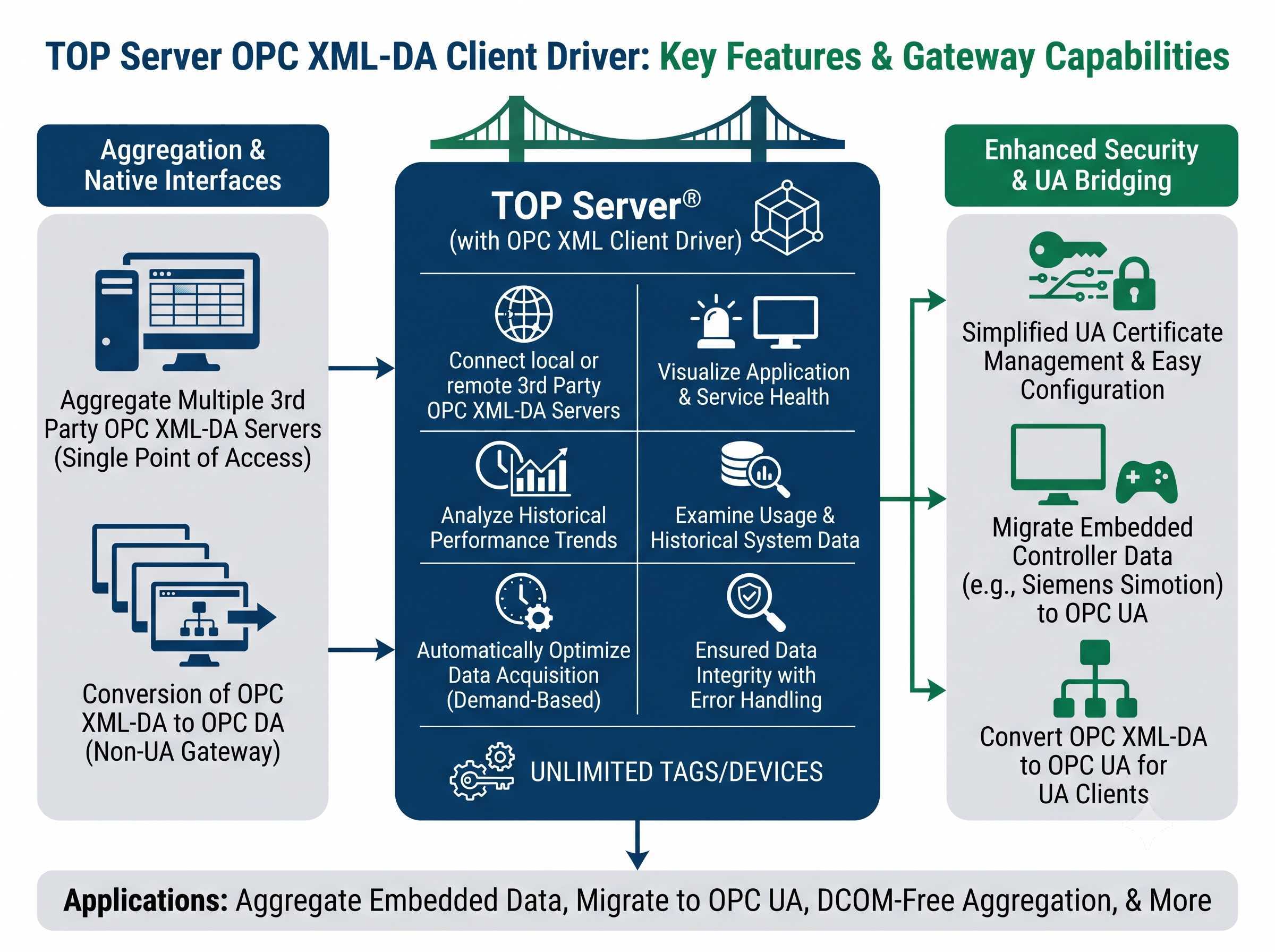
Proven benefits for OPC XML-DA data aggregation and connectivity
Provides a single, reliable connection point to access data from multiple OPC XML-DA servers on local and remote machines
Enables optimized performance of OPC XML-DA servers
Supports connection monitoring and reconnect behavior for each OPC XML-DA server
Allows connectivity to multiple OPC XML-DA servers from clients that do not support multiple connections
Connect OPC UA client applications to OPC XML-DA Classic servers using TOP Server OPC UA certificate management
Convert OPC XML-DA to OPC DA for broader client compatibility
"The Software Toolbox support team was very helpful and provided lots of useful advice and links to help me solve my issue."
Dan Hutton
Automation Engineer
Advanced features for data aggregation and performance
Streamline setup with automatic tag discovery from OPC XML-DA servers
Secure connections with HTTPS security and SSL encryption support
Data updates via exception or polling with deadband control (percent) to reduce unnecessary traffic
Configurable update rate, hold time, and wait time for optimized performance
Array support for all data types to handle complex data structures
OPC XML-DA server keep alive setting for continuous connection health monitoring
Protocol
OPC XML-DA Classic
Connection Types
HTTP, HTTPS
Max Channels
128
Max Devices per Channel
256
Security
HTTPS / SSL Encryption, User and Password Authentication
Update Modes
Exception-based or polling-based with deadband control (percent)
Client Interfaces
OPC UA, OPC DA, DDE, AVEVA SuiteLink
Operating System
Windows Server 2012 or later, Windows 10/11
Version Required
TOP Server V6.0 or later
Memory
4 GB RAM minimum, 8 GB recommended
Note: Connects to any OPC XML-DA Classic server, including those embedded in controllers such as Siemens Simotion systems.
Note: The OPC XML-DA Client Driver is available in the TOP Server OPC Client Suite and Manufacturing Suite.
Everything you need to get started, configure, and troubleshoot your driver
Library of how-to videos covering installation, configuration, and troubleshooting
View →How-to application notes for TOP Server configuration
View →Quick start guide for TOP Server setup
View →Comprehensive troubleshooting guide for common TOP Server issues
View →Complete driver documentation for OPC XML-DA Client connectivity
Download →View the complete TOP Server release history and version information
View →Move data without DCOM using OPC secure tunneling
View →Information on supported operating systems and system requirements
View →
