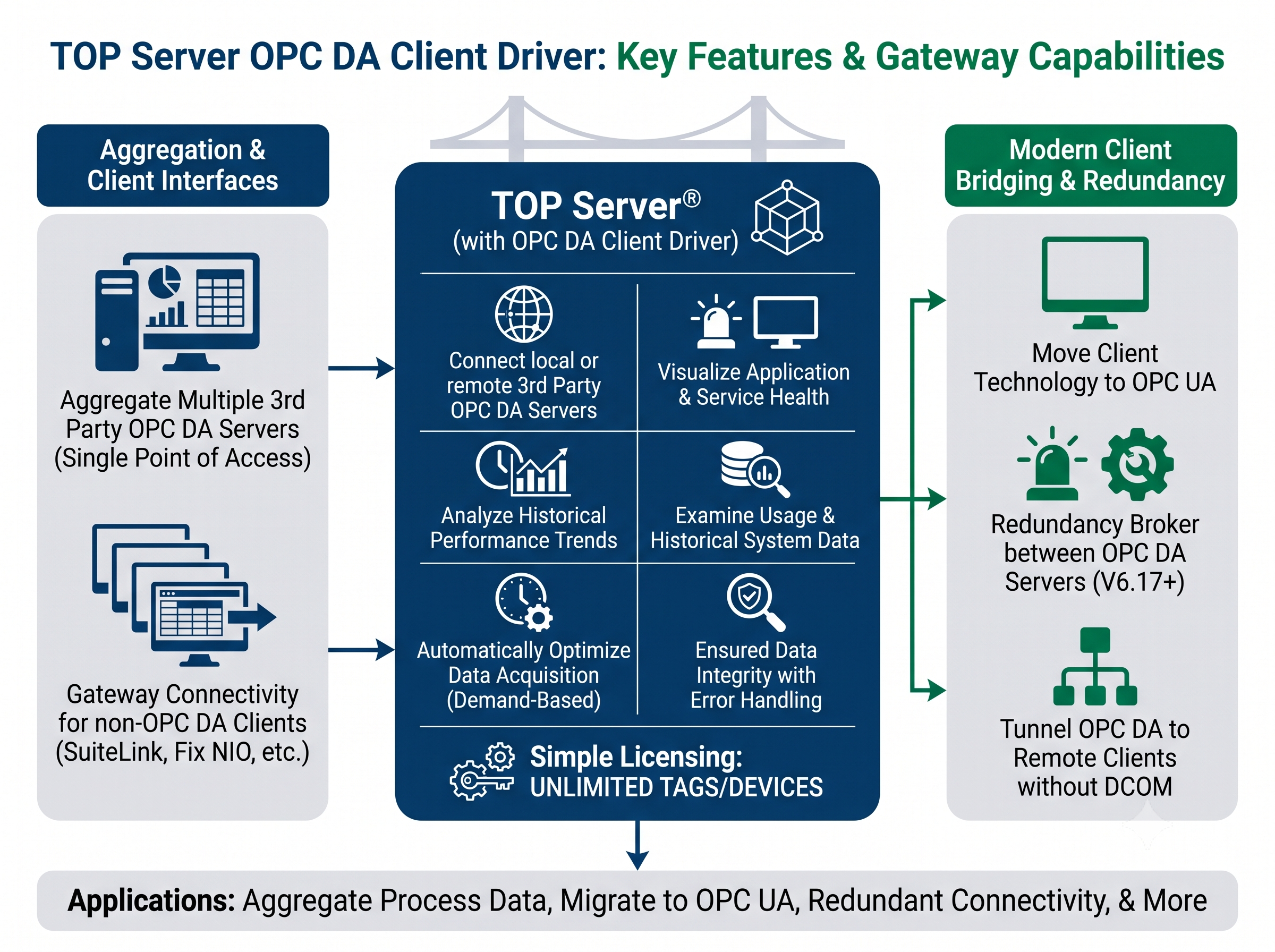
The TOP Server OPC DA Client Driver enables standard, reliable connectivity to local or remote 3rd party OPC DA Servers.
Aggregate information collected from multiple OPC DA servers, giving your client applications a single point-of-access for all of your process data
Once data is in TOP Server, data from OPC DA Servers can be shared using TOP Server’s standard, built-in OPC UA, OPC DA, DDE or native interfaces such as AVEVA (formerly Wonderware) SuiteLink and Fix NIO/PDB, providing gateway connectivity for non-OPC DA clients.
Use as a bridge to move your client technology forward to the latest OPC standard, OPC UA. since TOP Server is natively an OPC UA Server
Use as a redundancy broker between OPC DA Servers (V6.17+)
When combined with theOPC UA Client driverin theOPC Client Suiteon a remote client machine, you can tunnel OPC DA data to remote client applications without DCOM.
Why Choose This Driver?
Proven benefits for OPC DA data aggregation and gateway scenarios
Data Aggregation
Centralizes access to data from multiple OPC servers—local and remote—through one dependable connection point
OPC UA Upgrade Path
Use it as an upgrade path to OPC UA while still consuming legacy OPC DA data
DCOM Avoidance
Supports remote OPC access patterns for clients that cannot or should not rely on DCOM
Scalable Architecture
Scales up to 128 channels and up to 256 devices per channel
Redundancy Support
Works with a Media Level Redundancy plug-in for managing redundant OPC DA servers
Performance Optimization
Helps optimize OPC server performance through grouping and organization strategies
"The Software Toolbox support team was very helpful and provided lots of useful advice and links to help me solve my issue."
Dan Hutton
Automation Engineer
Key Features & Benefits
Advanced OPC gateway features for optimal performance
Per-Server Monitoring
Per-OPC-server monitoring and reconnect policies for each OPC server connection
Browse OPC DA servers with tag browsing support including filtering and sorting
Auto Tag Database Creation
Automatic tag database creation from the underlying OPC server for quick import and configuration
Flexible Update Modes
Supports exception-based updates or polling-based updates with deadband options for update control
Gateway to Multiple Interfaces
Translate acquired OPC DA data into TOP Server supported client interfaces including DDE, SuiteLink, and GE-related interfaces
Technical Specifications
Protocol
OPC Classic Data Access (OPC DA 1.0, 2.0, 3.0)
Connection Types
TCP/IP via DCOM, Local Machine
Max Channels
128
Max Devices per Channel
256
Update Modes
Exception-based or polling-based with deadband options (percent or absolute)
Data Structures
Two-dimensional array support for complex data
Client Interfaces
OPC UA, OPC DA, DDE, AVEVA SuiteLink, FIX NIO/PDB
Operating System
Windows Server 2012 or later, Windows 10/11
Version Required
TOP Server V6.0 or later (v6.17+ for redundancy-broker scenarios)
Memory
4 GB RAM minimum, 8 GB recommended
Supported Devices
OPC DA Servers: 1.0, 2.0, and 3.0
Note: Supports underlying OPC DA compatibility for server connections across 1.0 / 2.0 / 3.0, using 2.0 calls when available and falling back to 1.0 when needed. Not all OPC DA 3.0 advanced operations are supported.
Protocols/Networks
OPC Classic Data Access (DA)
Note: OPC DA Client Supported Protocols / Networks
Resources & Documentation
Everything you need to get started, configure, and troubleshoot your driver