
Reliable Connectivity for AutomationDirect Productivity Controllers
This driver is available in the following TOP Server driver suites:
Key Features
Protocols
Free Trial
Customer Rating
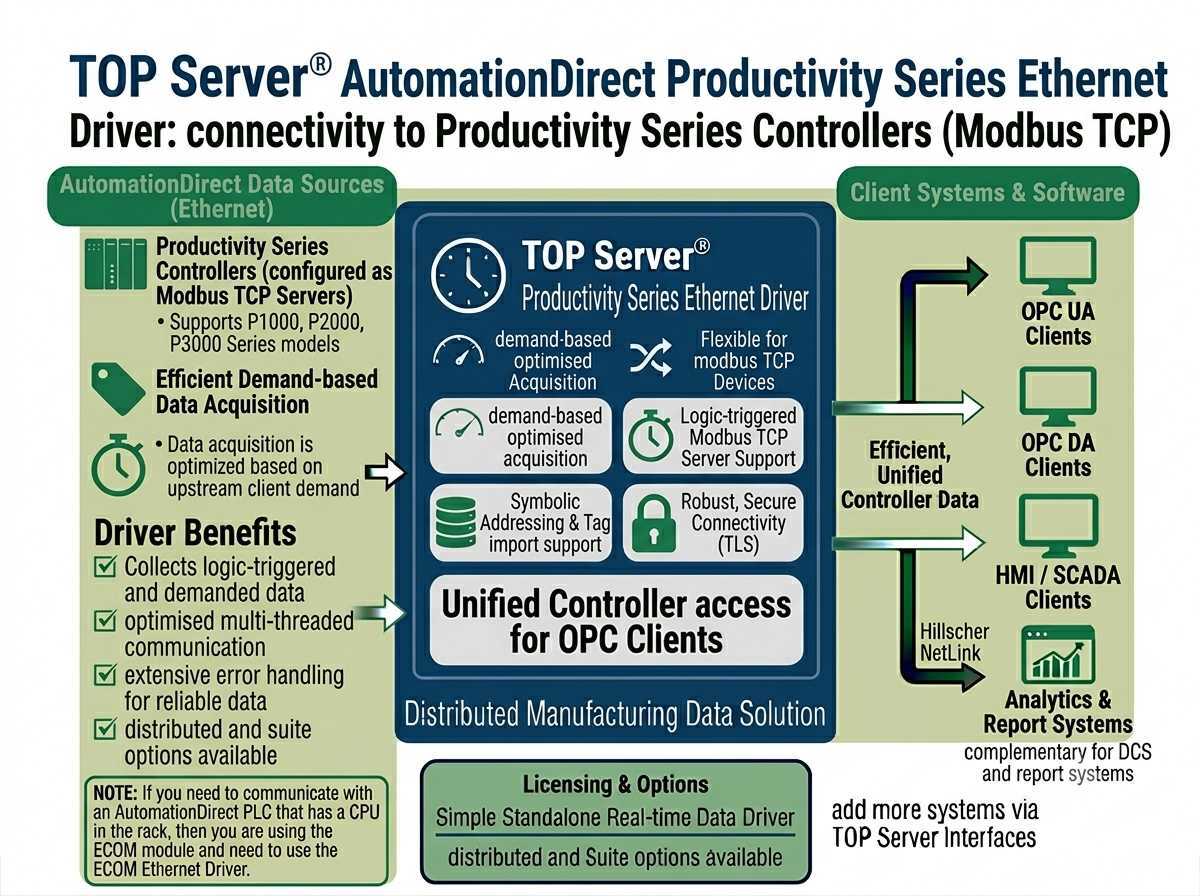
The AutomationDirect Productivity Series Ethernet driver works in conjunction with TOP Server® to provide data exchange between OPC UA, OPC DA, SuiteLink and DDE clients and AutomationDirect Productivity Series controllers configured as Modbus TCP Servers. Data acquisition is optimized based on upstream client demand while data integrity is ensured using extensive error handling.
This driver is available in the following TOP Server driver suites: TOP Server AutomationDirect Suite, TOP Server Manufacturing Suite.
Proven benefits that help you deploy faster and operate more reliably
Configure in minutes with intuitive setup wizards
Encrypted connections and role-based access control
Sub-second updates with optimized polling algorithms
Support for hundreds of devices per channel
"Outstanding reliability and performance. This driver has been running flawlessly in our production environment for over a year."
John Anderson
Automation Engineer, Manufacturing Solutions Inc.
Everything you need for reliable industrial connectivity
Access live process data from your devices with minimal latency and maximum reliability.
Read and write configuration parameters directly from your SCADA or HMI application.
Intelligent connection management automatically recovers from network interruptions.
One and two-dimensional array support for flexible data access across Productivity Series controllers.
Per-device threading and user-defined block size deliver optimized throughput with minimal overhead.
Comprehensive logging helps troubleshoot issues and monitor driver performance.
Protocol
AutomationDirect Modbus TCP for Productivity 3000
Network
TCP/IP Ethernet
Max Channels
100
Devices per Channel
256
Array Support
One and Two Dimensional
License Type
Perpetual
Note: Connects to Productivity Series controllers configured as Modbus TCP Servers.
Everything you need to get started, configure, and troubleshoot your driver
Watch step-by-step video tutorials covering installation and configuration
View →Get started quickly with TOP Server
View →Troubleshooting tips and solutions for TOP Server
View →Complete driver documentation with setup instructions and configuration examples
Download →View the complete TOP Server release history and version information
View →
