
Single-point access to ODBC data sources for live data simulation
This driver is only available as part of the following TOP Server driver suite:
Device Types Supported
Client Interfaces (OPC UA/DA, SuiteLink, DDE)
Status Tags/Device (Online + Response Time)
Protocol, Zero Agents Required (ICMP)
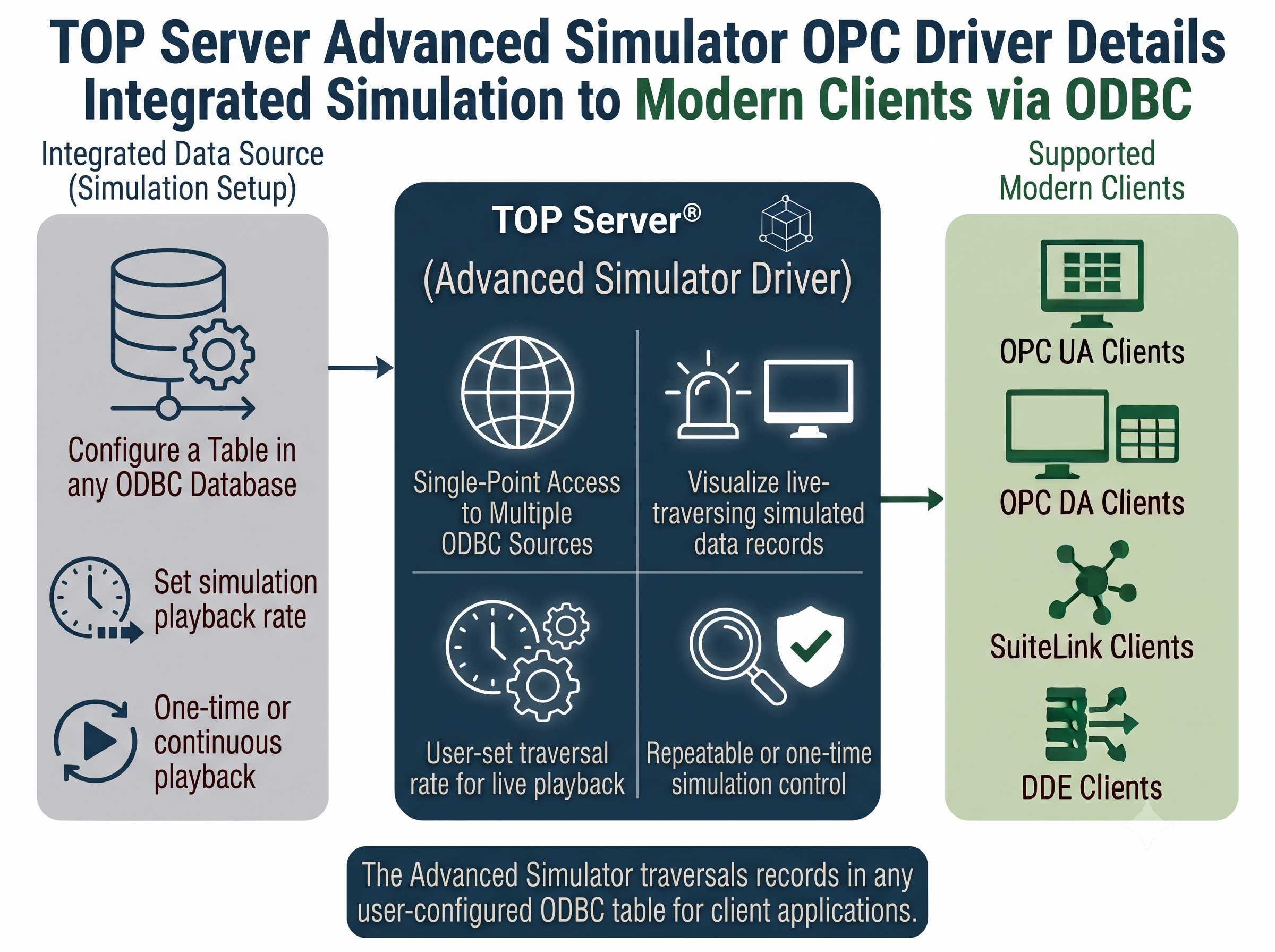
The Advanced Simulator Driver works in conjunction with TOP Server® to provide single-point access to multiple ODBC data sources and generate simulated data to share between OPC UA, OPC DA, SuiteLink and DDE clients via ODBC.
This driver simulates live data by traversing through all the records in a selected table at a rate set by the user. You configure your "simulation" by simply setting up records in any ODBC database in a table and the driver "plays them back" to the client application as if they were live data. Simulations can be one-time runs or continuously repeating.
Proven benefits that help you deploy faster and operate more reliably
Built on TOP Server's multi-threaded architecture, with secure user management and redundancy for scalable, dependable testing.
Simulates live data by traversing records in your selected user table at a user-defined rate
Supports multiple connection sessions to multiple ODBC data sources simultaneously
Supports dynamic table access method for flexible data source configuration
Automatically restarts at the first record or stops at the last, giving you full control over simulation loops
Built-in MoveTo tag lets you jump to any specified record on demand
Supports CSV import/export for fast, large-scale tag configuration
Add new tags at any time, even while the simulation is running
"Everything was solved within a few hours. As always, the best support experience."
Stefan Haugseth
Managing Director/Founder @ MCPM
Everything you need for reliable, large-scale simulation
Supports up to 100 channels, so you can scale simulation across multiple independent connections
Supports up to 4,096 devices per channel, with practical limits depending on available system resources
Configure a stream of values in an ODBC compliant database and the driver "plays" them through OPC items in real time
Supports multiple connection sessions to multiple ODBC data sources at once
Tags are updated regularly from the database, keeping simulated data current
Supports CSV import/export for manipulating large tag quantities quickly and efficiently
Maximum Channels
Up to 100
Maximum Devices per Channel
Up to 4,096 (practical limits vary based on available system resources)
Data Source
ODBC compliant database
Data Playback
Streams configured database values and "plays" them through OPC items in the driver
ODBC Connectivity
Supports multiple connection sessions to multiple ODBC data sources
Tag Updates and Management
Tags updated regularly from the database. Supports CSV import/export for large tag quantities
Note: For a complete list of supported models and firmware versions, please contact our technical support team or download the driver documentation.
Note: Advanced Simulator Supported Protocols / Networks
Everything you need to get started, configure, and troubleshoot your driver
Complete information containing driver help documentation.
View →Library of how-to videos covering installation, configuration, and troubleshooting
View →How-to application notes for TOP Server configuration
View →Quick start guide for TOP Server setup
View →Comprehensive troubleshooting guide for common TOP Server issues
View →View the complete TOP Server release history and version information
View →
